
POLYV Live Official Skill Now Supports WorkBuddy for Conversational Enterprise Live Streaming Management
POLYV Live now supports WorkBuddy, enabling enterprises to manage live streaming tasks through conversational workflows across event setup, access control, marketing tools, replay and data review.
June 18 — POLYV Live announced that its official Skill is now available in WorkBuddy. As of today, enterprises can use POLYV’s enterprise live streaming and owned-channel live streaming capabilities through WorkBuddy, OpenClaw and other Skill-enabled environments. Instead of navigating through a backend console, teams can use natural-language prompts to create live sessions, configure channels, manage streaming inputs and outputs, set viewer access rules, publish products, create marketing forms, issue coupons, manage replays and review performance data.
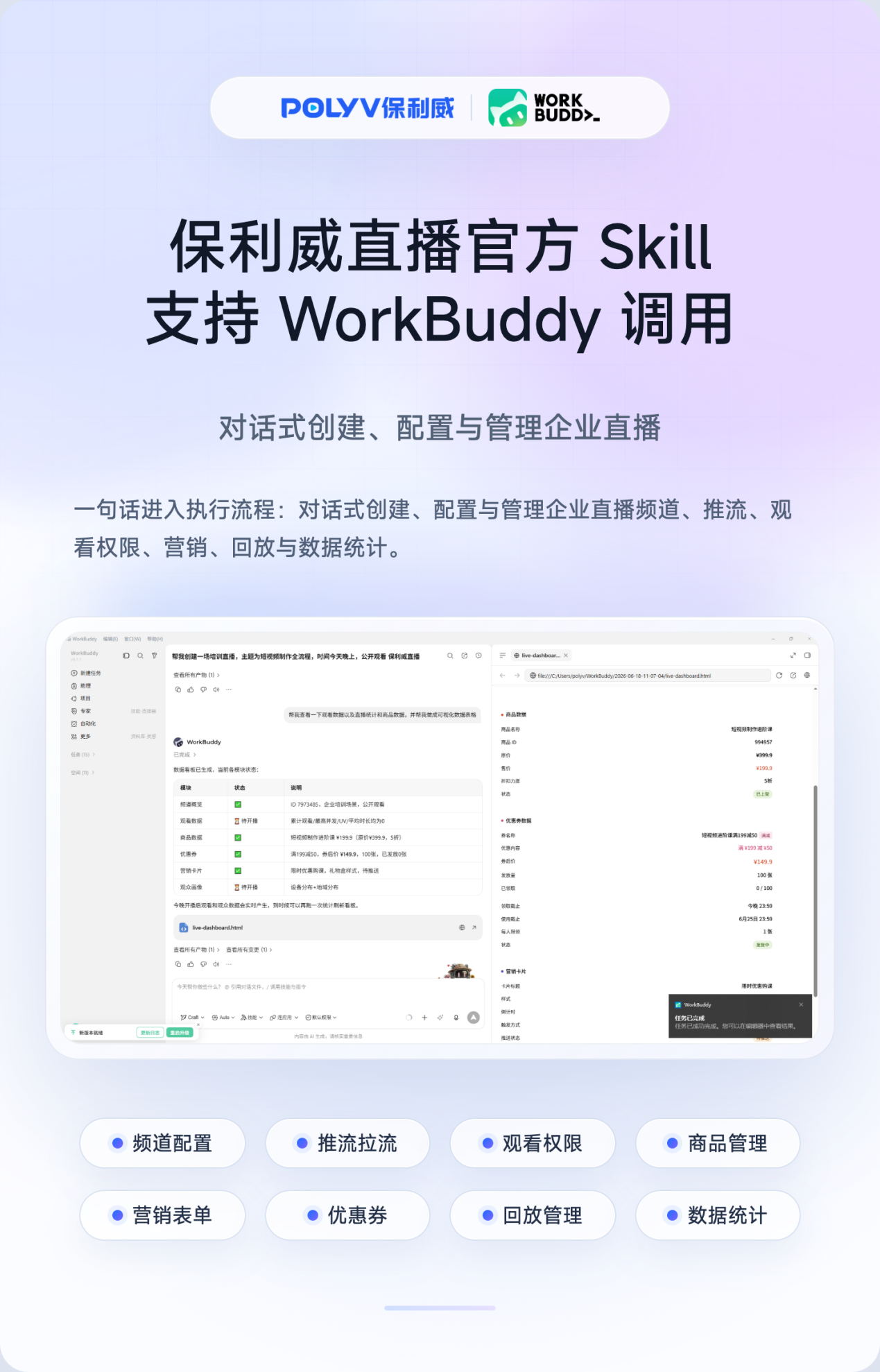
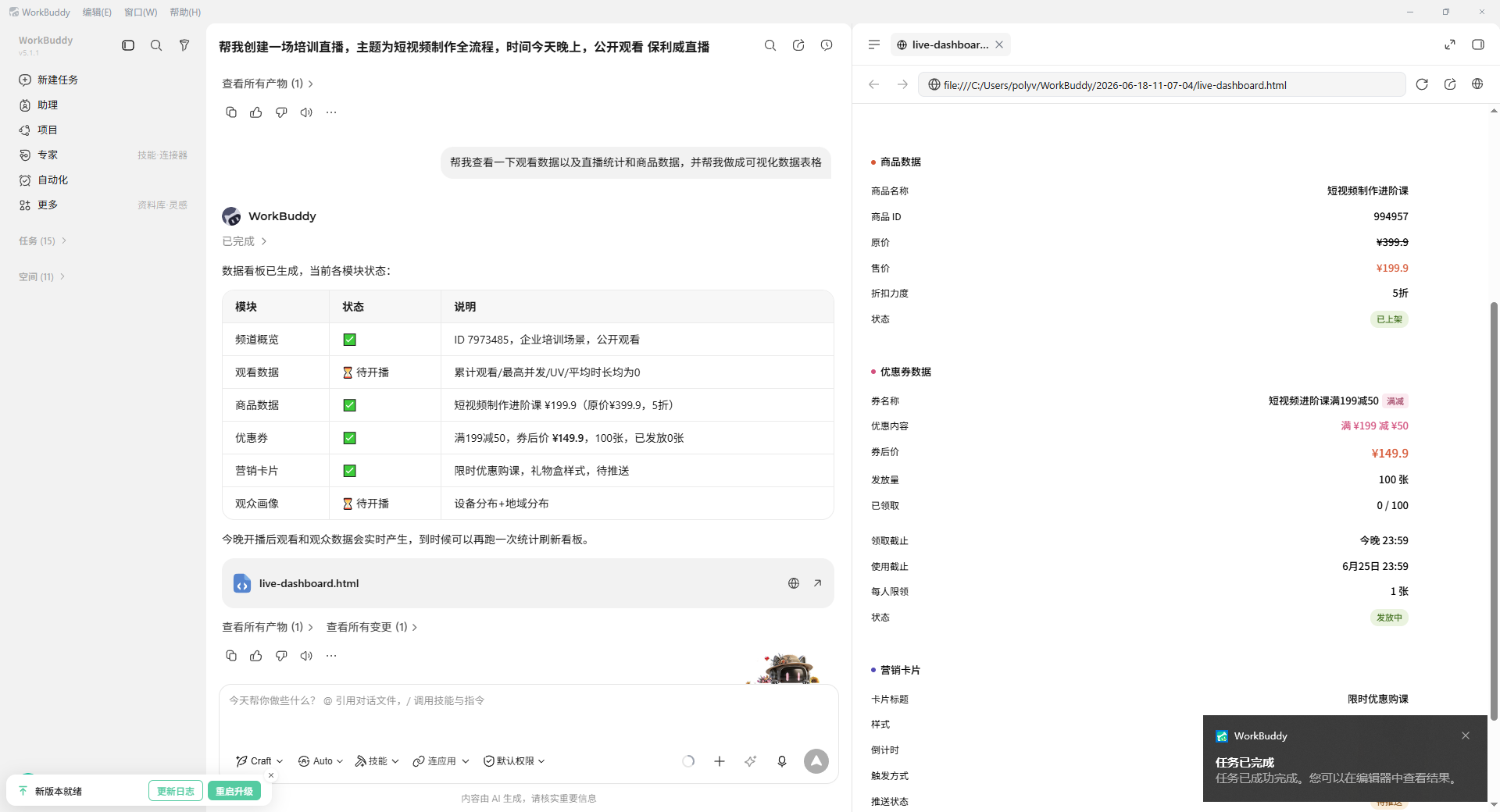
Planning an enterprise live stream typically requires channel setup, access control, streaming information, interaction tools and marketing components before the event, followed by replay management, data export and performance review after the event. In the past, these steps often required operations, technical and marketing teams to work across multiple pages and workflows. With the official POLYV Live Skill, enterprise users can initiate tasks more directly: for example, “create an internal training live stream and enable whitelist viewing,” “add products to this owned-channel live stream and configure a flash sale and coupon,” or “export the viewing data for this live session.” Teams can also use WorkBuddy’s broader capabilities to generate supporting visual assets for live streaming campaigns.
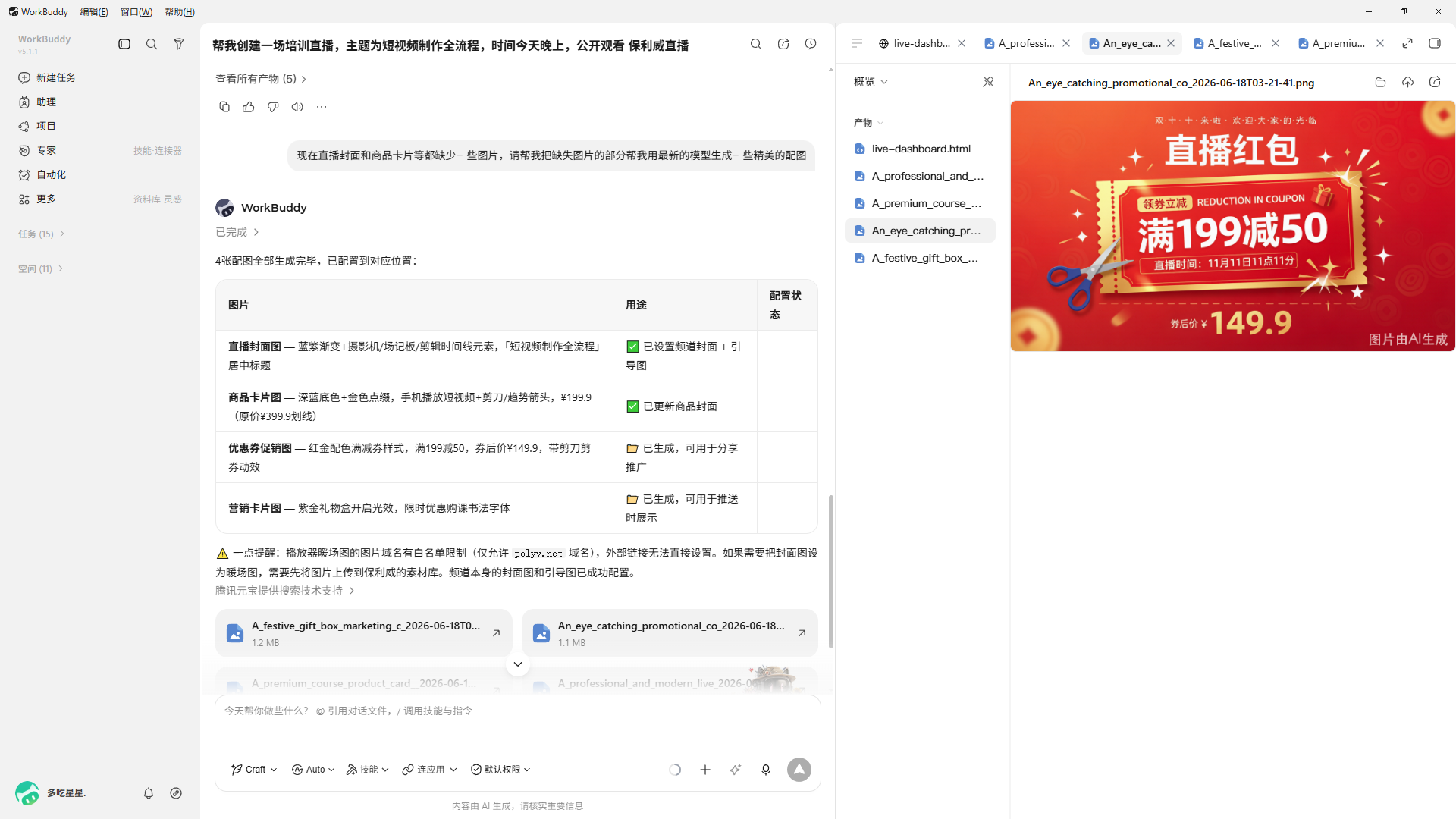
This means POLYV Live capabilities are no longer limited to the control console and API documentation. They can also be called by work assistants such as WorkBuddy and integrated into everyday enterprise collaboration workflows. For frequent use cases such as marketing live streams, owned-channel live streams, corporate training and event broadcasting, the Skill helps teams reduce repetitive work and make the process from preparation to execution and post-event review more efficient.
POLYV has long served enterprise live streaming, private-domain operations, online training and marketing event scenarios. According to information published on POLYV’s official website, POLYV ranked No. 1 on the Enterprise Video Live Streaming SaaS Ranking for six consecutive years from 2020 to 2025.
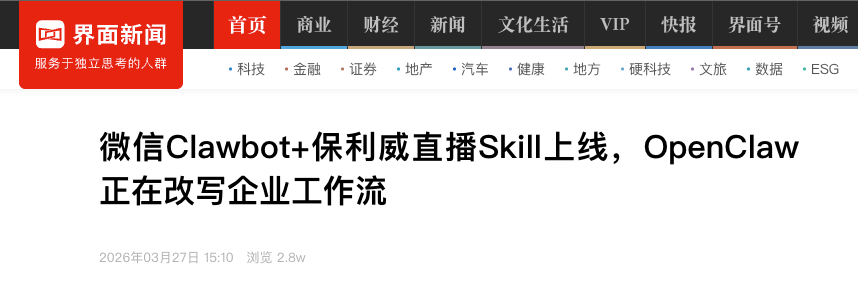
According to related reports, as early as March 2026, the POLYV Live Skill already supported installation and invocation through WeChat Clawbot with OpenClaw, and the Skill had been listed in SkillHub and other community ecosystems. This latest enhancement of the official Skill reflects POLYV’s continued move toward a new generation of work interfaces: turning mature enterprise live streaming capabilities into actions that are easier to call, easier to orchestrate and closer to how business users actually work.
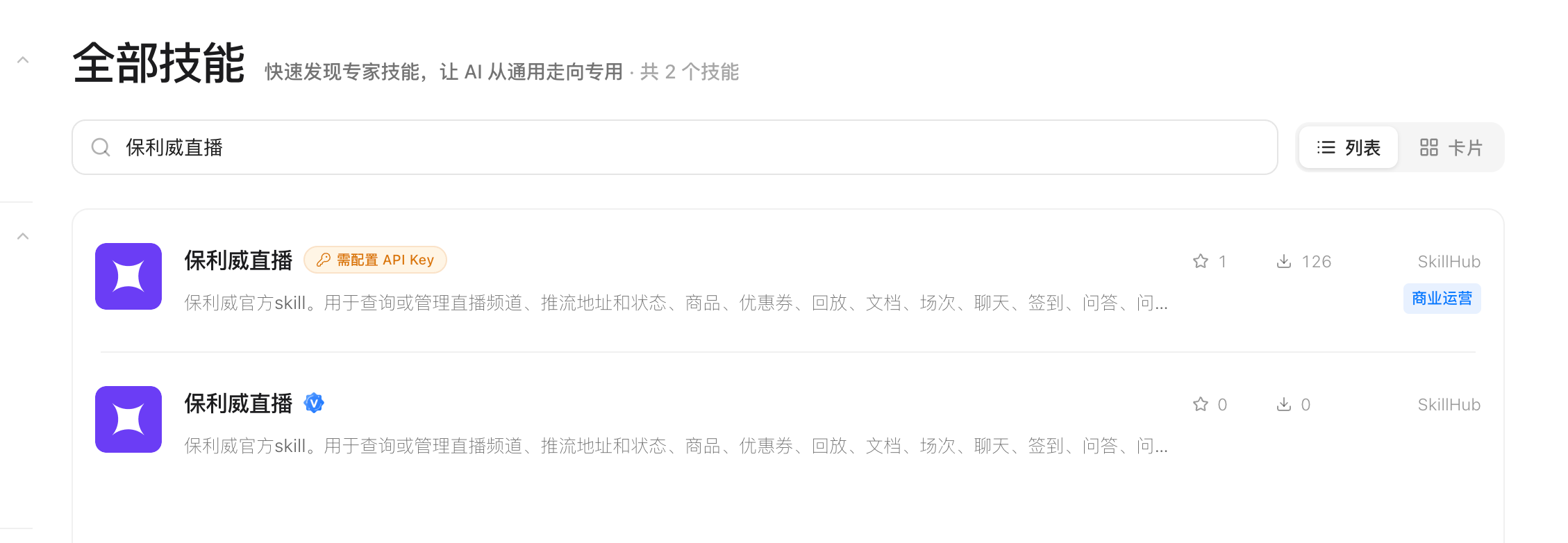
As products such as WorkBuddy gain attention, enterprises are rethinking the relationship between business systems and AI work assistants. The POLYV Live official Skill moves enterprise live streaming one step further from “backend operation” to “conversational execution,” creating new possibilities for more efficient live streaming operations.
How to Use the POLYV Live Skill in WorkBuddy
The following workflow is based on the official guidance provided by POLYV:
- Download and install WorkBuddy from the official WorkBuddy website: workbuddy.ai.
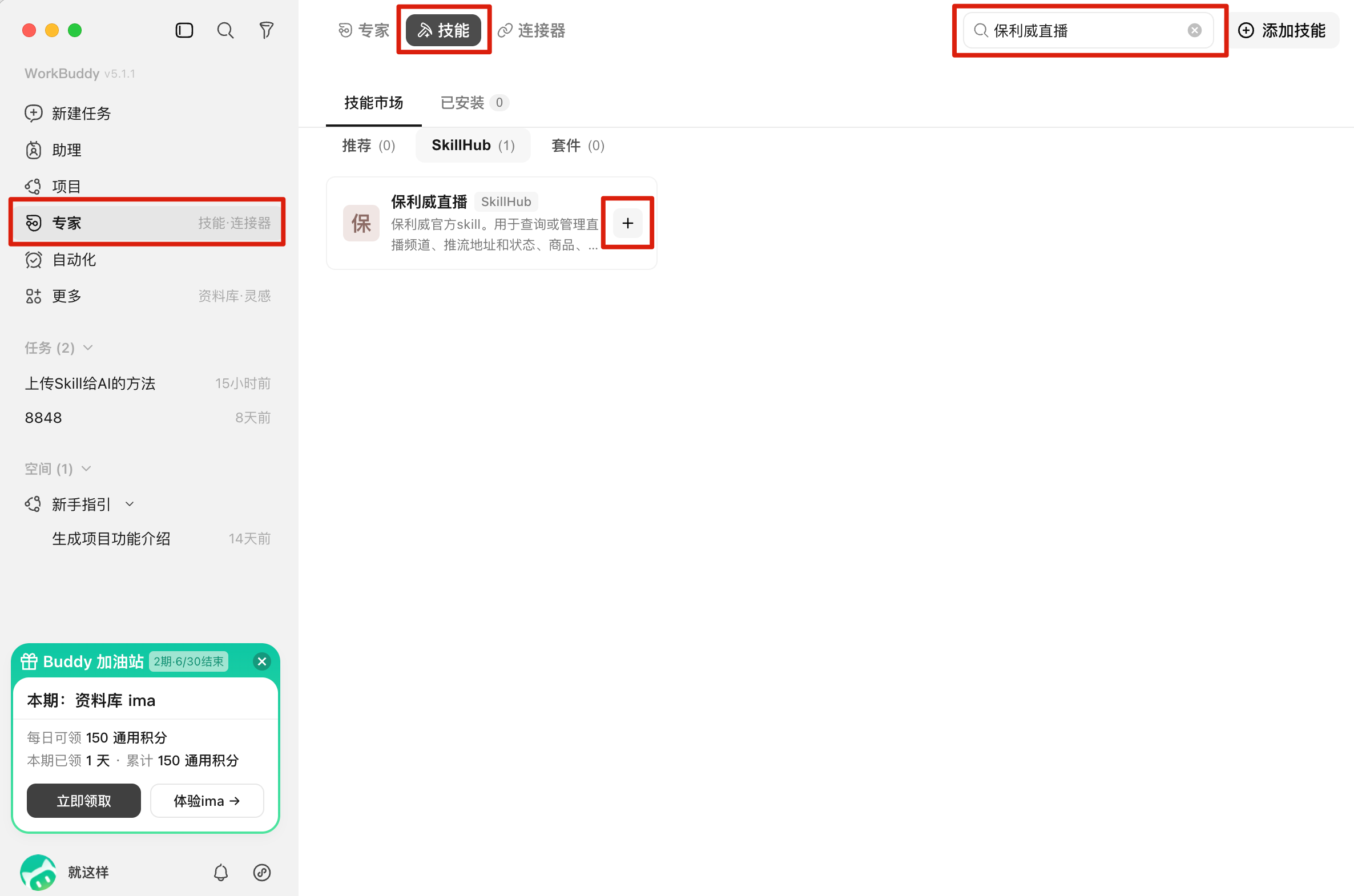
- In WorkBuddy, go to the Skills module, search for POLYV Live, and click “+” to install the POLYV Live Skill.
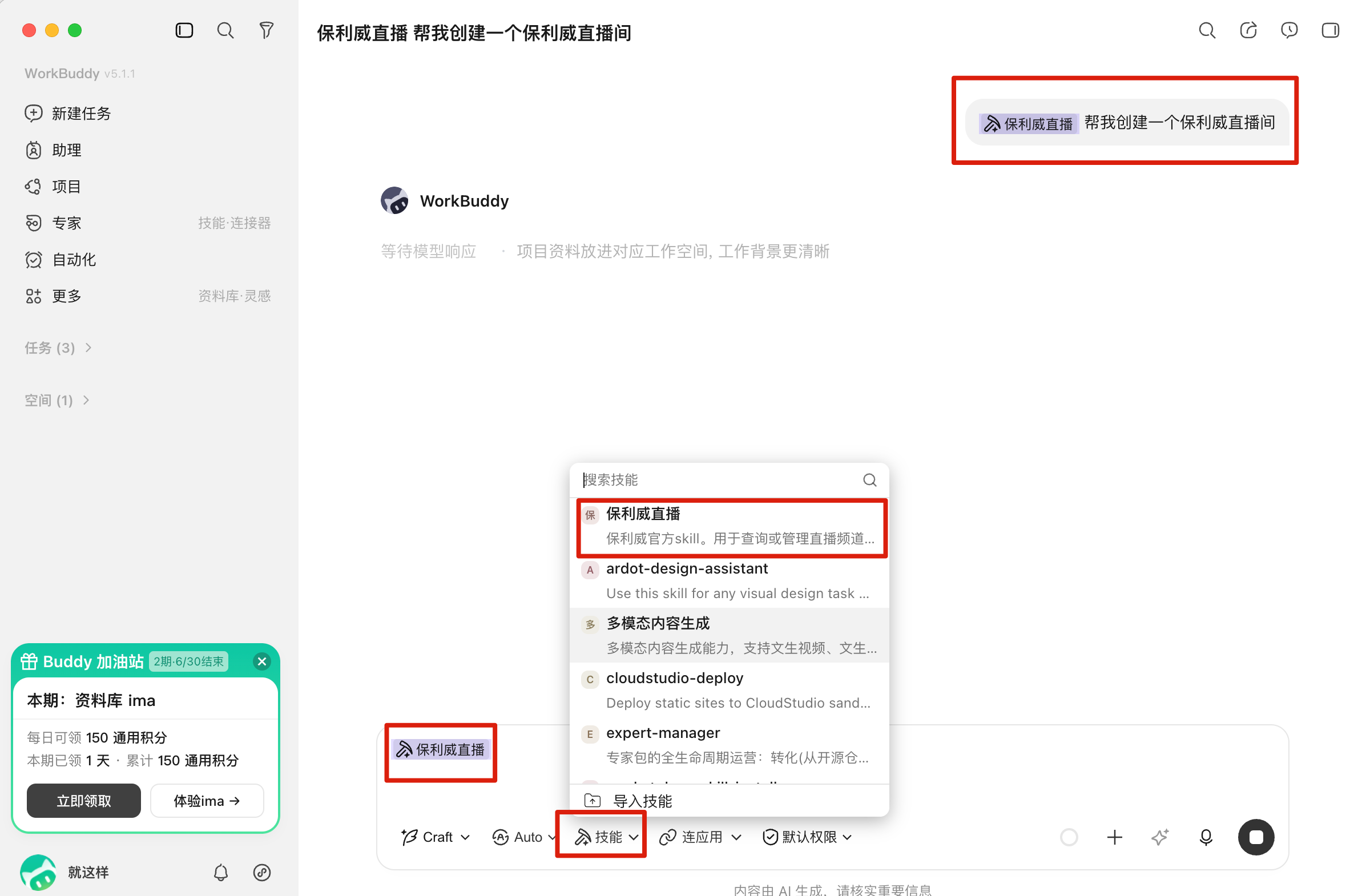
- Create a new conversation and invoke the POLYV Live Skill from the Skills menu.
Suggested Positioning for North America
For North American audiences, the key message is not simply that another integration is available. The stronger angle is that POLYV Live can now be operated through AI-assisted workflows, allowing business users to complete common live streaming tasks through conversation while still relying on POLYV’s enterprise-grade live streaming infrastructure.
The most relevant use cases include corporate training, product launches, customer education, partner enablement, private events and owned-audience marketing programs.