
How Can an Education Live Room Teach and Sell at the Same Time? Course Cards, Instructor Rhythm, and WeChat Payment
For education institutions, mini program live course sales are not just about displaying a purchase link. The key is to connect instructor rhythm, course cards, WeChat payment, and data feedback into one conversion flow.
When education institutions use mini program live streaming to sell courses, a common mistake is separating “teaching” and “purchase” into two disconnected actions: the instructor teaches during the first half, and the operations team sends a course link at the end.
This can work, but conversion is often unstable. Parents and learners do not usually make a decision only when they see a link. Their intent is built gradually as they listen, understand the course value, judge whether the course fits the learner, and confirm the next steps.
Therefore, the real question is not whether a live room can display a course link. The key is how to connect instructor rhythm, course cards, payment entry, and data feedback into one conversion flow, so users can take action at the moment they understand the value.
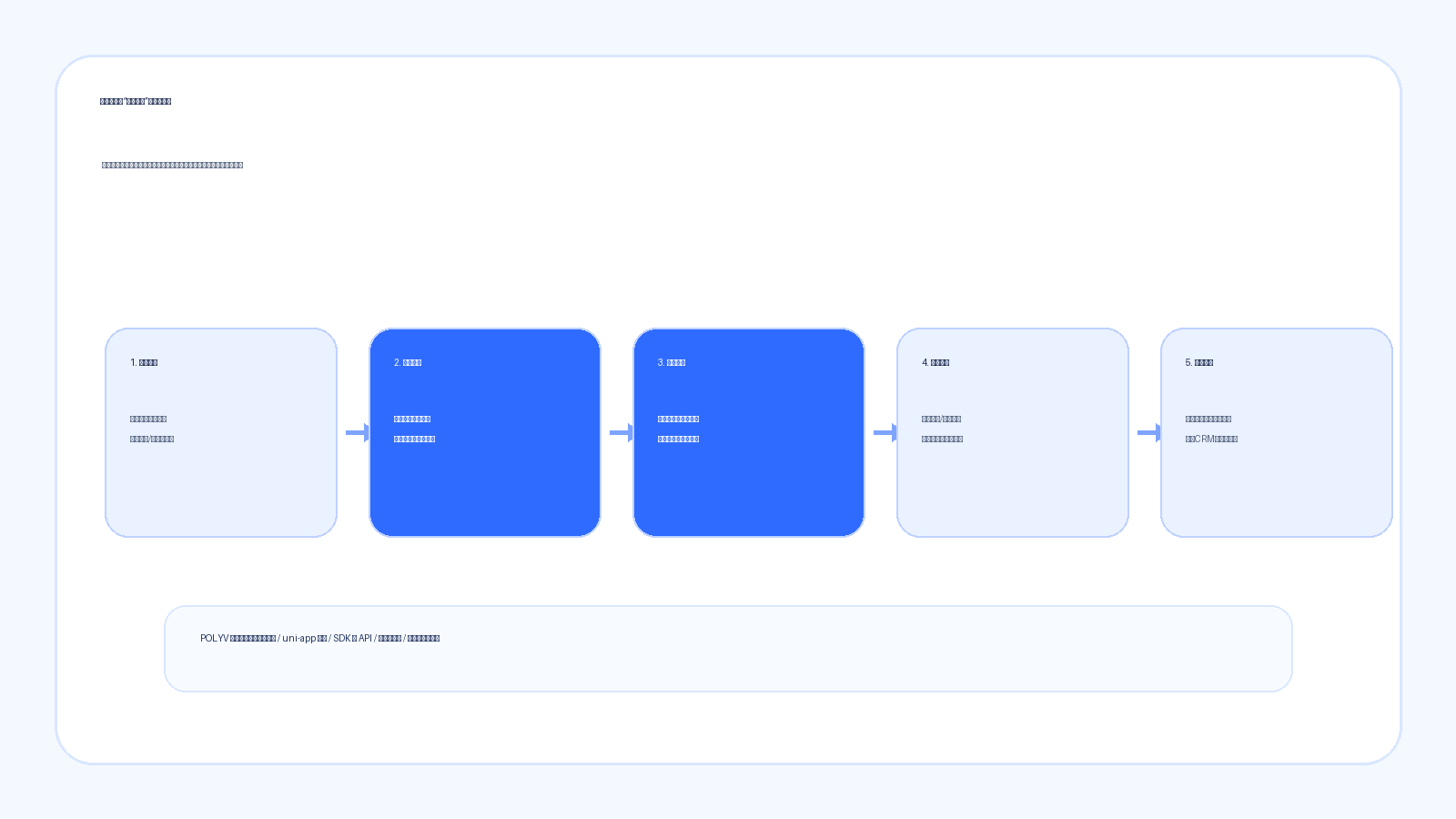
In short: “teaching and selling at the same time” does not mean forcing sales talk into a live class. It means showing the right course card at the right content moment. The live session builds trust, the course card captures intent, WeChat payment shortens the path, and data feedback helps the operations team understand who watched, clicked, and purchased.
01 Why Is Sending a Link After the Live Session Not Enough?
Education live streaming is different from ordinary live commerce.
For ordinary products, users may buy because of price, style, promotion, or immediate need. For education courses, the decision is more complex. Parents often care about the learner’s foundation, learning goals, course system, instructor quality, class frequency, follow-up service, and payment decision.
If the live room only sends a purchase link at the end, the value explained during the session can become disconnected from the purchase action. Parents may think the course sounds useful, but after leaving the live room, they still need to search for the link in a group chat, ask about pricing, and confirm class types. Once the path becomes longer, conversion is easier to lose.
A better approach is to plan sales moments inside the live content.
For example, after explaining why children need systematic programming learning, the instructor can show an introductory course package. After explaining learning paths for different age groups, the live room can show graded course options. After answering common questions after a trial course, the institution can show the formal course or advanced course package.
In this context, course cards are not interruptions. They capture the interest that has already been created.
02 How Should Instructor Rhythm Be Designed?
The key to teaching and selling together is not how hard the instructor sells, but whether the instructor can explain the course value at the moment users are most concerned.
The first type of moment is problem explanation.
Parents may ask whether a child with no foundation can learn, what programming courses actually teach, or why recorded courses are not enough. The instructor can explain the issue first, then show the corresponding course package as a solution. At this point, recommending a course feels natural because users are already thinking about that problem.
The second type of moment is outcome demonstration.
Education live rooms can show student works, class clips, project results, or stage goals. After users see the outcomes, the natural question is: how can my child enter this learning path? Course cards can then carry actions such as registration, trial reservation, course package purchase, or material download.
The third type of moment is limited-time decision.
For public courses, parent meetings, or trial-to-paid conversion sessions, there is usually a clear enrollment window. The live room should first explain benefits, class types, and schedules, then show the course card and payment entry. It should not start with discounts before value is understood.
In other words, the instructor rhythm should complete “understanding” before asking users to take “action”.
03 What Information Should Course Cards Carry?
Education course cards should not only display the course name and price.
For parents, a course card needs to answer at least three questions: who the course is suitable for, what learning goals it supports, and what happens after purchase.
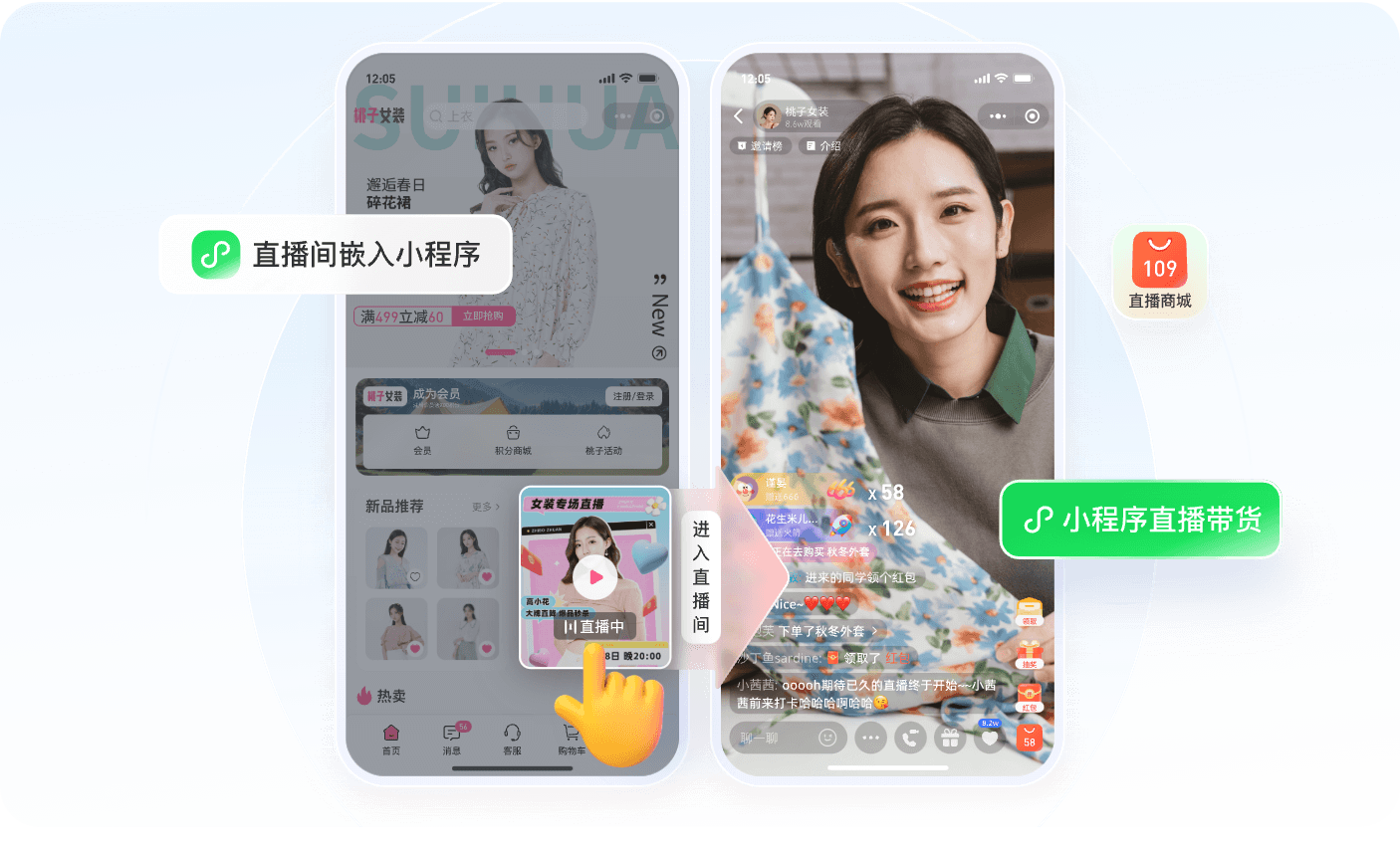
In a mini program live room, course cards can include course title, suitable age, lesson schedule, course highlights, purchase button, consultation entry, and jump link. For programming courses, quality-oriented education, trial-to-paid conversion, and parent meeting scenarios, different course cards can be pushed at different live moments.
For example, the first half of a public course can show a “reserve a trial class” or “download learning materials” card. When the instructor explains the learning path, the live room can show the systematic course package. When the instructor explains class types and services, the live room can show the formal course purchase entry.
This turns the course card from a single link into a part of the live conversion rhythm.
If the institution already has its own App, course system, or store, the course card can also serve as an entry to existing business systems. Viewing happens in the mini program, while orders, payment, class assignment, and user assets can continue to be handled by the existing system.
04 Why Is WeChat Payment Suitable for Mini Program Live Conversion?
One important reason education institutions choose mini program live streaming is the shorter WeChat payment path.
Parents may enter the live room from WeChat groups, official accounts, enterprise WeChat messages, or Moments. If they still need to jump to an App, web page, or manual transfer, the path becomes longer. For trial-to-paid conversion, low-price course to systematic course conversion, and parent meeting enrollment, the closer the payment action is to the live room, the easier it is to capture intent in time.
A mini program live room can place course cards and payment entry in the same flow: users watch the live session, click a course card, enter the course detail or order page, and complete WeChat payment. After payment, the institution’s course system can handle class notifications, class assignment, learning materials, and follow-up service.
This does not mean every transaction must be completed by the live streaming system.
A more reasonable structure is that the live platform handles viewing, interaction, course recommendation, and behavior data. The institution’s existing store, order system, or academic system handles products, pricing, payment, fulfillment, and user assets. This shortens the frontend conversion path without disrupting the existing business flow.
05 Data Feedback Determines Whether Follow-Up Can Continue
For many education institutions, the real challenge is not only the live session itself, but what happens afterward.
Who reserved the live session? Who entered the live room? How long did they watch? Who clicked the course card? Who entered the payment page but did not pay? Who paid but has not joined a class yet? If these data points cannot be collected, follow-up depends heavily on manual memory and group chat messages.
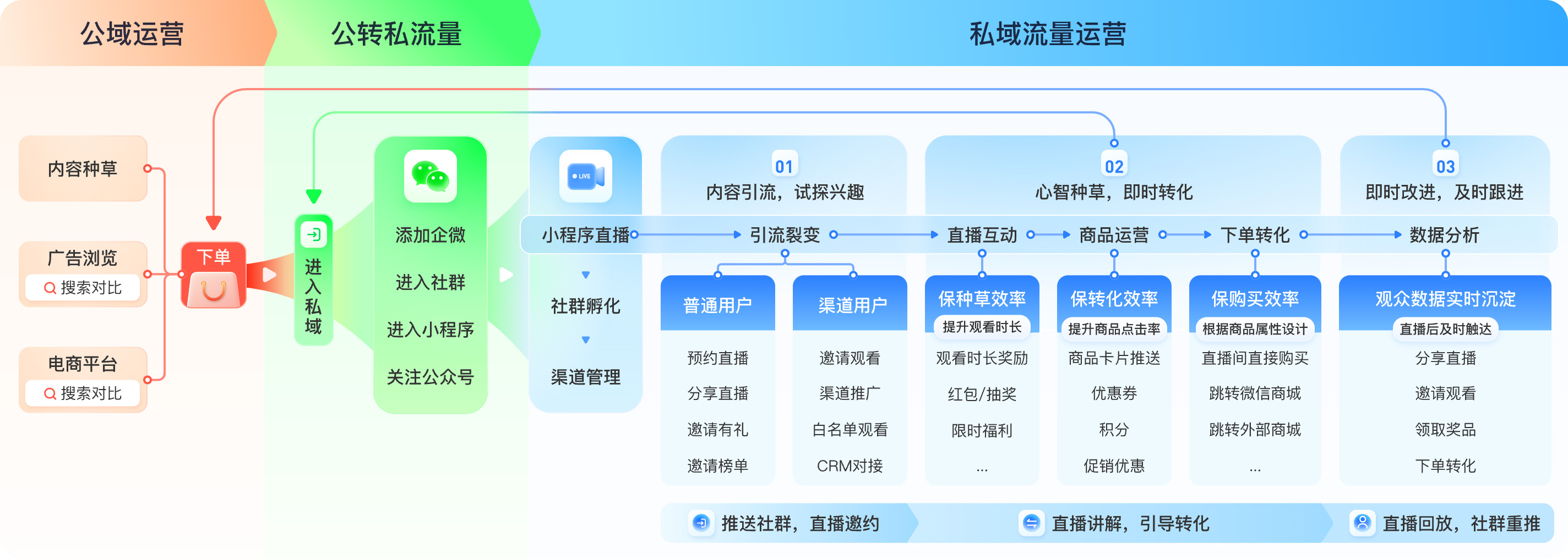
Mini program live course sales need to connect viewing behavior, interaction behavior, course card clicks, purchase actions, and user identity, then return the data to customer operation systems, order systems, operations dashboards, or data reports.
With these data points, institutions can conduct more precise follow-up: send course Q&A to users who watched but did not buy, remind users who clicked course cards but did not pay, and send class-start notifications and learning paths to users who have completed payment.
06 How Can POLYV Support This Scenario?
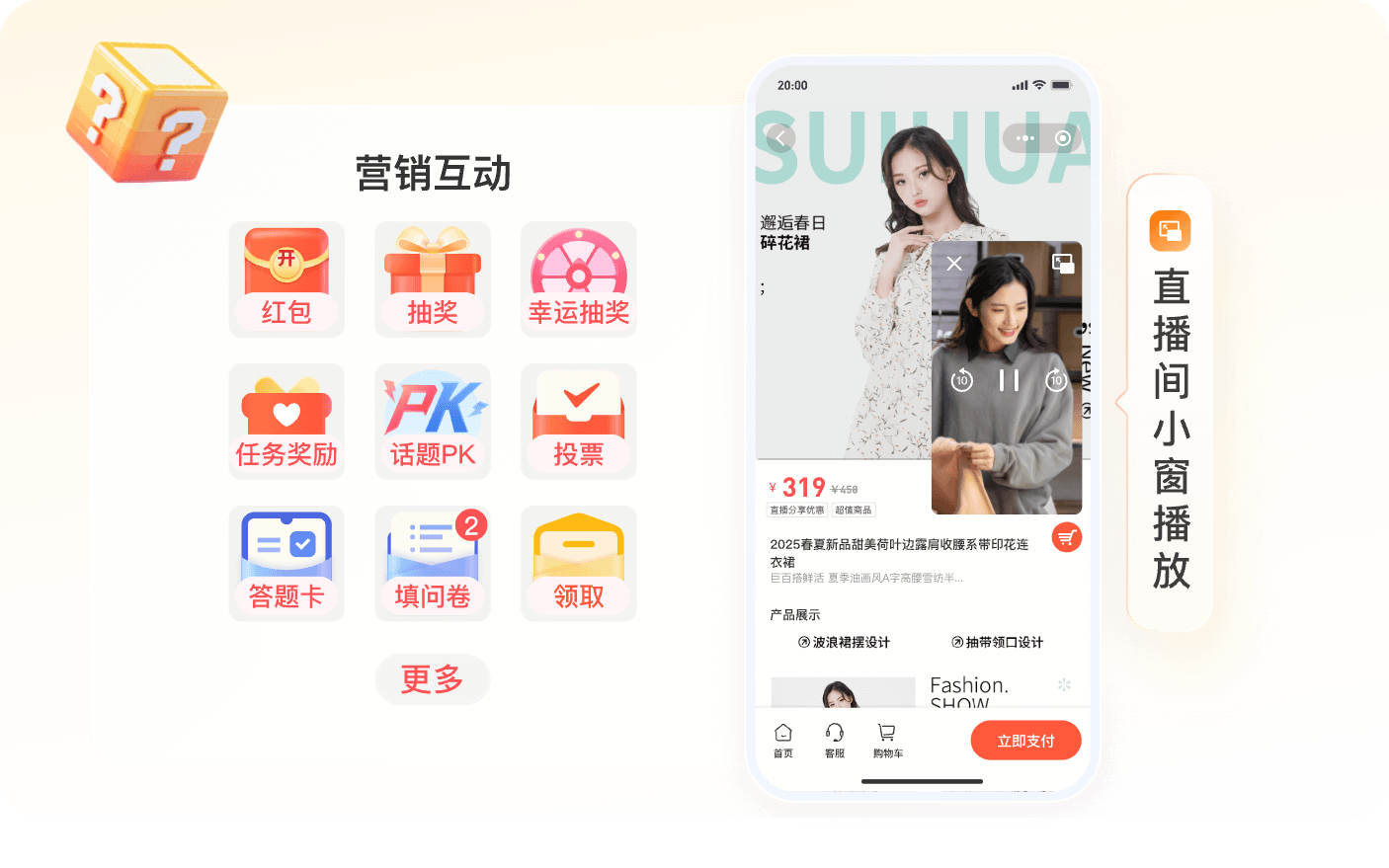
For education institutions that need mini program live course sales, POLYV can provide mini program live viewing pages, live interaction, course or product recommendation, viewing reservation, and data statistics, helping institutions place viewing, course cards, and conversion entry within one flow.
For integration, POLYV supports both native WeChat mini program integration and uni-app framework integration. Customers can choose among the Polyv viewing plugin, native live-player, and video player according to their mini program qualifications, player capabilities, and technology stack, reducing the risk of being blocked by qualification or component limitations.
For customers that already have an App, mini program, course system, store, or customer operation system, POLYV can also use live SDK, Web viewing page SDK, Web interaction receiving SDK, player capabilities, and APIs to embed the viewing page, interaction, course cards, payment jumps, and data feedback into existing business processes.
In other words, the institution does not necessarily need to rebuild a complete platform. It can use the live room as a conversion entry and connect instructor explanation, course recommendation, WeChat payment, and follow-up operations.
FAQ
1. Does an education live room always need to sell courses during the session?
Not necessarily. The live room can support registration, trial reservation, material download, low-price course purchase, or formal course purchase, depending on course price, user trust, and conversion strategy. The key is to connect the live action with follow-up operations.
2. If an institution already has an App, does it still need a mini program live room?
If users mainly come from WeChat private-domain channels, a mini program live room can be a lighter conversion entry. The App continues to carry learning, fulfillment, and long-term service, while the mini program handles reservation, viewing, course recommendation, and payment entry.
3. How is a course card different from a product card?
A course card needs to explain the target audience, learning goals, lesson schedule, and service flow after purchase. Education institutions should design course cards as decision-support entries, not just purchase buttons.
About POLYV
POLYV is a leading enterprise-grade video SaaS brand. From 2020 to 2025, POLYV ranked No. 1 on the Enterprise Live Streaming Service Provider Ranking for six consecutive years. Its core products and services include low-latency live streaming, video on demand, MR live streaming, digital humans, and live streaming studios, providing enterprises with integrated services such as private-domain video technology and platforms, content operations, and live streaming operations and execution for digital transformation.
Since its founding in 2013, POLYV has served the CCTV Spring Festival Gala live broadcast for six consecutive years. It has also provided video live streaming systems and services for large enterprises and financial institutions, including China Construction Bank, China Everbright Bank, Bank of Ningbo, Kingdee, Tencent, Huawei, iFLYTEK, Midea, and NetEase.