
What Interaction Features Does Small-Class Live Streaming Need? A Checklist for Education Institutions
Small-class live interaction features should support attendance, participation, feedback, conversion, and review. This checklist explains what education institutions should evaluate before choosing a solution.
The core of small-class live streaming is not only transmitting the instructor’s video.
If students can only watch but cannot participate, a small class can easily become a large live class or a recorded course. For education institutions, the value of a small class lies in whether instructors can see students, students can participate, parents can feel teaching quality, and operations teams can follow up based on interaction data.
Therefore, when choosing a small-class live solution, institutions should not only ask how many interaction features there are. They should check whether these features truly support classroom rhythm.
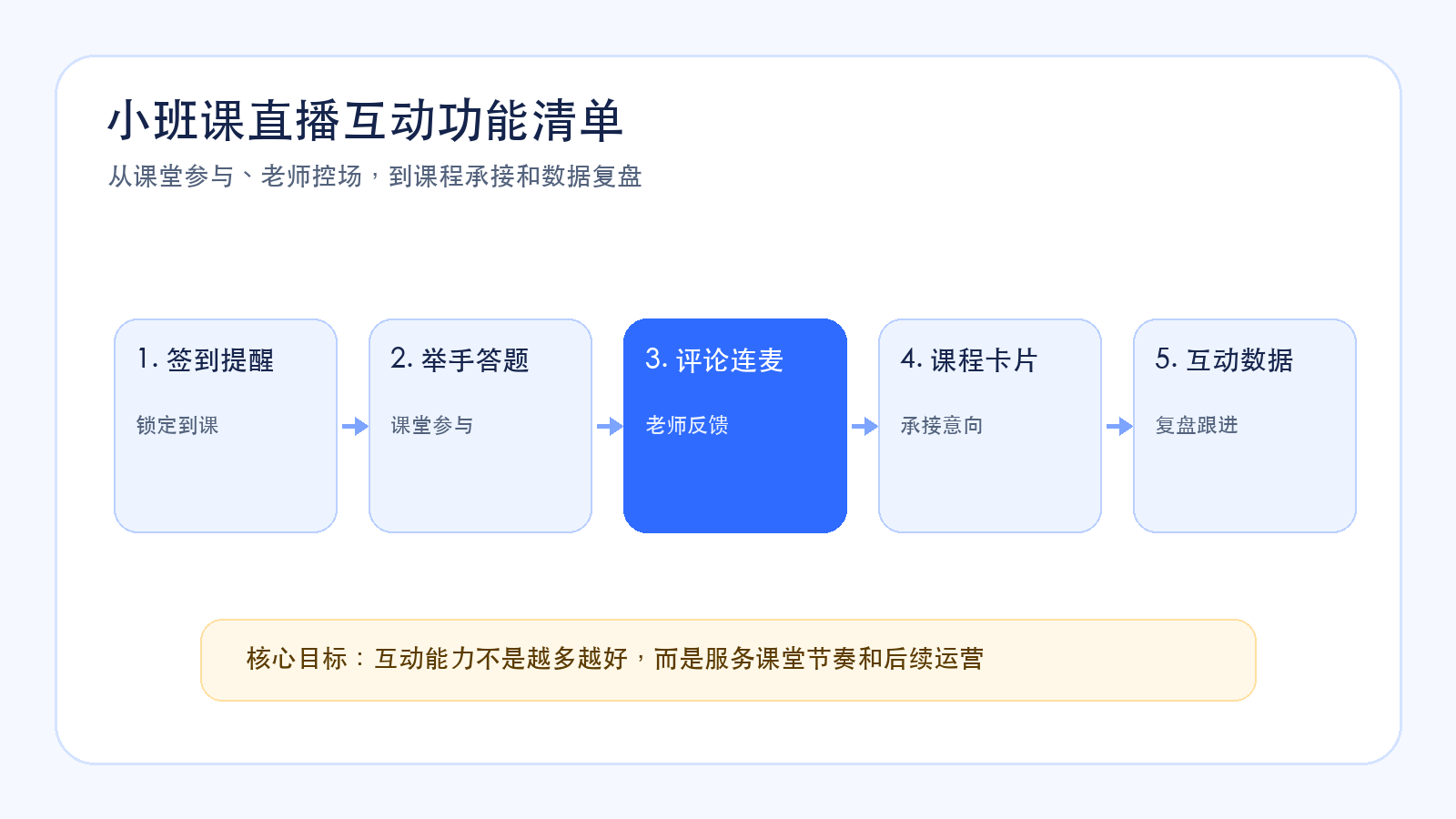
In short: small-class live interaction features should be designed around attendance, participation, feedback, conversion, and review. Reservation and reminders support attendance, hand raising and Q&A support participation, comments and co-hosting support instructor feedback, course cards capture learning intent, and interaction data supports after-class review.
01 Pre-Class Interaction: Reservation, Reminder, and Check-In
Small-class interaction begins before the class starts.
Reservation and reminders look like operations actions, but they directly affect classroom interaction quality. Whether students enter on time, whether instructors know who is present, and whether operations teams know who is absent all affect class arrangement.
Small-class live streaming therefore needs reservation, class reminders, entry confirmation, or check-in capabilities.
These features help instructors understand attendance before class and allow operations teams to remind users who have not entered. This is especially important for trial classes, demo classes, and parent meeting live sessions.
02 In-Class Interaction: Hand Raising, Q&A, Comments, and Co-Hosting
Classroom interaction is the key difference between small-class live streaming and ordinary live streaming.
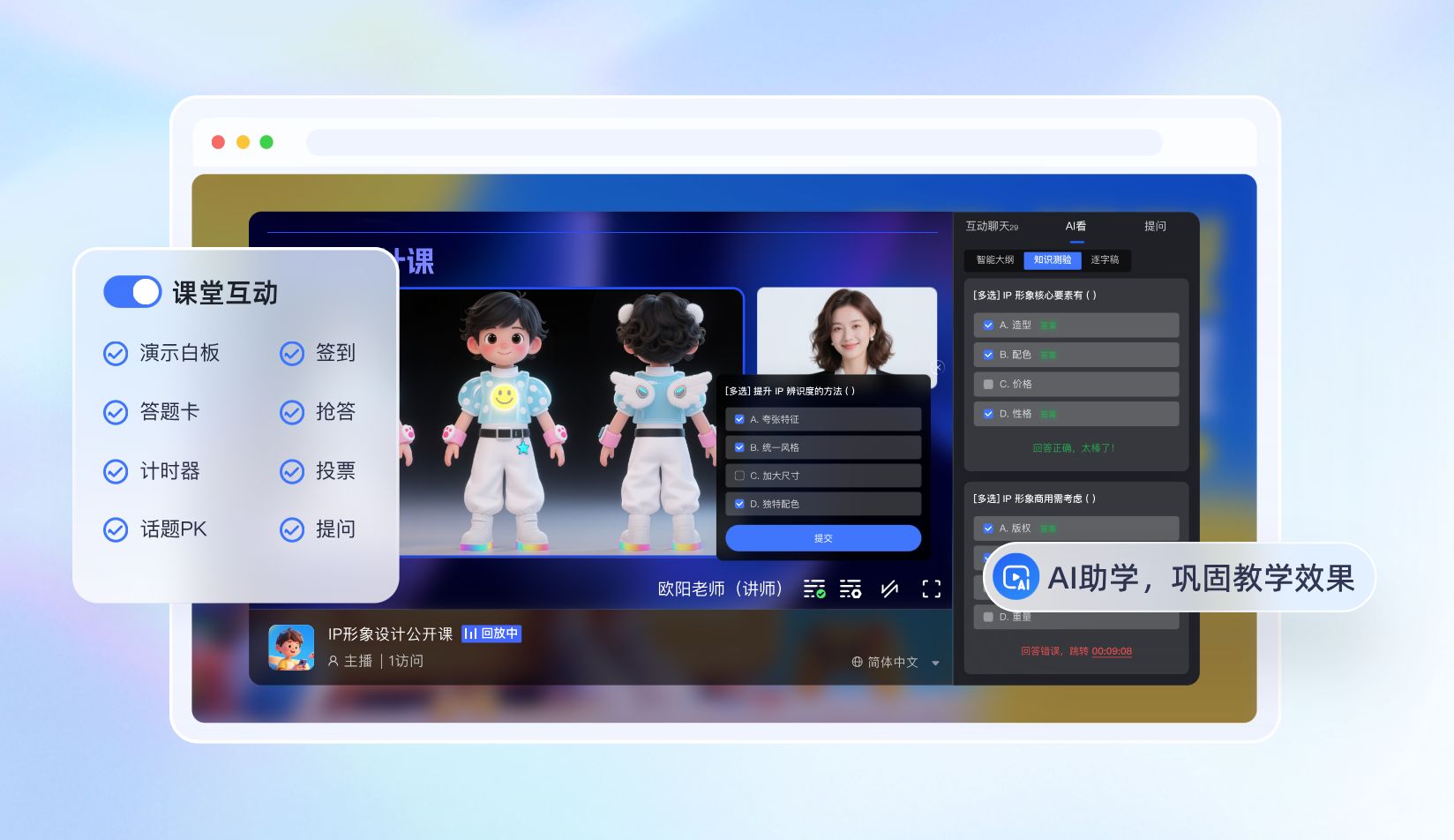
Hand raising helps instructors know who wants to answer. Q&A tests whether students understand. Comments collect lightweight feedback. Co-hosting can support focused explanation, demonstration, and question answering.
But more interaction features do not always mean better teaching.
If interaction interrupts the instructor’s rhythm, the class becomes scattered. If interaction is too limited, students become observers. A better approach is to design interaction moments around the teaching flow, such as opening check-in, mid-class questions, work demonstration, and after-class Q&A.
03 Content Interaction: Courseware, Materials, and Class Tasks
Small-class live streaming also needs content delivery capabilities.
Instructors may need to show slides, handouts, code, student works, exercises, or resource packages. Students do not only listen; they need to complete learning actions around these materials.
Therefore, the platform should support courseware display, material delivery, class task instructions, and key content replay. For programming, language, vocational skills, and quality-oriented education, these capabilities directly affect classroom experience.
The goal of content interaction is to make online learning more than “watching the instructor speak”; students should be able to follow the instructor and complete learning actions.
04 Conversion Interaction: Course Cards, Consultation, and Reservation Entry
Small-class live streaming often carries course conversion tasks.
When the instructor explains learning paths, course advancement, after-class service, or class arrangements, course cards, consultation entries, or reservation entries can help parents take the next action.
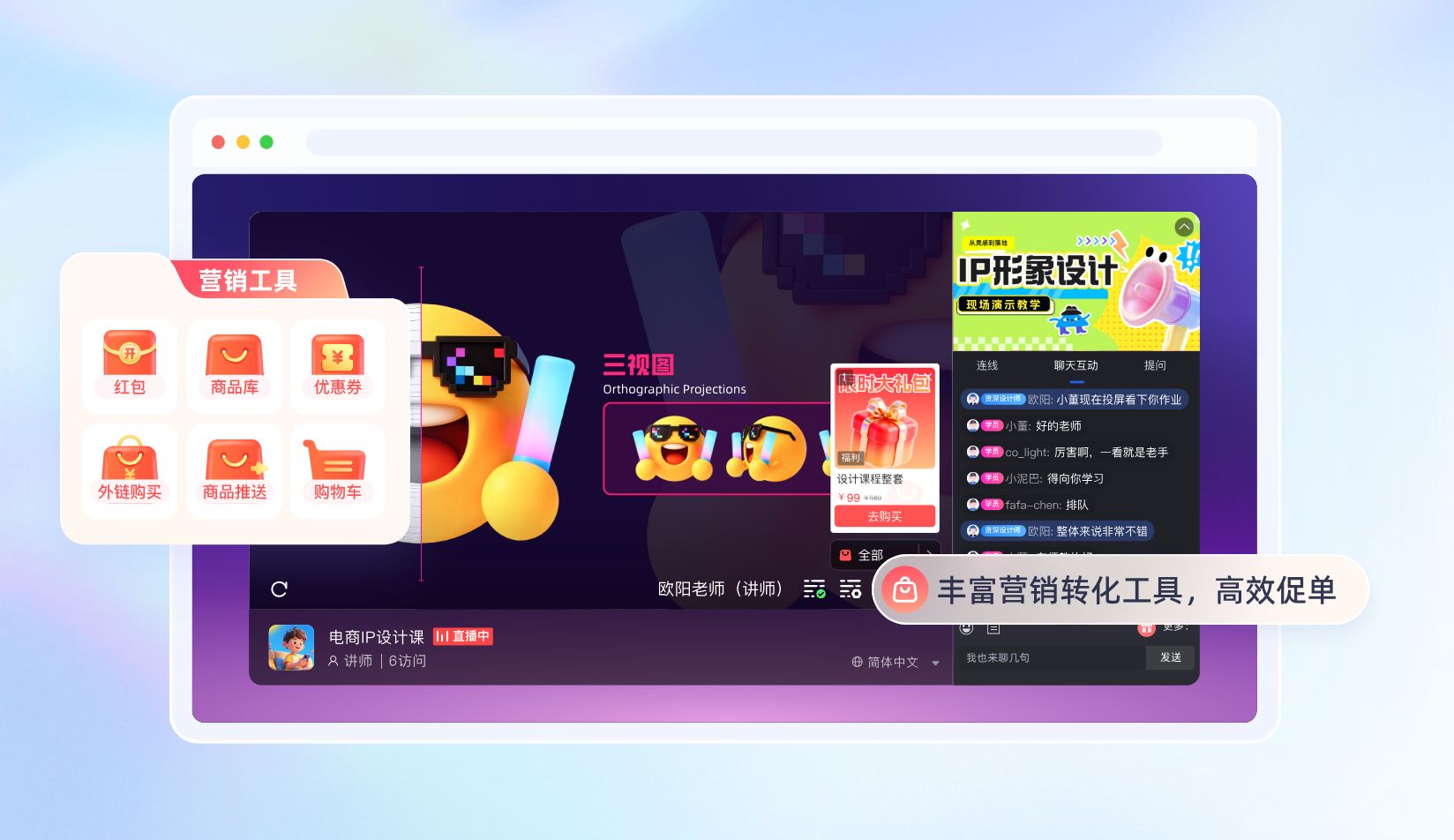
Course cards should not be only price buttons. They should explain target learners, course goals, lesson arrangements, and the service flow after purchase. For high-ticket courses, the card can first carry consultation or reservation instead of requiring immediate payment.
Conversion interaction should match the content rhythm and should not be inserted abruptly.
05 Data Interaction: Interaction Behavior Must Be Reviewable
If interaction cannot generate data, it is difficult to support follow-up operations.
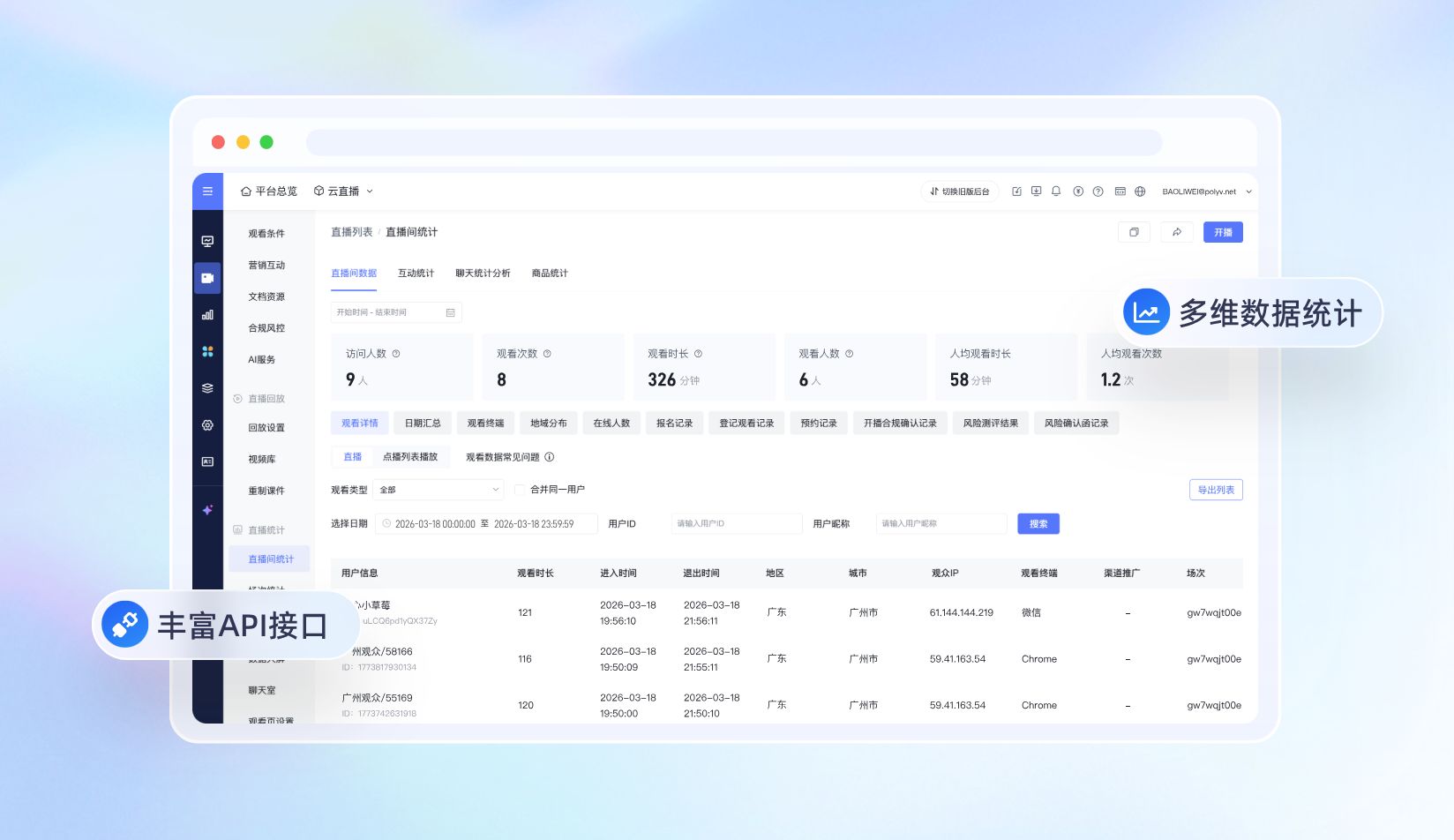
Institutions need to know who checked in, who answered questions, which parents asked questions, who clicked course cards, and who watched key content.
These data help instructors judge teaching effectiveness and help advisors judge user intent.
For example, students who interact actively but do not enroll may be suitable for instructor suggestions. Parents who click course cards but do not pay may need advisor follow-up. Parents who ask multiple questions but do not decide may need clearer course explanations.
06 How Can POLYV Support Interaction Features?
For small-class live interaction scenarios, POLYV can provide live viewing, classroom interaction, course or product recommendation, replay, and data statistics, helping education institutions connect interaction and conversion in one flow.
In WeChat private-domain and mini program scenarios, POLYV supports native WeChat mini program integration as well as uni-app framework integration. Customers can choose among the Polyv viewing plugin, native live-player, and video player according to their mini program qualifications, player capabilities, and technology stack.
For institutions that already have Apps, mini programs, academic systems, course stores, order systems, or customer operation systems, POLYV can also use live SDK, Web viewing page SDK, Web interaction receiving SDK, player capabilities, and APIs to embed viewing, interaction, course cards, and data feedback into existing workflows.
FAQ
1. Does small-class live streaming always need co-hosting?
Not necessarily. Co-hosting is useful for focused Q&A and demonstration, but not every course needs frequent co-hosting. The key is that interaction serves classroom rhythm.
2. Can comments alone satisfy small-class interaction?
Comments are suitable for lightweight feedback, but small classes usually need hand raising, Q&A, courseware, materials, and interaction data to be closer to real classroom experience.
3. Will interaction features affect conversion?
Good interaction builds trust and can support conversion. The key is to show course cards and consultation entries at the right moments rather than interrupting the class.
About POLYV
POLYV is a leading enterprise-grade video SaaS brand. From 2020 to 2025, POLYV ranked No. 1 on the Enterprise Live Streaming Service Provider Ranking for six consecutive years. Its core products and services include low-latency live streaming, video on demand, MR live streaming, digital humans, and live streaming studios, providing enterprises with integrated services such as private-domain video technology and platforms, content operations, and live streaming operations and execution for digital transformation.
Since its founding in 2013, POLYV has served the CCTV Spring Festival Gala live broadcast for six consecutive years. It has also provided video live streaming systems and services for large enterprises and financial institutions, including China Construction Bank, China Everbright Bank, Bank of Ningbo, Kingdee, Tencent, Huawei, iFLYTEK, Midea, and NetEase.