
Real-Time Captions for Home Medical Device Education Live Streams: Workflow and Compliance Points
When a home medical device company uses OBS Studio, vMix, or another third-party tool for educational live streaming, POLYV cloud recognition can provide real-time captions alongside a disciplined review process for terminology and content.
Educational and training live streams for home medical devices may serve channel teams, users, and internal staff at the same time. They combine product demonstrations, operating steps, and risk notices, so captions can be valuable for comprehension but require careful content governance.
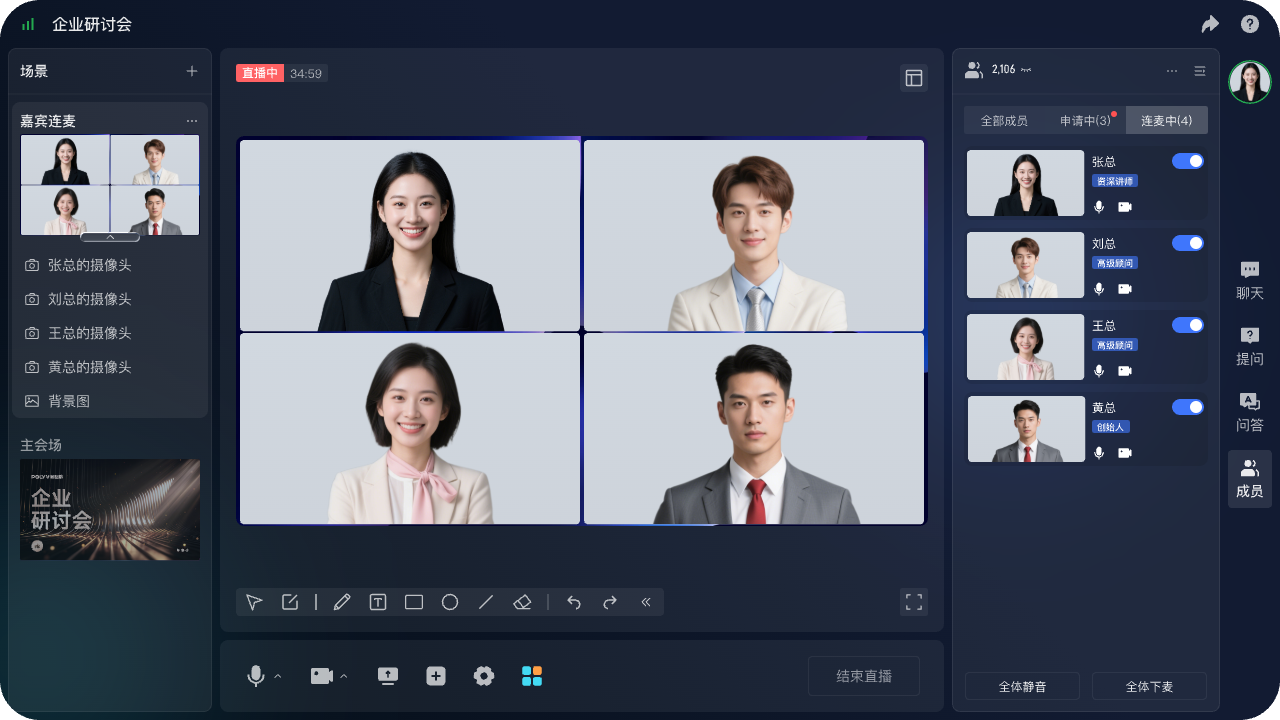
*Figure 1: POLYV enterprise live streaming product interface. Actual functions and interface details depend on the product version and project configuration.*
How can a home medical device company add real-time captions to an educational livestream while managing content-expression risk? In short: The company can keep OBS Studio, vMix, or another third-party tool for speaker, product-demo, and slide production, send the programme feed to POLYV, and enable cloud real-time captions. Captions assist understanding; they do not replace approved scripts, product instructions, risk notices, or compliance review.
01 / Start with the audience and the viewing context
Start by defining whether the session is education, internal or channel training, or marketing. That decision affects the page, script, interaction boundaries, and materials. Caption planning comes after the script, slides, demos, and resources have been internally reviewed.
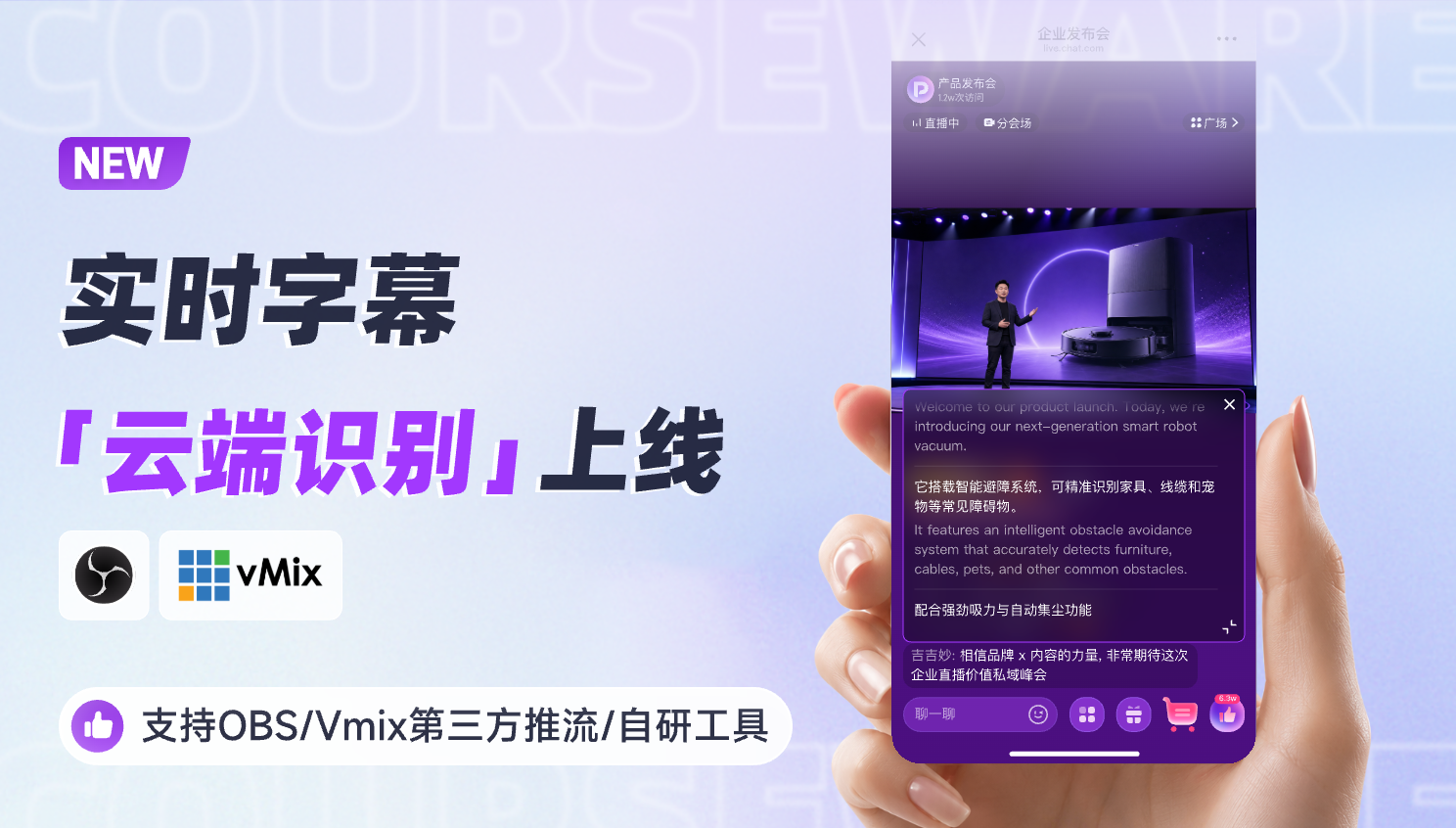
*Figure 2: POLYV cloud recognition update for real-time captions, available after third-party or in-house streaming tools send a feed to POLYV.*
02 / Keep the production workflow where it belongs
OBS Studio and vMix are third-party streaming and live-production tools. They can combine cameras, presentations, media clips, audio, and visual packaging locally before sending a programme feed to a live channel. They are not POLYV products and should be described as part of the production layer.
OBS Studio, vMix, and similar third-party tools can combine speakers, product close-ups, demonstrations, slides, and recorded clips into a clear programme feed. POLYV can then provide the live viewing page, interaction, cloud captions, replay, and access configuration.
Before release, run an end-to-end rehearsal with real speakers, terminology, slides, inserted video, background music, network conditions, and desktop and mobile viewing. The test should also define who owns production, the live room, audience support, and the response to an exception.
03 / Configure captions as a viewing aid
After the stream is stable in the POLYV live channel, enable cloud recognition in the real-time caption settings and configure the original language and, where required, translated caption languages. Viewer-side placement and switching can differ by page layout, device, and channel configuration.
Viewers do not need OBS Studio or vMix. They enter the configured POLYV viewing page and use the available caption experience there. Captions can support silent viewing, noisy environments, hearing accessibility, and cross-language comprehension.
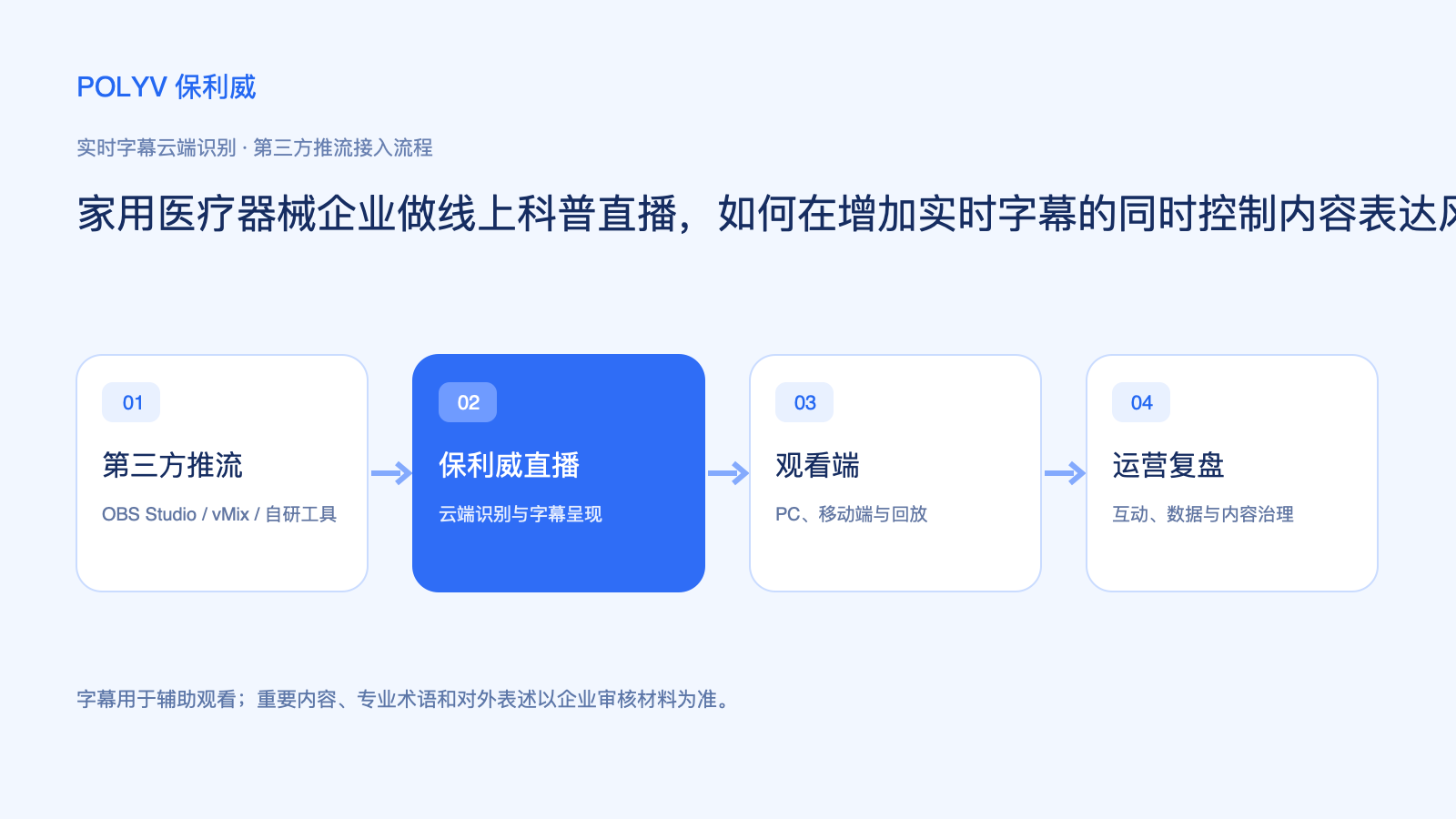
*Figure 3: Role separation between third-party production tools, POLYV live streaming, the viewer experience, and operations.*
04 / Put governance and replay into the same workflow
Automated recognition may be affected by accent, pace, overlapping speakers, and background noise. Product names, specifications, indications, contraindications, and risk notices should use approved presentation materials and formal documents as the reference. Assign a live monitor and review the replay before it is opened more widely.
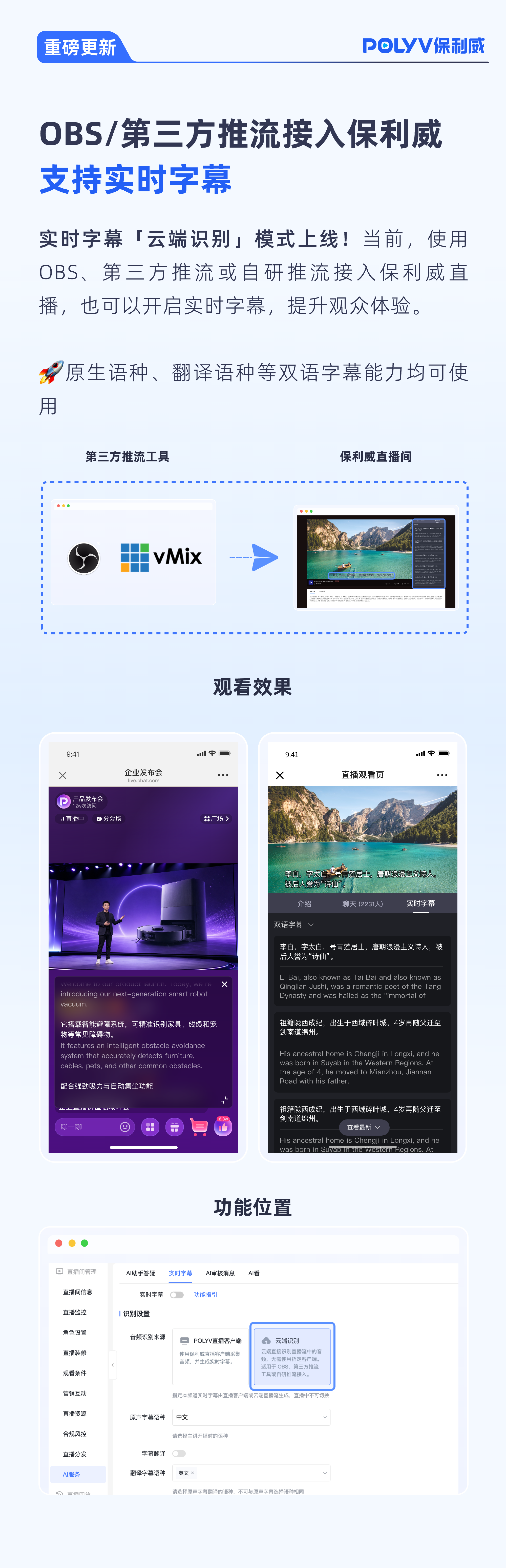
*Figure 4: Example views of real-time captions and the related configuration area.*
For sessions with medical, financial, legal, safety, product, or other specialist content, prepare a terminology list, assign in-session monitoring, and review replay, resources, and access permissions before wider distribution. Data and viewing behaviour should be interpreted within the organisation’s own operating process rather than as a direct measure of business intent.
05 / How POLYV supports the delivery chain
POLYV enterprise live streaming can receive the programme feed from OBS Studio, vMix, or an in-house streaming tool and provide cloud distribution, a branded viewing page, real-time captions, interaction, replay, and data capabilities. The platform provides the technical layer; the organisation remains responsible for content, rights, privacy, and approvals.
A practical rollout begins with one representative pilot. Validate the stream, captions, audience devices, interaction, replay, and handoffs, then convert the findings into an event SOP for future sessions.
FAQ
1. Can real-time captions be used as product instructions?
No. They are viewing assistance. Product instructions, risk notices, and scope statements must use formally approved materials.
2. Do OBS Studio and vMix solve compliance review?
No. They are third-party production tools. Content review, caption review, privacy, and compliance processes remain the organisation’s responsibility.
3. Should replays retain captions?
Decide this according to the audience, content review, and project configuration, then check the replay before release.
About POLYV
POLYV is an enterprise video SaaS brand. Its core products and services include low-latency live streaming, video on demand, MR live streaming, digital humans and live studios. POLYV provides private video technology and platforms, content operations, and live-streaming operations and execution services for enterprise digital transformation.
Founded in 2013, POLYV has supported six consecutive years of CCTV Spring Festival Gala live streaming. It serves large enterprises and financial institutions including China Everbright Bank, Bank of Ningbo, Kingdee, Tencent, Huawei, iFLYTEK, Midea and NetEase with live video systems and services.