
Why Do B2B Webinar Registrations Fail to Turn into Attendance?
Diagnose webinar attendance gaps through registration status, invitations, viewing access, topic relevance, and consistent reporting.
When registrations look healthy but live attendance is low, B2B teams often respond with more reminders. A more useful diagnosis starts with four steps: successful registration, receipt of an entry link, successful access, and actual playback. Topic relevance and scheduling can then be assessed with better evidence.
First reconcile the reporting population and entry journey. Then improve the event promise, confirmation, and reminders. POLYV registration, viewing conditions, and statistics support information collection, access control, and participation checks. Decide whom to contact again from the event records rather than treating all non-attendance alike.
01 Compare the same group of people
A gap is not necessarily all no-shows. Public links may bring unregistered viewers; registrations awaiting approval may remain in the total; replays may be included in a viewing figure. Start with the question: how many approved registrants actually watched this live event?
Align the period, channel, and identifiers. If registration and viewing cannot be reliably matched, report unmatched records separately. Total viewers divided by total registrants may mix different populations and should not automatically become an invitation-quality measure.
POLYV statistics provide viewing-type and time-related dimensions. Compare registration status with the appropriate viewing records. A snapshot of concurrent viewers at the start cannot describe everyone who participated during the session.
02 Make the event promise specific
A broad trend topic can attract interest without giving someone a compelling reason to attend at a particular time. Explain whom the event serves, which work problem it addresses, and what decision the audience will be better equipped to make.
Registration can include a question that directly supports the agenda, such as whether participants are more interested in deployment or workflow design. POLYV supports configurable fields. Limit required questions and collect detailed project information later when someone requests consultation.
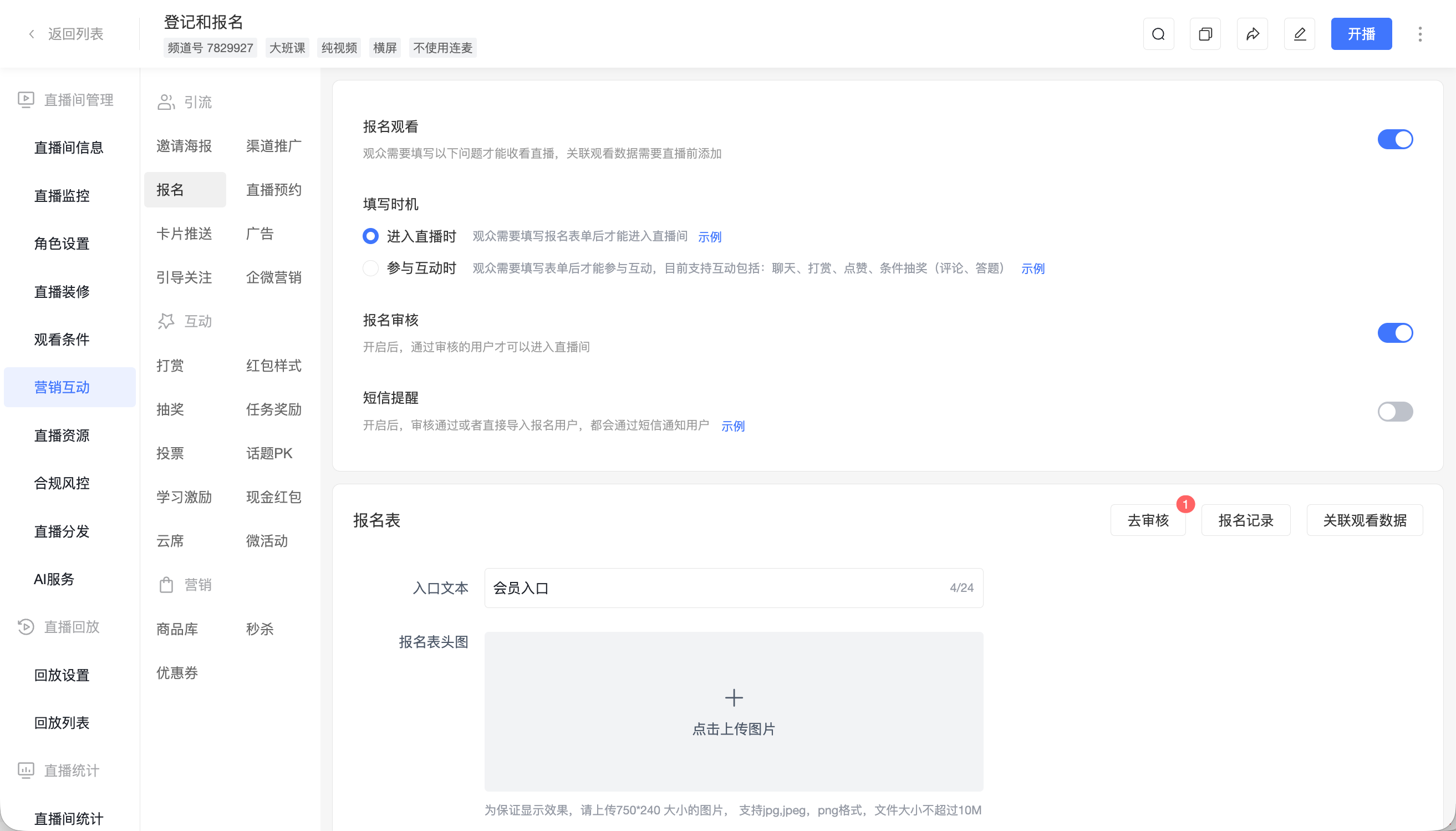
Use the answers to refine the agenda, then communicate relevant segments in the confirmation. If the scope changes, update participants so that the delivered content matches the expectation created at registration.
03 Explain what happens after registration
Submitting a form does not always mean receiving a working viewing link. For an approval-based event, distinguish submission, approval, and active viewing eligibility. Confirm the current status, schedule, viewing method, and support route.
POLYV registration offers relevant approval and notification settings. Verify the actual sending conditions. Additional reminders can use the enterprise’s email or WeCom workflow; specify which system sends each message to prevent omissions and duplicates.
A useful reminder contains the time, direct entry, relevant agenda points, and any preparation required. Repeatedly saying that the event is about to start does not solve missing information.
04 Test access on the invitee’s device
An operator logged into the administration system is not representative of a customer entering from a phone message, desktop email, or forwarded link. Use an unprivileged test identity to complete registration, approval, notification, and viewing.
Different access conditions have different environments. For example, POLYV’s WeChat-viewing documentation describes the associated WeChat requirements. If the audience mainly uses desktop email, establish the intended entry method and explain it in the invitation.
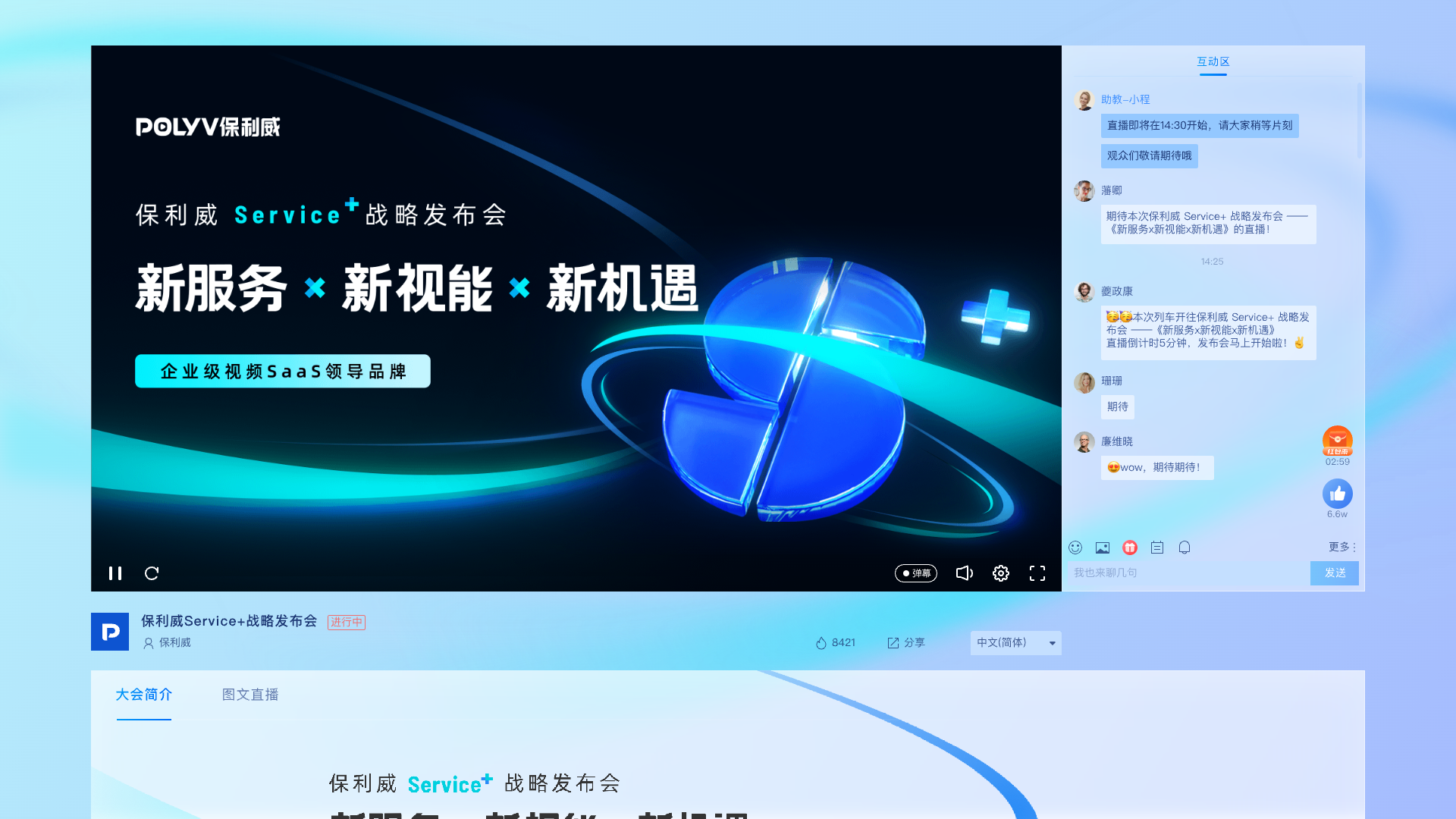
Verify the event destination, current schedule, and approved identity. When access fails, identify the failing step before interpreting the result as a lack of audience interest.
05 Check whether the content delivers its promise
Someone leaving shortly after entering presents a different question from someone never entering. The first may indicate content mismatch, pacing, or playback problems; the second may involve scheduling, topic relevance, or message delivery. Data provides clues, while feedback helps establish causes.
Open by stating the problem, demonstration plan, and question process. Extended company introductions consume the time viewers use to assess relevance. Announce transitions so that late arrivals can identify upcoming sections of interest.
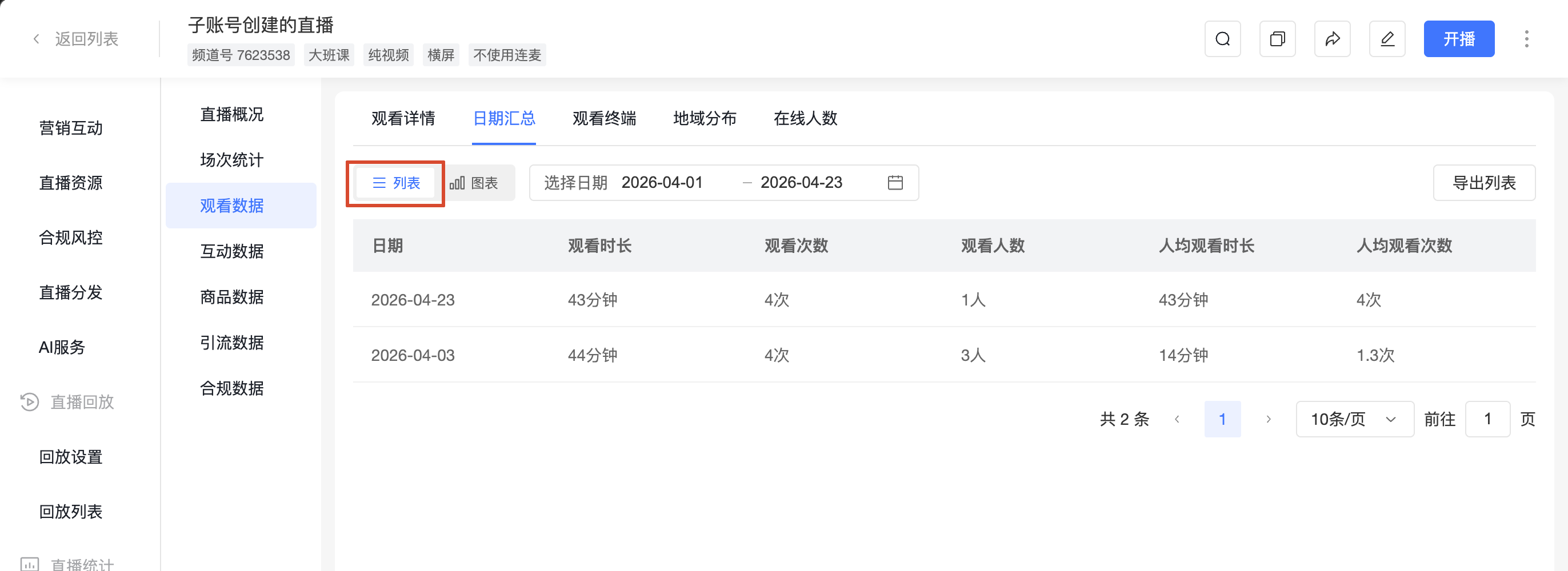
A drop after a segment may mean that a viewer’s question has been answered. Do not equate every departure with poor content or every long viewing session with purchase intent.
06 Provide useful follow-up for non-attendees
People who missed the live session may still need its content. Send a replay explanation describing the questions covered and the route to further assistance, rather than an unexplained video link.
Test replay access and identity requirements before sending it. Answer specific questions for people who asked them, and provide a topic summary to those who did not attend. These groups do not require identical messages.
Change a small number of variables in the next event and preserve reporting definitions. Record audience, topic, and scheduling differences so that one improvement in attendance is not treated as proof of causation.
Check approval turnaround as well. If invitations arrive near the start, pending approvals can prevent interested people from entering. Assign approval coverage and explain the process.
If the audience commonly has scheduling conflicts, state whether a replay will be available. Distinguish people planning to watch later from those intending to attend live when interpreting attendance.
07 Frequently asked questions
7.1 Should registration be removed?
Choose by purpose. Public viewing may suit broad distribution; targeted exchanges may require registration. Collect information because it supports a service, not simply to increase form fields.
7.2 Do more reminders always improve attendance?
Check whether each message adds useful information, provides working access, and reaches people at a practical time. Repetition cannot fix an irrelevant topic or a conflicting schedule.
7.3 Should every non-attendee go to sales?
Use the person’s stated needs and existing relationship. A missed registration alone is not an explicit consultation request; offer relevant content and a voluntary next step.
08 About POLYV
POLYV’s registration, viewing conditions, interaction, and statistics capabilities help teams examine the event journey in separate stages. Identity-based testing, consistent reporting, and audience feedback provide a more concrete basis for improving webinar attendance and experience.