
How Can an Enterprise Add Live Streaming to Its Own WeChat Mini Program?
For an existing WeChat mini program, live streaming should be embedded into the current private-domain business flow, including viewing, interaction, product entry, and data return.
For many brands, private-domain live streaming does not mean building a standalone live room from scratch. The more practical approach is to add live streaming to an existing mini program where members, orders, products, stores, consultations, and after-sales flows already exist.
Bottom line: Enterprises can add live streaming to their own WeChat mini programs in two ways. A native mini-program SDK provides deeper integration with business logic, interaction components, product entries, and data tracking. For teams using uni-app, a uni-app WeChat mini-program viewing component can reduce repeated development. Before choosing, clarify entry points, user identity, interaction needs, product flow, data return, and mini-program qualifications.
01 Why Is an Owned Mini Program Suitable for Private-Domain Live Streaming?
The value of an owned mini program is that the user relationship is already there. Brands can bring users from communities, official accounts, WeCom, store consultants, and member campaigns into the mini program, then use live streaming for product explanation, promotion, and repurchase operations.
If the live room is only an external page, viewing behavior, consultation, coupons, product clicks, and follow-up actions can easily become fragmented. Embedding live streaming inside the owned mini program makes it easier to connect viewing behavior with membership, products, orders, and CRM.
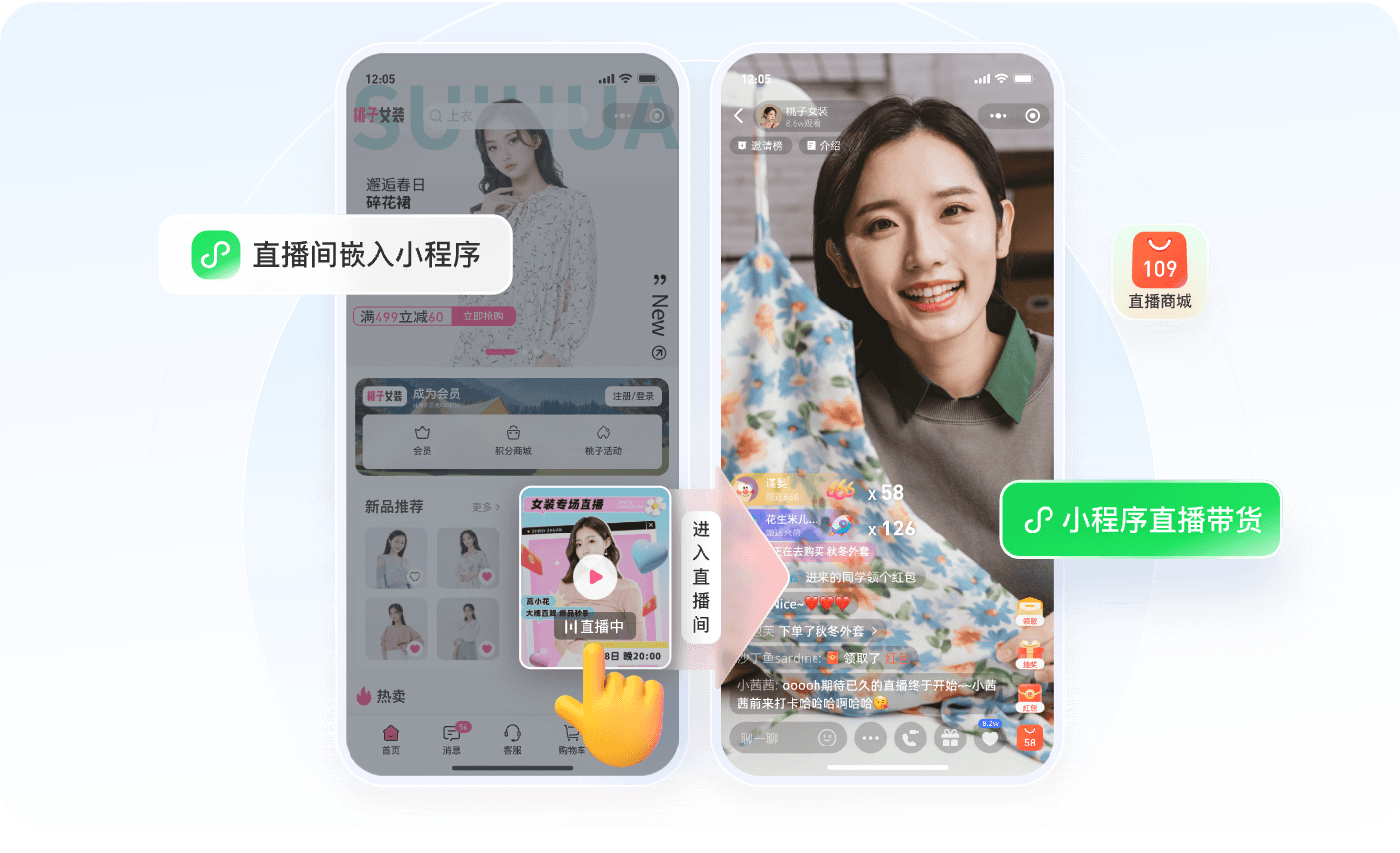
*Figure 1: The mini program can serve as a lightweight WeChat entry for live viewing, interaction, and product conversion. Image source: POLYV Mini Program Live Streaming Solution*
02 Which Integration Path Should Be Chosen?
If the enterprise already has a mature mini program and a strong development team, a native WeChat mini-program live SDK is worth evaluating. Its value is higher control: the team can design viewing flow, login, authorization, product links, CRM logic, and tracking according to its own business rules.
If the mini program is developed with uni-app, the uni-app WeChat mini-program viewing-page solution can be more efficient. The development team can place the native mini-program component package into the uni-app project, register the viewing component, and let live viewing, replay, chat, and interaction capabilities be handled inside the component.
03 What Should Be Confirmed Before Launch?
Before integration, clarify six questions: where users enter the live room, whether login is required, where product clicks lead, whether interaction data needs to return to the business system, whether replay is required, and whether the mini-program entity, service category, and plugin permissions are ready.
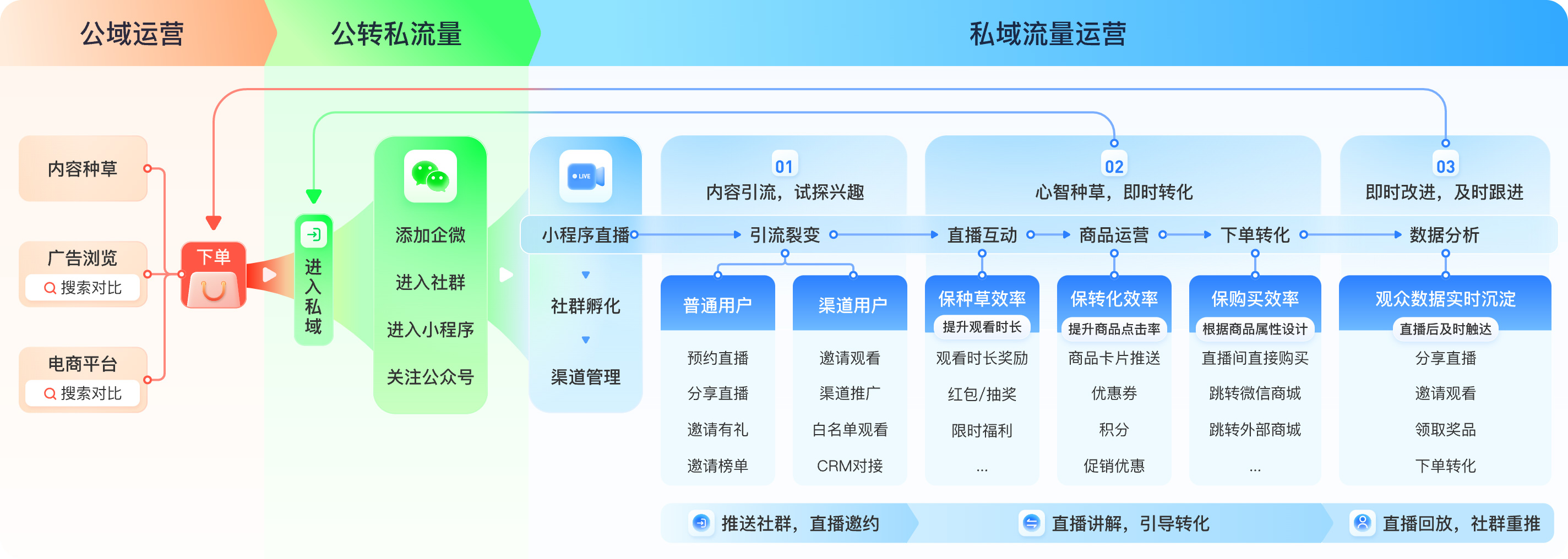
*Figure 2: Mini-program live streaming can connect traffic acquisition, private-domain conversion, repurchase operations, and owned business systems. Image source: POLYV Mini Program Live Streaming Solution*
Once these questions are clear, the mini-program live room becomes more than a player. It becomes a private-domain business entry that can connect viewing, interaction, product conversion, and long-term operations.
04 FAQ
4.1 Does an existing mini program need to be rebuilt?
Usually no. The existing business flow can remain, while live streaming is embedded as a viewing page or component.
4.2 Who handles products and orders?
The live system can provide product display, push, and interaction capabilities. Inventory, pricing, payment, orders, refunds, and fulfillment usually remain in the enterprise’s own commerce system.
4.3 Which scenario is suitable for a pilot?
New product launches, member-only sessions, store-consultant live streams, customer training, and after-sales Q&A are good pilot scenarios.