
How to Integrate a Live Viewing Page into a uni-app WeChat Mini Program
To integrate live viewing into a uni-app mini program, copy the full component package, register the viewing component, pass channel configuration, and test with the official AppID on real devices.
Teams using uni-app to develop WeChat mini programs often already have routes, pages, login, APIs, and business styles in place. The integration goal is not to rebuild a mini program, but to add live viewing capability to the existing project.
Bottom line: A uni-app WeChat mini program can integrate a live viewing page by placing POLYV’s native mini-program custom component package into thewxcomponentsdirectory, registering the viewing component, and mounting it on the page. The host page provides the container, passes channel configuration, and handles boundary events such as login, WebView, sharing, and tracking. Playback, chat room, live/replay, and interaction states are handled inside the component.
01 What Is the Core Integration Idea?
In the uni-app WeChat mini-program viewing-page solution, the team places the fullpolyv-live-watchnative mini-program custom component package undersrc/wxcomponents, then registers the viewing component in the page configuration.
The component package should be copied as a whole. Copying only a singlewatch-roomfolder may miss internal modules, styles, or static assets.

*Figure 1: A uni-app WeChat mini program can use a viewing-page component to carry the live room and interaction experience. Image source: POLYV Mini Program Live Streaming Solution*
02 What Does the Host Page Handle?
The host page should stay focused: provide the container, pass the channel ID and configuration, and handle business boundary events such as redirecting to the brand’s login page, opening a business WebView, configuring sharing, recording analytics, or cleaning up temporary state.
Live viewing, replay, chat room, interaction components, splash pages, and error pages are handled inside the viewing component according to channel configuration and viewing conditions.
03 What Should Be Verified Before Launch?
Before launch, test with the customer’s own WeChat mini-program AppID on real devices. Check whether the viewing page opens, whether live and replay playback works, whether chat connects, whether products or external links are passed back to the host page, and whether sharing and back navigation work correctly.
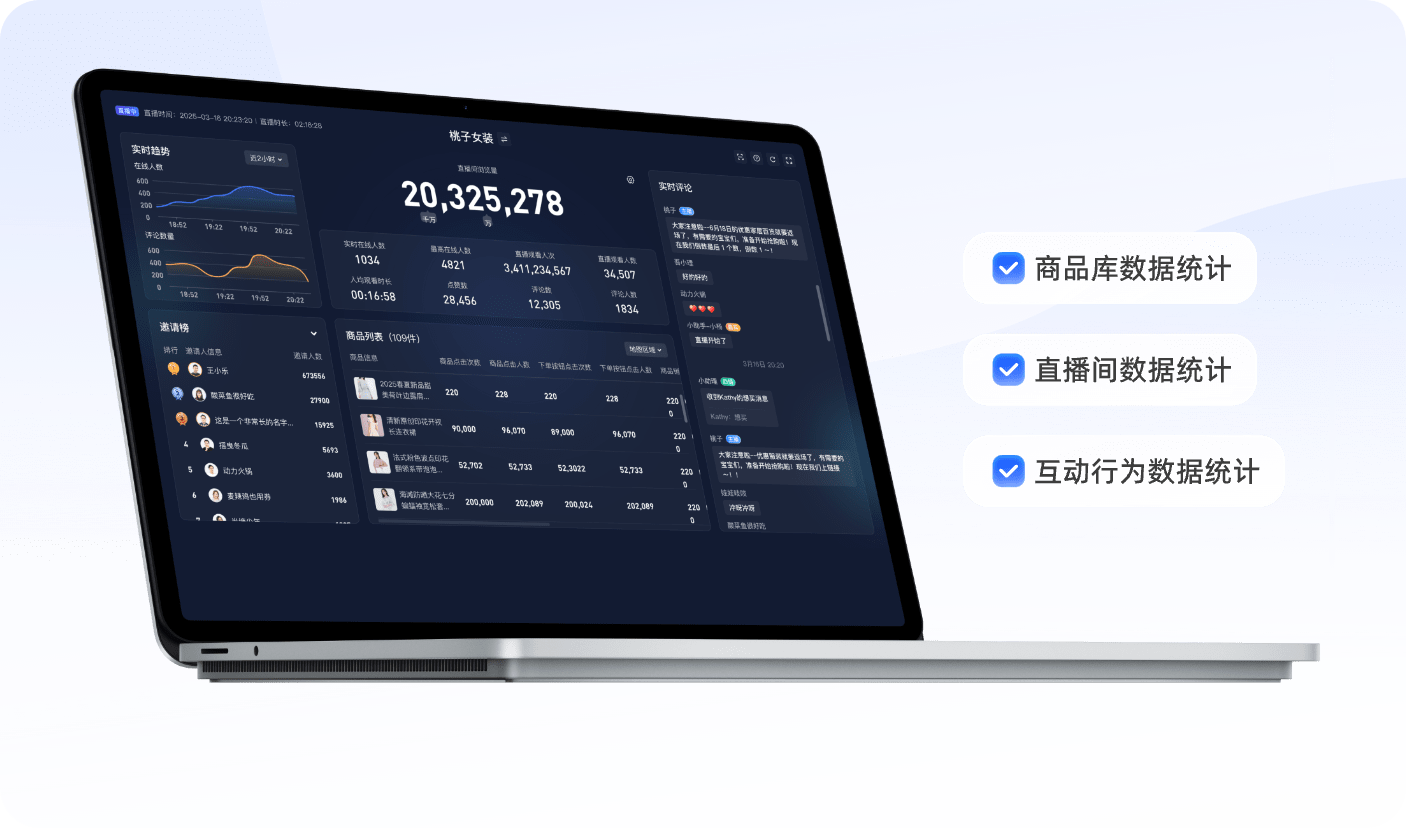
*Figure 2: Viewing behavior and conversion data can support live-session review after launch. Image source: POLYV Mini Program Live Streaming Solution*
Do not rely only on simulator testing. Service categories, plugin permissions, API permissions, and privacy configuration may affect the final launch.
04 FAQ
4.1 Can we copy only the watch-room folder?
Not recommended. Copy the full component package to avoid missing styles, assets, and internal modules.
4.2 Does the host page manage playback state?
Usually no. Playback, chat, and interaction states are handled inside the viewing component. The host page handles business boundary events.
4.3 Can a test AppID replace official verification?
No. Real launch verification should use the customer’s official AppID because live playback, plugin permissions, and service categories depend on it.