
What Features Are Needed for Mini Program Live Course Sales? A Checklist for Reservation, Viewing, Course Recommendation, Payment, and Data Return
Education providers should not evaluate mini program live course sales only by whether they can open a live room. Reservation, vertical viewing, interaction, course cards, payment connection, and data return all need to work together.
When education providers prepare to sell courses through mini program live streaming, the question is often simplified into one sentence: we need a live room.
But once the scenario enters real business operations, the live room is only one part of the flow.
If the goal is parent meeting conversion, trial-to-paid conversion, or low-price-to-advanced-course upgrade, the institution needs more than basic streaming. It needs a complete flow from reservation, entry, viewing, interaction, course recommendation, payment, to data return. If any step breaks, conversion will be affected.
For example: Can parents reserve in advance? Can they receive reminders before the live session starts? Is the viewing page vertical after entering the mini program? Can course cards be pushed when the teacher explains a package? Can parents enter the purchase page after clicking? Can payment results and user identity return to the business system? These questions are more important than video playback alone.
Therefore, mini program live course sales should start with a feature checklist.
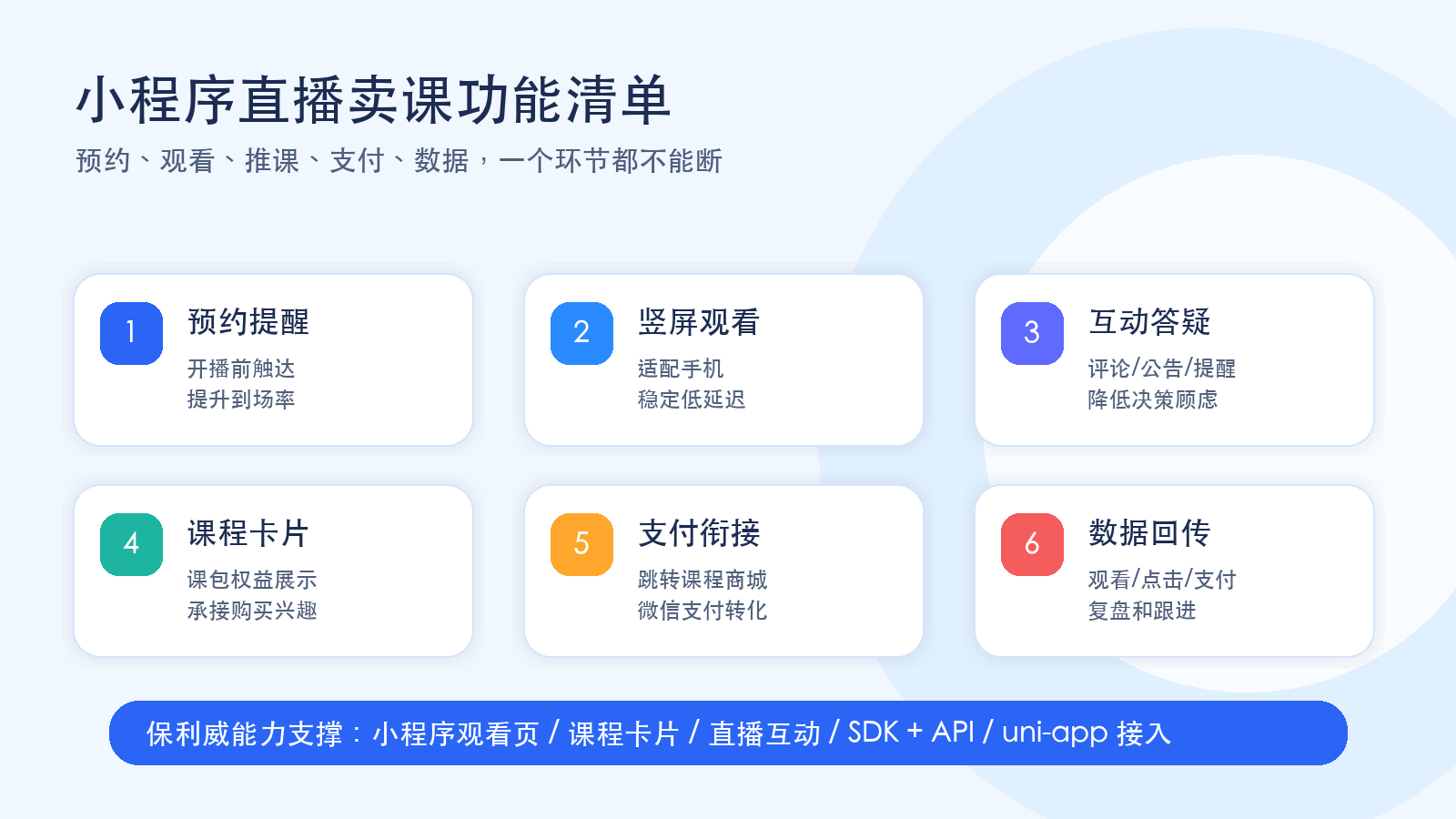
01 Reservation and Reminders: Solve Attendance First
Education live course sales are usually not random live sessions. They are organized around specific events.
Examples include parent meetings after trial courses, stage-based public classes, course system briefings, and holiday class introduction sessions. These live sessions need to reach parents in advance, telling them when the session starts, what it covers, and who should attend.
Therefore, reservation is not just an optional button. It is the first step in the conversion flow.
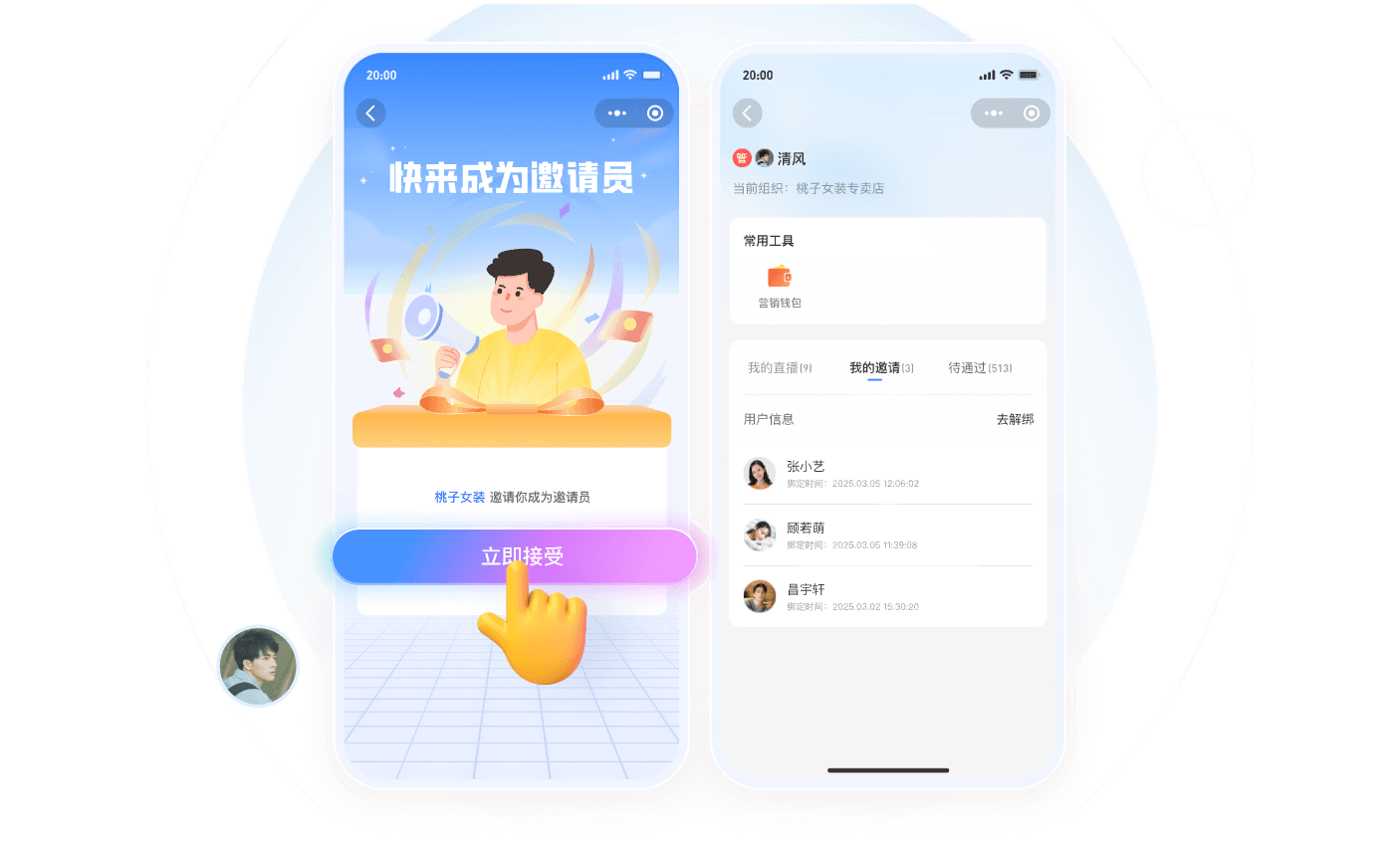
Institutions can guide parents to reserve through WeChat groups, enterprise WeChat, official accounts, and campaign posters, then remind them before the session starts. This helps estimate interested users in advance and reduces the problem of users not finding the entrance near the start time.
For operations teams, reservation data can also help estimate the potential conversion scale of a live session. Which parents reserved, who did not attend, and who left midway can all become follow-up clues.
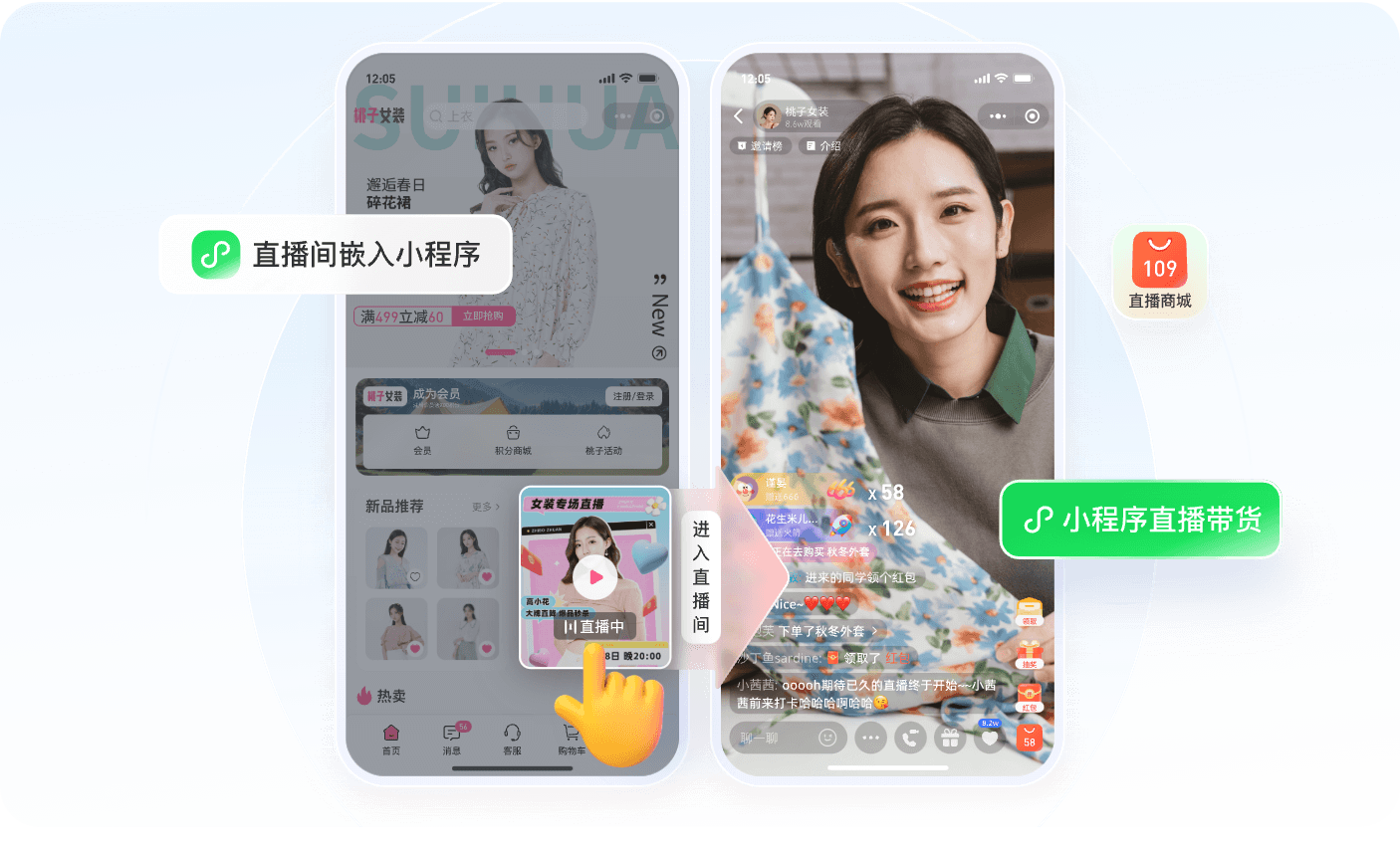
02 Vertical Viewing: Make It Easier for Parents to Enter and Stay
Many education providers’ existing Apps are designed more for learning scenarios, and some course experiences may even be horizontal. But parent meetings, course-sales live streams, and course package briefings usually happen in WeChat on mobile phones in vertical mode.
After entering the live room, parents need to watch the teacher, read comments, view announcements, check course cards, and notice purchase reminders. If the viewing page is not designed for mini program vertical viewing, both understanding and operation will become less smooth.
Therefore, mini program live course sales need at least a stable vertical viewing page.
This viewing page is not only for video playback. It also carries the session topic, teacher information, comments, announcements, course cards, and purchase entrances. Parents should immediately understand what the session is about, what the current course card means, and what they should do next.
The smoother the viewing experience, the less likely the teacher’s explanation and the operator’s course recommendation rhythm will be interrupted.
03 Interaction and Q&A: Reduce Parents’ Purchase Concerns
Education course purchases are rarely impulsive. Parents usually ask many specific questions.
For example: Can a child with a weak foundation keep up? What age group is the course suitable for? How many classes are there each week? How will teachers provide guidance? Is there follow-up service? How do price and benefits match?
If these questions are handled only through private chat, the conversion path becomes longer. If common questions can be answered in the live room, more parents can understand the information at the same time.
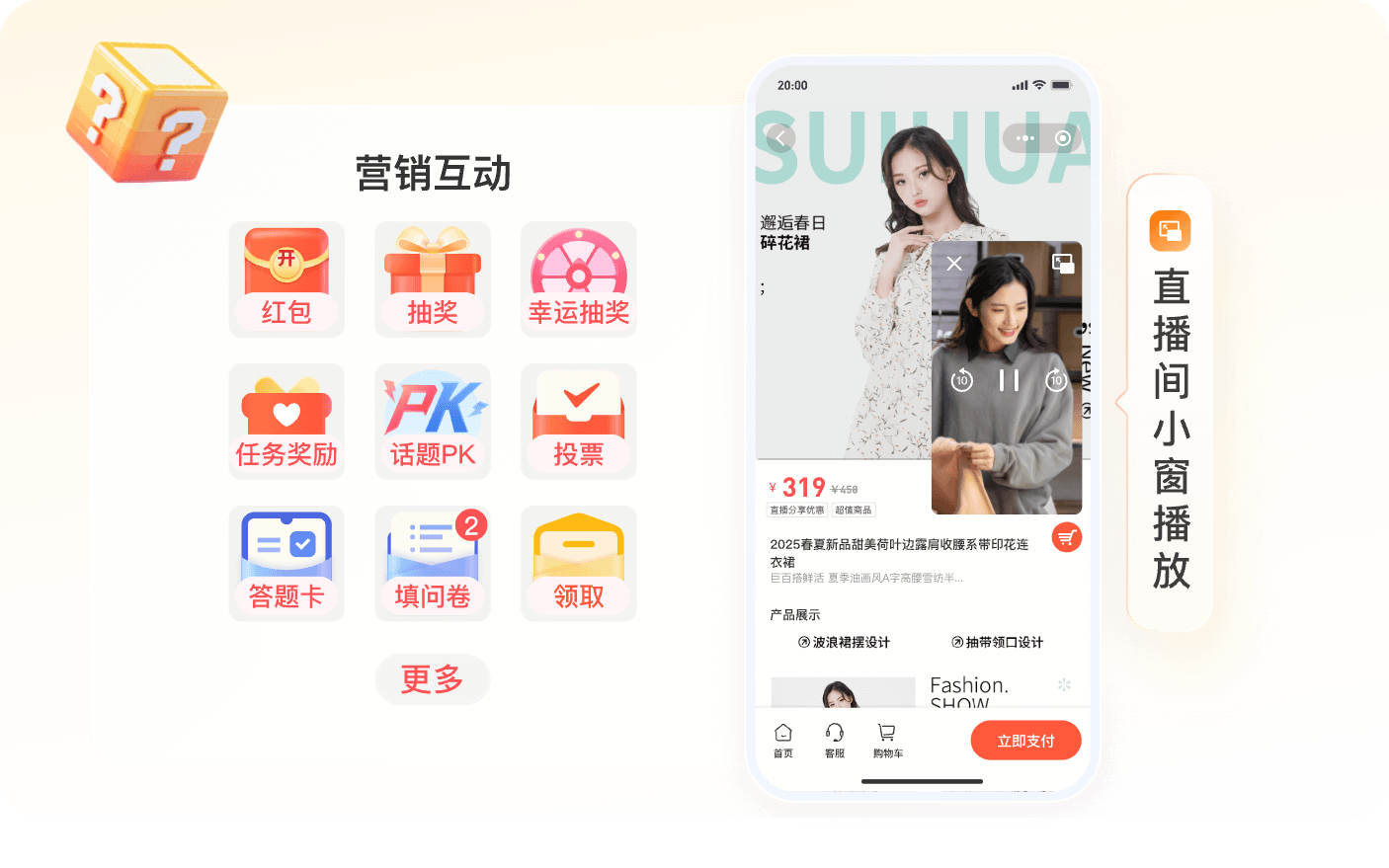
Therefore, the mini program live room needs basic interaction capabilities, including comments, announcements, reminders, and operator prompts. Teachers can explain common questions during the live session, and operators can use announcements or interaction prompts to supplement key information.
Interaction is not for noise. It is for reducing decision-making concerns.
When parents see their concerns addressed in the live room, understand the course value and service arrangement, and then see the course card, clicking becomes more natural.
04 Course Cards: Turn Understanding Into Clicks
The most important action in mini program live course sales is connecting course explanation with the purchase entrance.
This is where course cards are needed.
A course card can be understood as the course package anchor inside the live room. When the teacher explains a class type, course benefit, or limited-time arrangement, the operator can push the corresponding card, allowing parents to click and view details.
The card should not only show the course name. Practical information includes the package name, suitable age or stage, course highlights, lesson schedule, benefits, and purchase entrance.
If the institution already has a course mall or mini program payment page, the course card can jump to the corresponding page. If the institution already has a CRM or order system, click and payment data should also return to support follow-up.
05 Payment Connection: Do Not Make the Purchase Path Longer
Once parents have understood the course value in the live room, the next step is purchase.
At this moment, the longer the path, the higher the drop-off.
If users need to jump from the mini program to the App, log in again, find the course, and then pay, any step may interrupt the conversion. A better approach is to let the mini program live room carry the course card click and then jump to the institution’s existing mini program mall, course detail page, or payment page.
Payment itself is usually handled by the institution’s existing mini program, mall, or business system. The more important role of the live platform is to guide users smoothly from the viewing scenario to the purchase scenario and return necessary data to the business system.
Education providers should confirm several questions in advance: where does the course card click lead? Which system handles payment? Which user does the order belong to? How will course entitlement be granted after payment? These questions determine whether live course sales can form a closed loop.
06 Data Return: Continue Conversion After the Live Session
Education live course sales do not end when the live session ends.
Some parents may watch the live stream and click the course card but not pay immediately. Others may leave midway and need sales or advisors to follow up. This is where data becomes important.
Institutions should at least track several types of data: reserved users, attended users, viewing duration, interaction behavior, course card clicks, payment results, and user ID mapping.
If these data points can return to the course system, CRM, or order system, the operations team can identify high-intent users, the sales team can decide who needs follow-up, and advisors can plan the next service step.
Without data return, the live stream only gives a rough viewer number. With data return, the live stream becomes part of the business process.
07 How Can POLYV Support This Scenario?
For education providers that need mini program live course sales, POLYV can provide mini program live viewing pages, reservation viewing, live interaction, course or product recommendation, and data analytics. These capabilities help institutions split live course sales into key steps that can be integrated, operated, and reviewed.
For mini program integration, POLYV supports native WeChat mini program integration and uni-app framework integration. Customers can choose a suitable viewing-page solution according to their existing App, mini program, course mall, or order system, as well as their mini program qualifications, player capability requirements, and launch schedule.
If the institution wants to launch quickly, Webview integration and plugin plus SDK integration can connect live viewing pages and interaction capabilities. If deeper business integration is needed, live SDKs, Web viewing page SDK, Web interaction receiver SDK, player capabilities, and API interfaces can connect user identity, channel information, course cards, viewing records, click behavior, and payment results with existing systems.
In actual business operations, course details, WeChat payment, order fulfillment, and course entitlement can continue to be handled by the institution’s existing mini program mall or course system. POLYV acts as the live streaming capability layer, supporting viewing experience, interaction, course recommendation touchpoints, and data capabilities.
In this way, education providers do not need to rebuild a complete platform. They can first complete the key capabilities needed for mini program live course sales: reservation brings users in, viewing keeps them engaged, course cards carry intent, payment stays short, and data returns to the business.
About POLYV
POLYV is a leading enterprise-grade video SaaS brand. From 2020 to 2025, POLYV ranked No. 1 on the Enterprise Live Streaming Service Provider Ranking for six consecutive years. Its core products and services include low-latency live streaming, video on demand, MR live streaming, digital humans, and live streaming studios, providing enterprises with integrated services such as private-domain video technology and platforms, content operations, and live streaming operations and execution for digital transformation.
Since its founding in 2013, POLYV has served the CCTV Spring Festival Gala live broadcast for six consecutive years. It has also provided video live streaming systems and services for large enterprises and financial institutions, including China Construction Bank, China Everbright Bank, Bank of Ningbo, Kingdee, Tencent, Huawei, iFLYTEK, Midea, and NetEase.