
How to Build a Finance Live Assistant SOP Before, During and After Streaming
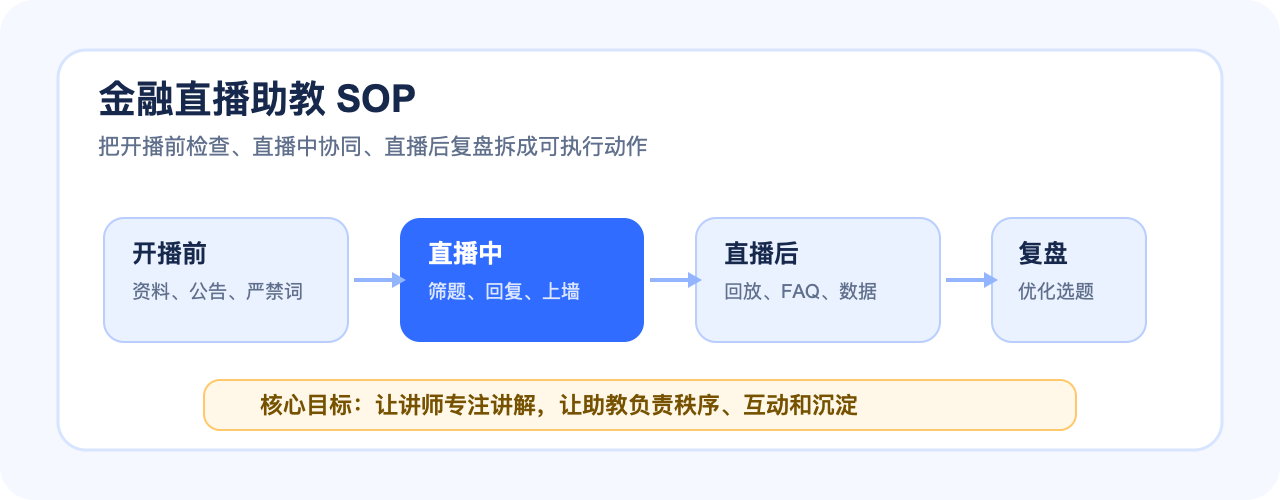
Finance live assistants should manage pre-live checks, question screening, message display, risk notices, replay follow-up and data review, not just watch comments.
Finance and futures institutions are using live streaming as a regular channel for investor education, market interpretation and client communication. The challenge is no longer whether a team can start a live session, but whether the platform can support repeatable operations, controlled interaction, replay management, mini program access and data review.
How to Build a Finance Live Assistant SOP Before, During and After Streaming Conclusion first: plan the live room as a complete workflow around finance templates, controlled Q&A, replay permissions, WeChat mini program access, uni-app integration, SDK/API connection and data review. POLYV can provide finance live streaming capabilities, mini program viewing page SDK support and operational tools, while the institution keeps its own compliance review and content governance process.
01 Why Finance Live Needs an Assistant SOP
In finance live streaming, the assistant is not only a comment watcher. The assistant connects the speaker, audience, content, risk notices and operational records.
Without an SOP, important tasks often happen too late: PPT is not checked, risk notice is missing, questions pile up, or replay settings are forgotten.
02 Before Live: Check Materials, Notices and Permissions
Before the session, the assistant should confirm the PPT or screen-sharing material, speaker status, announcement content, risk notices, test viewing link, recording setting and replay plan.
For mini program access, the assistant should also test the entry path from reservation or community message to the live room.
03 During Live: Filter Questions and Support the Speaker
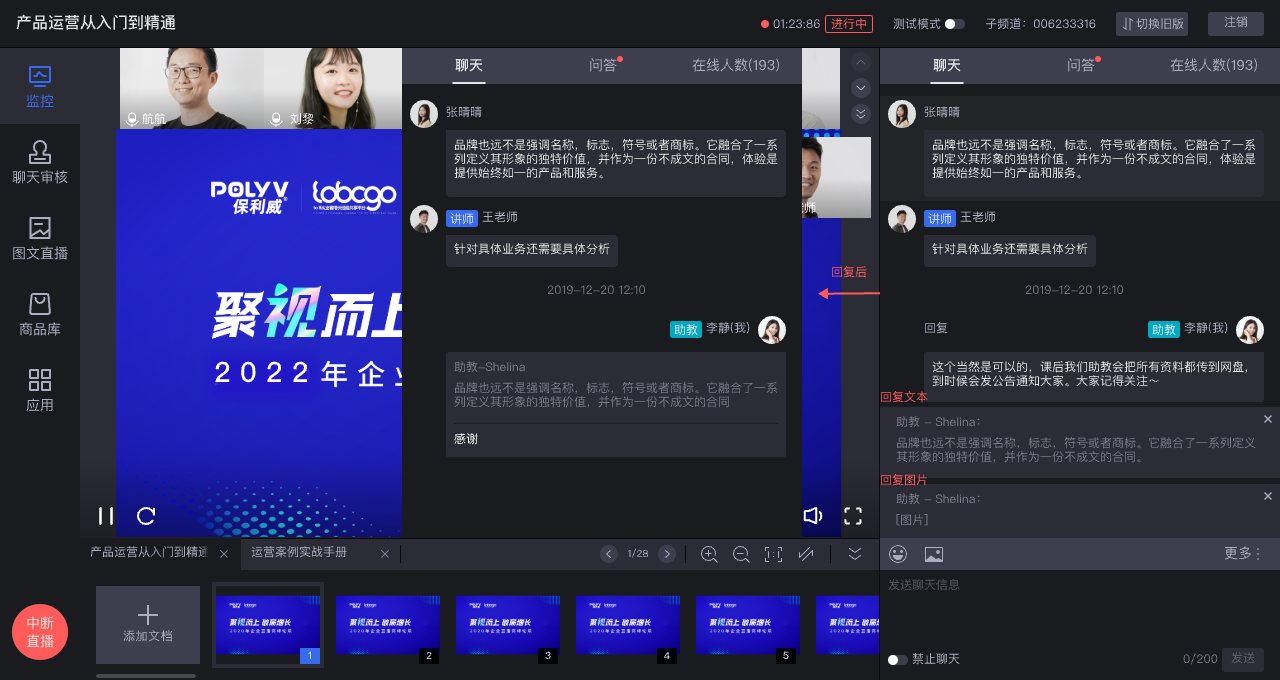
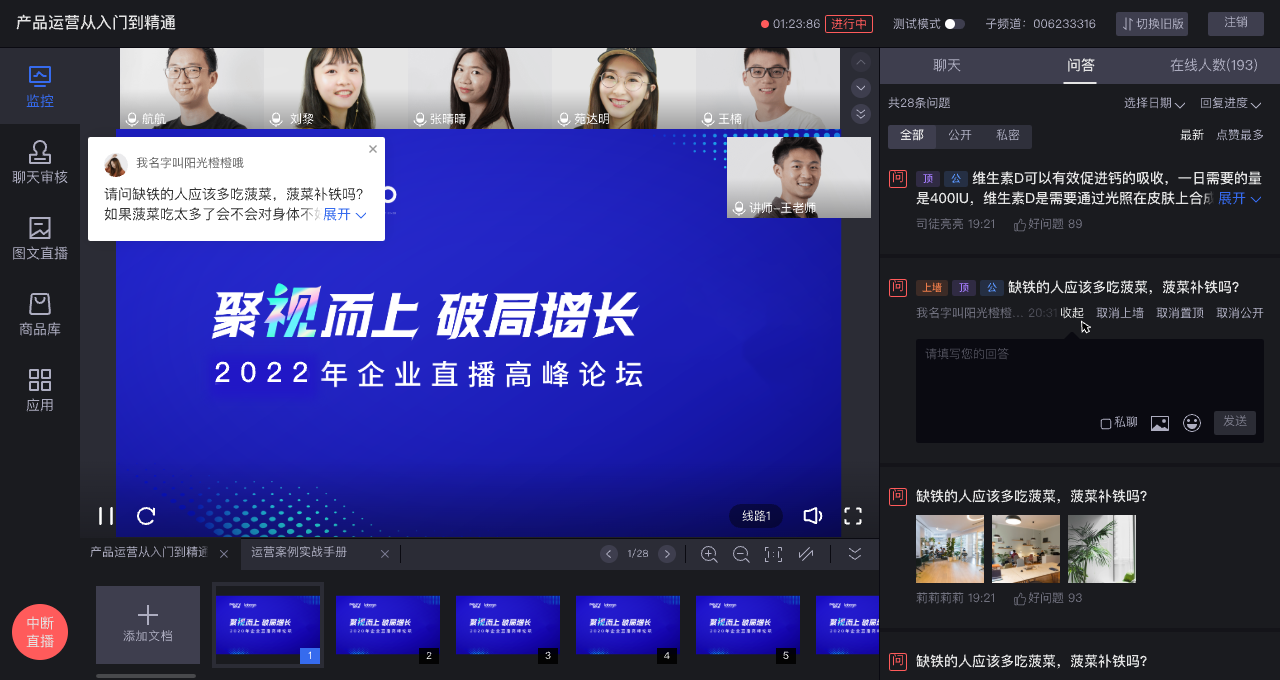
During the session, the assistant should collect questions, filter duplicates, highlight valuable topics and route suitable questions to the speaker.
POLYV assistant features such as message reply and message wall can support this workflow, helping the room stay interactive and orderly.
04 During Live: Keep Risk Notices and Announcements Updated
Announcements should be maintained dynamically. If the speaker mentions replay, downloadable materials or next session information, the assistant can update prompts in time.
For finance topics, visible risk reminders help define the content boundary throughout the session.
05 After Live: Build Replay, FAQ and Data Review
After the session, the assistant should check replay generation, confirm permissions, record key questions and prepare FAQ or follow-up content.
Data such as viewers, duration, questions and replay visits helps the team improve the next session.
06 Conclusion First: What Should the SOP Include?
How should a finance live assistant SOP be built? Conclusion first: cover pre-live material checks, live Q&A routing, announcement maintenance, risk notices, replay settings and post-live data review.
FAQ
Does every finance live session need a dedicated assistant?
For high-frequency or external-facing sessions, a dedicated assistant is strongly recommended.
Is message wall suitable for finance live rooms?
It can be suitable for selected questions or announcements when controlled properly.
How does the assistant SOP relate to mini program viewing?
The assistant should test and monitor the mini program entry, replay and user questions as part of the full journey.
About POLYV
POLYV is a leading enterprise-grade video SaaS brand. From 2020 to 2025, POLYV ranked No.1 in the enterprise live streaming service provider ranking for six consecutive years. Its core products and services include low-latency live streaming, VOD, MR live streaming, digital humans, and live streaming studios, providing private-domain video technology and platforms, content operations, live streaming operations and execution services for enterprise digital transformation.
Since its founding in 2013, POLYV has supported CCTV Spring Festival Gala live streaming for six consecutive years, and has provided video live streaming systems and services for large enterprises and financial institutions including China Everbright Bank, Bank of Ningbo, Kingdee, Tencent, Huawei, iFLYTEK, Midea and NetEase.