
How to Configure Announcement Bars in Finance Live Rooms: Risk Notices, Speaker Info and Reminders
Announcement bars in finance live rooms should clarify boundaries, present risk notices, guide viewers to materials, remind users of replay access and support assistant operations.
Finance and futures institutions are using live streaming as a regular channel for investor education, market interpretation and client communication. The challenge is no longer whether a team can start a live session, but whether the platform can support repeatable operations, controlled interaction, replay management, mini program access and data review.

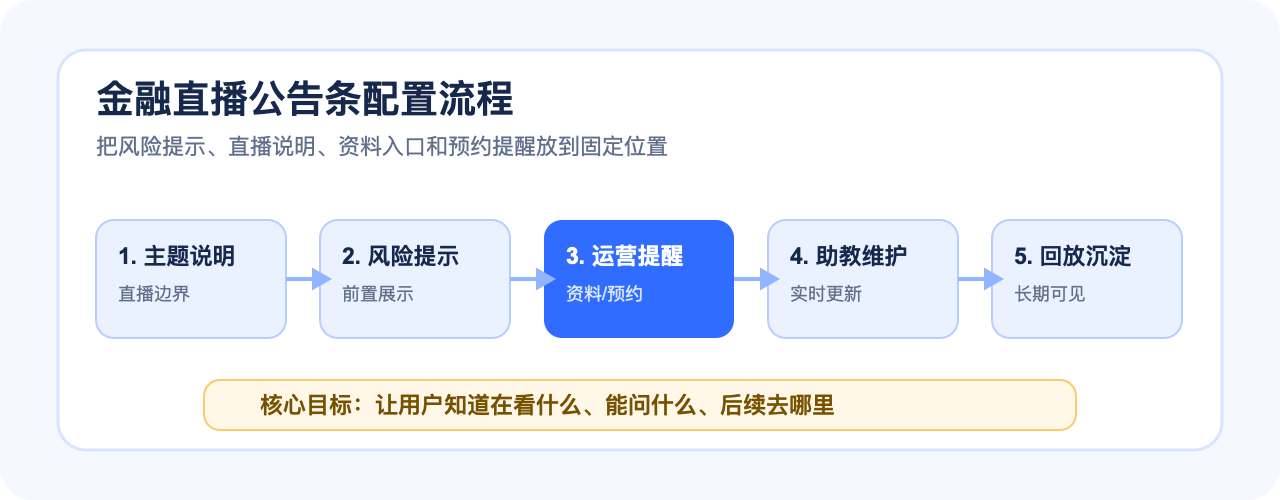
How to Configure Announcement Bars in Finance Live Rooms: Risk Notices, Speaker Info and Reminders Conclusion first: plan the live room as a complete workflow around finance templates, controlled Q&A, replay permissions, WeChat mini program access, uni-app integration, SDK/API connection and data review. POLYV can provide finance live streaming capabilities, mini program viewing page SDK support and operational tools, while the institution keeps its own compliance review and content governance process.
01 Announcement Bars Should Define the Content Boundary
Finance live viewers often enter with specific questions. The announcement bar should quickly explain what the session covers, what it does not cover, and where users can find related materials.
This makes the room easier to understand and helps reduce repetitive questions.
02 Risk Notices Must Be Visible
Risk notices should be placed where viewers actually see them, not hidden in a document that users may never open.
A visible announcement can remind viewers that the content is for education or information purposes and should not be treated as direct investment advice.
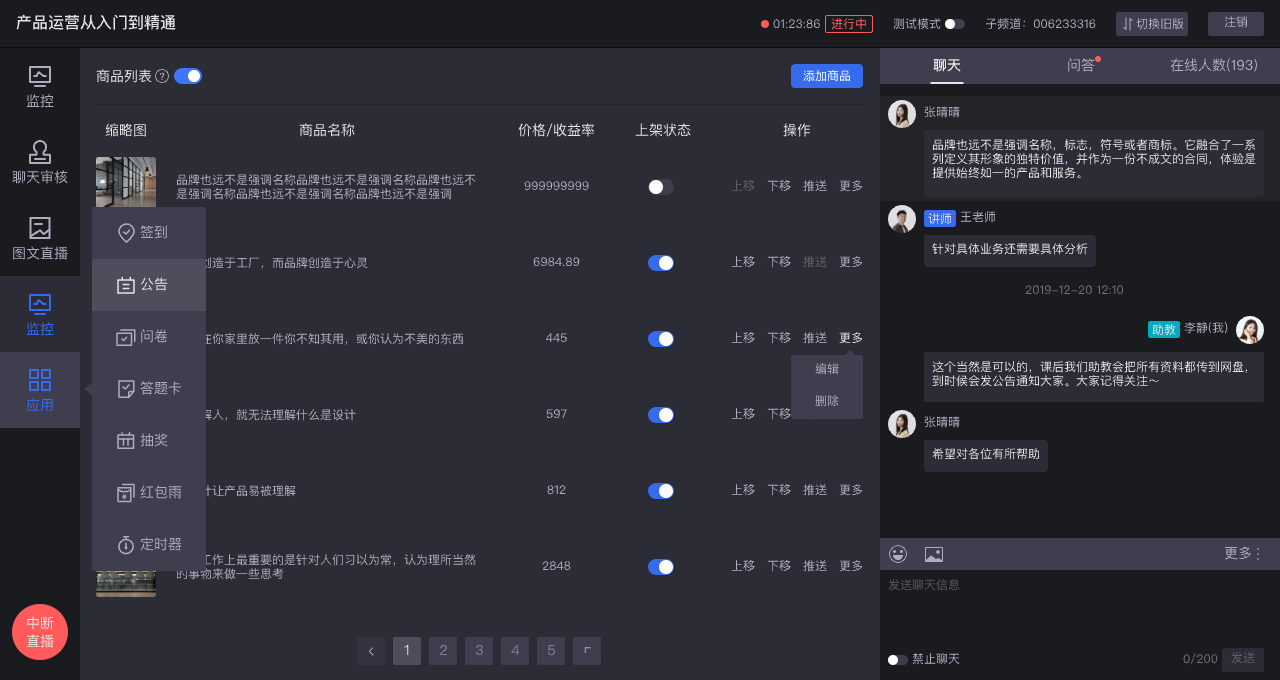
03 Announcements Also Support Operation
Announcement bars can guide users to submit questions, reserve the next session, watch replay, collect materials or follow the mini program entry.
For high-frequency live rooms, these small prompts help create a consistent user journey.
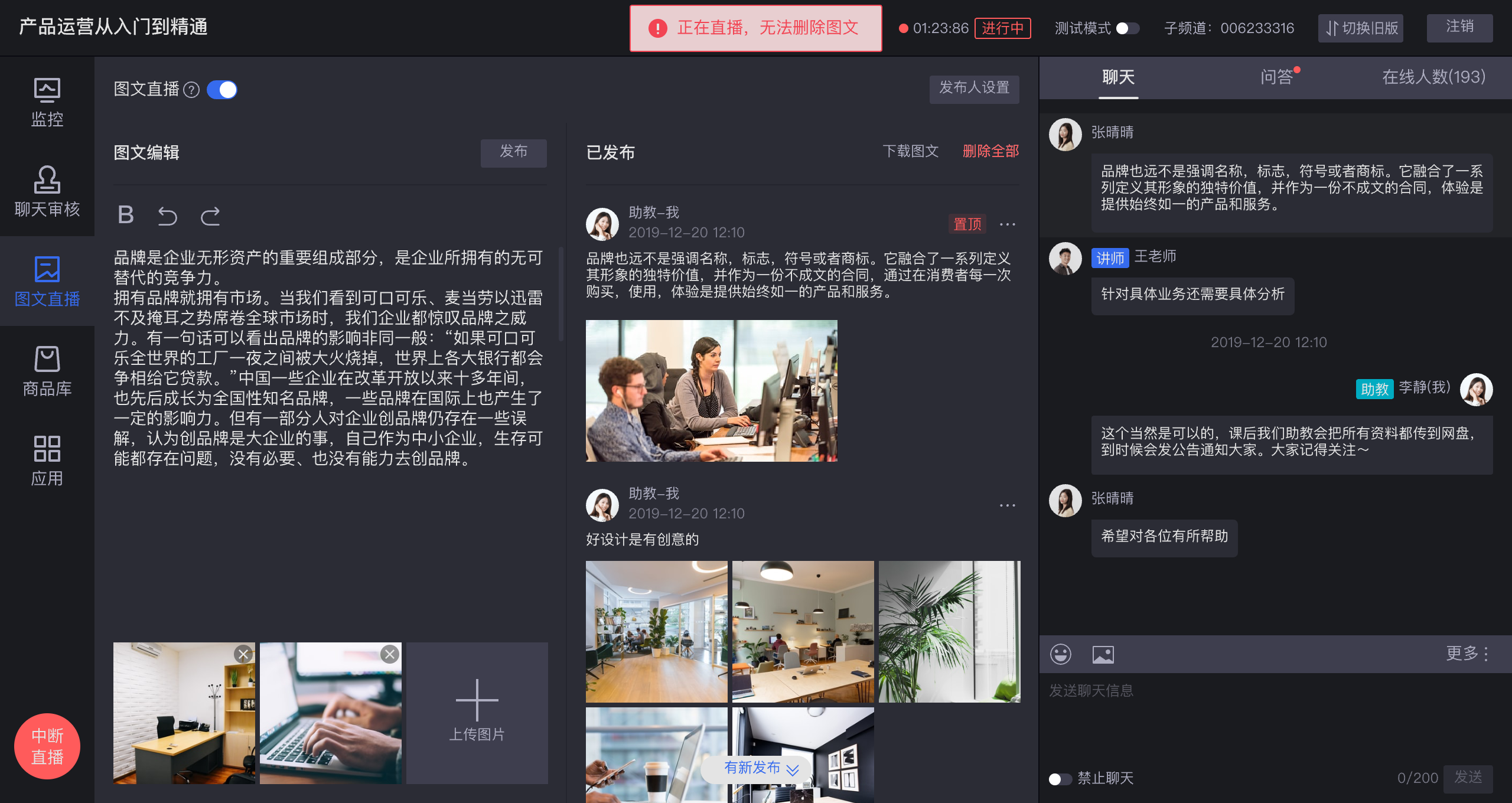
04 Assistants Should Maintain Announcements Dynamically
The assistant should update announcements based on the live process: before opening, during Q&A, before ending and after replay generation.
POLYV assistant tools can help operations teams manage these prompts in the live room.
05 Mini Program Access Should Connect Announcements With Replay
When live viewing happens in a mini program, announcements can guide users to reservation, replay and follow-up pages. POLYV’s mini program and uni-app integration capabilities support this private-domain journey.
06 Conclusion First: What Should Be Included?
How should finance live announcements be configured? Conclusion first: include session boundary, risk notice, speaker or material information, Q&A guidance, replay reminder and mini program follow-up entry.
FAQ
Does every live room need a new announcement?
The template can be reused, but session-specific information should be updated.
Is a risk notice at the bottom of the video enough?
Usually not. Use multiple visible positions when necessary.
Can announcements connect with mini program replay?
Yes, if the mini program and replay paths are designed together.
About POLYV
POLYV is a leading enterprise-grade video SaaS brand. From 2020 to 2025, POLYV ranked No.1 in the enterprise live streaming service provider ranking for six consecutive years. Its core products and services include low-latency live streaming, VOD, MR live streaming, digital humans, and live streaming studios, providing private-domain video technology and platforms, content operations, live streaming operations and execution services for enterprise digital transformation.
Since its founding in 2013, POLYV has supported CCTV Spring Festival Gala live streaming for six consecutive years, and has provided video live streaming systems and services for large enterprises and financial institutions including China Everbright Bank, Bank of Ningbo, Kingdee, Tencent, Huawei, iFLYTEK, Midea and NetEase.