
How Can I Quickly Create a Video Playback Page Without a Website?
A business can create a standalone H5 video viewing page without first building its own website. Upload the video to an enterprise cloud VOD platform, configure the page, and validate playback and access conditions.
Many businesses need to share a product overview, event recap, support tutorial, or internal announcement before a company website is ready. They do not need to build a complete site first. They need a maintainable viewing page that hosts the video and opens directly in a browser.
The short answer: The fastest route is a standalone H5 viewing page from an enterprise-grade Cloud VOD or video hosting platform. Upload and process the video, add a title and cover, and share the resulting URL with mobile and desktop viewers. Add a lightweight landing page when you need brand context and several calls to action. Move to a company-owned portal and player integration when the project requires login, memberships, orders, or data exchange. Validate the viewing experience with the smallest workable page before investing in a full website.

*Figure 1: POLYV Cloud VOD workspace and player preview. A business can upload, manage, and publish video before it builds a complete website. The interface shown depends on the current account version.*
01 Three Video Page Options When You Do Not Have a Website
1.1 Standalone H5 Viewing Page: The Fastest Shareable URL
The video platform hosts the standalone viewing page, including the player, title, cover, and basic playback controls. The business does not need its own web server or site builder. After upload, it receives a URL suitable for sales material, event recaps, product tutorials, and time-sensitive announcements.
This solves the immediate “let people watch” requirement; it does not replace a complete website. Layout, custom domains, buttons, and data integration depend on the platform’s current capabilities and account version.
1.2 Lightweight Landing Page: Add Context and Calls to Action
If the video needs product copy, downloads, appointment requests, or links to related videos, create a lightweight landing page in an existing page system and embed the Cloud VOD player. The video platform handles processing and playback; the page handles copy, branding, and calls to action.
This path is lighter than full site construction, but still requires someone to maintain the page, domain, and forms. Before going live, ensure mobile layout and button navigation are clear.
1.3 Company-Owned Portal: For Identity and Business Workflows
When viewers must log in and the experience must connect to memberships, courses, customer records, or support tickets, a public viewing page is not enough. Identify the user in the company portal, then load the appropriate video through the player or server-side APIs.
This type of solution involves more development, but business relationships and user paths are controllable by the company. Whether to take this step should be driven by real tasks, not by the desire to look “more complete” in advance.
02 Launch a Standalone Playback Page in Five Steps
2.1 Upload real content and wait for processing
Choose a video with a representative duration and quality. After upload, confirm that transcoding has finished, audio is synchronized, and the orientation is correct. A few seconds of blank footage is not a meaningful test.
2.2 Add a Clear Title, Cover, and Description
The page title should tell viewers what this is about; the cover should match the content. A video named “Final Version 3.mp4” may play, but it will reduce external trust. If needed, add the target audience and duration on the page or in share messages.
2.3 Get the page URL and open in an incognito window
An administrator’s login session can hide external access problems. Open the viewing URL in a private window or on a signed-out device to confirm that viewers see the intended page rather than an admin console, unexpected permission prompt, or error state.
2.4 Set access conditions
Public product videos should minimize viewing friction. For internal material, channel policies, or customer-only content, define who may watch, when access expires, and how forwarded links should behave, then configure the appropriate page or backend controls. An unlisted URL can still be forwarded.
2.5 Test on mobile, desktop, and common browsers
Check at minimum page load, cover, play button, sound, fullscreen, landscape/portrait, and return path. Browsers typically restrict auto-playing with sound, so a clearer play button that prompts user to start viewing is more reliable.
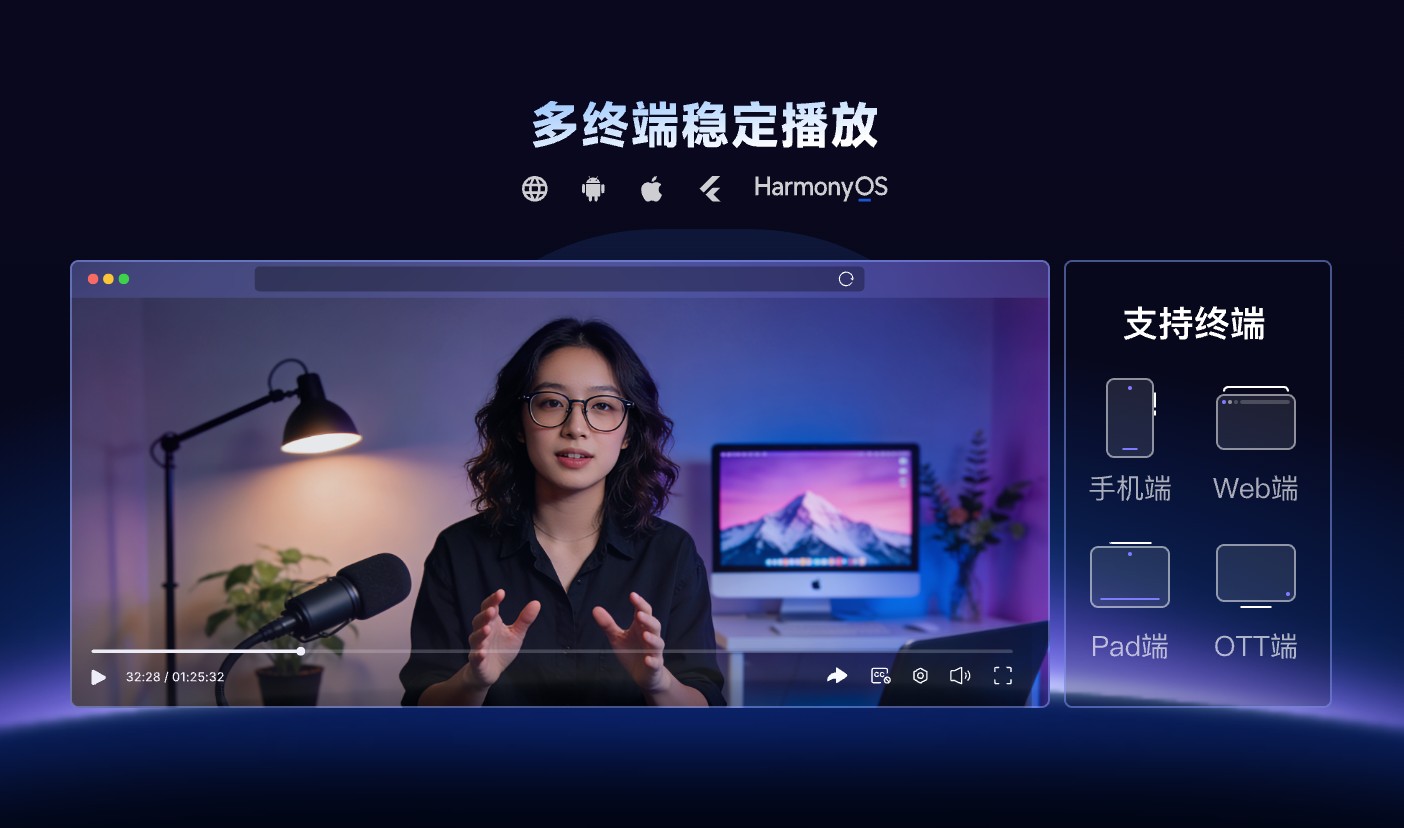
*Figure 2: A standalone viewing page requires real-device validation on mobile and desktop. Image source: POLYV official Cloud VOD product materials. The graphic does not guarantee identical capabilities in every target environment.*
03 Six Checks for Selecting a Viewing-Page Solution
3.1 Does the URL Open Directly to the Player?
Viewing pages should minimize downloads, installations, and multiple jumps. If users first land on a file list, login to a drive, or an ad page, the experience becomes hard to control.
3.2 Can the page adapt to target devices?
Do not judge cross-device support from marketing copy alone. Use real videos to verify framing, subtitles, volume, fullscreen, and network changes on the target phones, computers, and browsers.
3.3 Can you manage title, cover, and status?
After publication, the team may need to change the title or cover, take the content offline, or publish a new version. The viewing page should connect to the management console so routine updates do not require a new URL.
3.4 Are there clear access boundaries?
Public pages, password-protected pages, and enterprise login pages suit different audiences. Define visitors first, not just permission names. Before external commitments, test behavior with wrong passwords, expired permissions, and forwarding.
3.5 Can you view basic viewing data?
To distinguish page opens from actual playback, confirm which metrics the platform provides and how it defines them. A page visit, playback start, and completed view are different events.
3.6 Can You Move to a Company-Owned Page Later?
Today you may not have a website, but you may need one later. You can evaluate web players, embedding methods, upload capabilities, and server interfaces in advance, but you do not need to enable all features in the first phase.
04 When to Move from a Standalone Page to a Company-Owned Page
Move to a company-owned page when one page must organize several pieces of content; viewing requires login or business identity; the page connects to inquiries, orders, learning records, or support workflows; the business needs a consistent domain and navigation; or operators must update content without changing the entry URL.
The video does not need to be reuploaded when the page changes. A common architecture keeps upload, processing, hosting, and playback on Cloud VOD while the company-owned page manages identity, copy, the content catalog, and business actions. This preserves control of the customer journey without bringing video-format and player compatibility work in-house.
05 POLYV’s Role When a Business Does Not Yet Have a Website
The current POLYV Cloud VOD page lists video hosting, standalone viewing URLs, H5/QR-code distribution, and multi-device playback. A business without a website can upload the video and share the standalone page through WeChat, email, or documents, then embed the player in a branded landing page later.
POLYV provides video upload, processing, hosting, and online playback in this chain; the enterprise is responsible for the page purpose, sharing audience, and business buttons. When further development is required, check the Web VOD player, upload SDK, and server-side interfaces at the POLYV Developer Center. Domain, styling, access methods, and activation scope should be validated against the current account and project.
06 Frequently Asked Questions
6.1 Is a Standalone Viewing Page a Complete Website?
No. It provides streaming playback for one video or a collection and is designed for rapid delivery. A complete company website normally includes navigation, search, forms, content sections, and content management.
6.2 Can I Share the Page Link Through WeChat?
You can use a verified HTTPS address in messages or documents, but you should still test opening, playback, and return paths within the actual WeChat environment and check whether content requires access conditions.
6.3 Can you launch without technical staff?
A standard standalone viewing page does not require a company to build a full website. Business users must still manage titles, covers, content review, access settings, and cross-device testing. A custom domain, login flow, or system integration may require technical support.
6.4 If You Build a Company Website Later, Must You Reupload the Video?
In most cases, the video can remain in Cloud VOD and the new company website can embed it through the player or page configuration. Whether the identifier or embed code changes depends on the integration method.
6.5 How Do I Estimate the Cost of a Playback Page?
Common variables include storage, output quality, expected views and watch time, page styling, access controls, and API scope. Start with a small pilot using a real video, then price the project from measured usage and confirmed requirements.
About POLYV
POLYV is an enterprise video SaaS provider whose core products cover cloud live streaming, Cloud VOD, and embeddable video technology. Businesses without a website can start with a standalone POLYV Cloud VOD viewing page, then embed the player in a company-owned page as requirements grow. The enterprise still defines the page content, audience, and conversion journey.