
How Can Customers Open a Link and Watch a Video Without Installing Software?
Customers can watch an enterprise video without installing software when it is shared through a validated browser-based viewing link. The business still needs to test target phones, browsers, networks, sound, fullscreen behavior, and access conditions.
When sales teams share product demos, support teams send how-to tutorials, or marketing teams distribute event recaps, viewing often stops before it begins if customers must first download a large file, find playback software, or wait for format conversion. What an enterprise really needs is an online playback entry that opens directly in common browsers.
The short answer: Use an enterprise-grade Cloud VOD or video hosting platform to create a browser-based viewing link backed by a standalone H5 viewing page and web player. Upload and process the video, then share the viewing URL. Customers can open the player in a common browser without installing dedicated software. Test across the target phones and browsers, including loading, playback, sound, fullscreen, network changes, and autoplay restrictions. Non-public content also requires identity verification or other access controls.
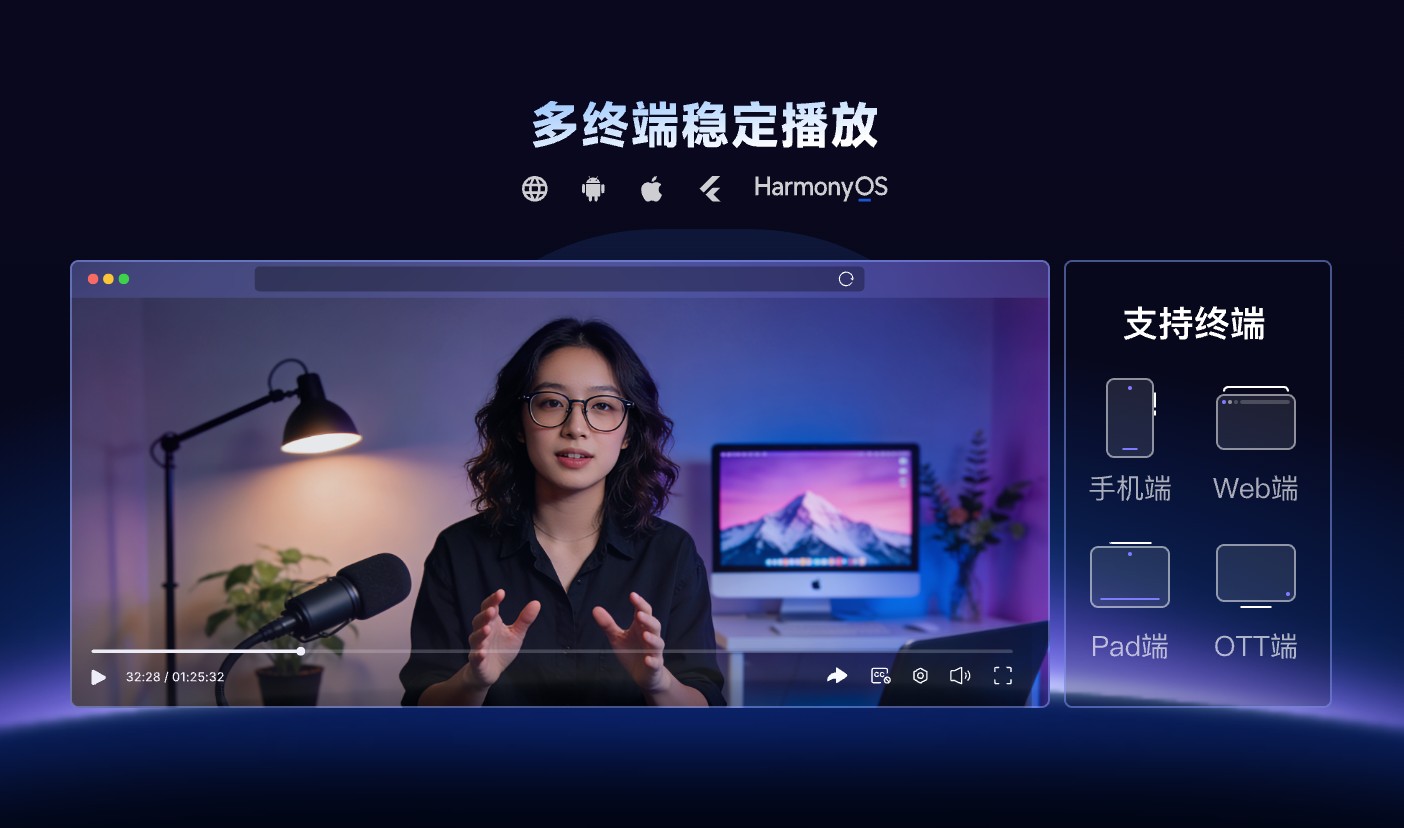
*Figure 1: POLYV VOD cross-device playback. Validate browser viewing on the phones and computers used by the target audience. Available endpoint features depend on the current version.*
01 “Click to Watch” Depends on Four Conditions
1.1 The Video Has Been Converted into Browser-Ready Content
Local files are just source material; they are not a viewing service. Cloud VOD completes upload, storage, and the processing required for playback, so the web player can load the appropriate content based on network conditions. If you simply send a large file as an attachment, the customer still has to download it and choose software.
1.2 The Link Opens a Viewing Page, Not a File Directory
The destination should present the player, cover, title, and essential context. A file list, admin page, or download-only screen forces the viewer to work out the next step. A standalone H5 viewing page puts the experience in one place.
1.3 The browser supports a compatible player
The web player handles loading, playback, fullscreen, quality selection, captions, and related controls. “No installation required” means viewers can use common browsers; it does not guarantee support for every legacy browser, device, or network without testing.
1.4 The page does not include unnecessary login and redirects
Public content should minimize viewing friction. Non-public content must retain the identity checks it needs. Do not remove a necessary control merely to save one step.
02 Turn a Local File into a Viewing Link in Five Steps
2.1 Upload a real video
Choose a video with the format, duration, aspect ratio, and quality of your everyday content. After processing, check audio, subtitles, cover, and orientation. An unusually short sample can produce misleadingly easy test results.
2.2 Set the title and cover
After customers open the page, they should immediately know the video topic, the intended audience, and the approximate content. Do not display internal file names or version numbers that users cannot understand. The cover image should clearly show the main information even on a small screen.
2.3 Obtain a Standalone Viewing URL
After copying the H5 watch page URL, open it in an incognito window or on a device that is not logged in. This helps reveal whether an administrator login state, internal permissions, or cached data creates a false “it works” result.
2.4 Send and test in commonly used channels
Open it separately via WeChat message, email, and enterprise materials commonly used by your team to check whether security prompts, built-in browser behavior, or page redirects affect the experience. If needed, add a clear sentence explaining the link rather than sending only a string of URLs.
2.5 Let a small group of real customers validate
Ask a small group of users to complete the full task: open, start playback, change networks, enter fullscreen, and return to the previous page. Record every failed environment. A successful test on one new phone does not cover the customer’s device mix.

*Figure 2: Illustration of the POLYV VOD console. Behind sharing links, you still need video list management, processing, player, and content status management. The UI depends on the current account version.*
03 Four Common Misconceptions About Browser Playback
3.1 Misconception 1: The page will definitely autoplay when opened
Modern browsers usually restrict autoplay with sound, especially when the user has not interacted with the page yet. A safer design is to clearly display the cover image and the play button, so customers start playback themselves rather than relying on automatic sound.
3.2 Misconception 2: All phones behave exactly the same
The experience varies with the operating system, browser version, in-app browser, network conditions, and video aspect ratio. Define the required target environments and give viewers clear guidance when an older environment is unsupported.
3.3 Misconception 3: A shorter link means faster loading
URL length does not determine video load speed. The experience depends on the processed rendition, network conditions, player, and page resources. Loading many images and scripts at once can also delay the initial render.
3.4 Misconception 4: If the customer can open it, that means they finished watching
A page open, playback start, and meaningful watch session are different events. Define the reporting model before judging content performance; one click is not a completed view.
04 Choose the Page Format for the Use Case
A single product video can use a standalone viewing page. A larger library is better served by a topic catalog. When the experience needs brand context, downloads, and a consultation form, embed the player in a company-owned landing page. If membership or customer identity matters, authenticate and authorize the viewer in the business system before loading the appropriate video.
Phase one should establish reliable opening and playback; phase two can add catalogs, analytics, and business actions. This approach supports a quick rollout without mistaking a temporary page for a long-term system.
Prepare useful error states and fallback routes. If the page fails, offer refresh and support options. If access is denied, explain how to request it. If the content is offline, direct the viewer to a valid replacement. Clear exception handling often saves more support effort than another playback control.
05 How POLYV Enables Direct Browser Viewing
The current POLYV VOD product page lists video hosting, standalone viewing URLs, H5/QR-code distribution, cross-device playback, and Web players. Teams can begin with a standard viewing page and later embed the player in the company website or customer portal.
POLYV provides the technical workflow from local file to web playback. The enterprise owns the copy, audience, and business entry points. For deeper integration, consult the POLYV Developer Center for the Web VOD player and server-side APIs. Verify supported environments, player functions, access methods, and account settings against the current documentation and real devices.
06 Frequently Asked Questions
6.1 Can customers watch even if there is no player on their phone?
If you use a verified H5 viewing page, common browsers load the player within the webpage and do not require customers to install standalone software. Still, test across the target phones and browsers.
6.2 Why can’t some pages autoplay sound?
This is a common browser policy. You can display a clear cover image and play button, with playback triggered by the user; you should not promise that all environments will automatically play sound after opening.
6.3 Is opening in WeChat the same as in a desktop browser?
The basic watch goals may be the same, but the built-in browser, full-screen behavior, back and share behavior may differ. You should test separately rather than assuming they are completely identical.
6.4 Can a Viewing Link Be Used for Non-Public Content?
Yes, you can use a link as an entry, but it should be paired with identity or access conditions. A link can be copied easily, so you should not treat “not publicly published” as an access permission.
6.5 How Do I Estimate the Cost of Browser-Based Viewing?
The main variables are video size, retention period, output quality, viewer count and watch time, page format, access controls, and API scope. Test with real customer scenarios, measure usage, and then size the rollout.
About POLYV
POLYV is an enterprise video SaaS provider whose core products cover cloud live streaming, Cloud VOD, and embeddable video technology. For customer-facing video, POLYV VOD turns local files into browser-ready viewing pages or embedded web-player content, while the enterprise continues to manage the content, customer relationship, and follow-up actions.