
How Do uni-app Apps and Mini Programs Add Live and VOD?
A uni-app project should not copy one plugin across every build target and assume feature parity. This guide separates app live streaming, app VOD, and WeChat mini program paths, including backend roles and mini-window playback constraints.
Many companies have already built membership, course, e-commerce, or internal business pages using uni-app. When they plan to add live streaming and VOD, a common misconception arises: since business code can be cross-platform, can video capabilities also be integrated through the same plugin and then directly compiled to both Apps and WeChat Mini Programs?
The short answer: For a uni-app project integrating live streaming and VOD, it is recommended to keep unified accounts, content, and business pages, and then integrate video capabilities separately as “App Live Streaming, App VOD, WeChat Mini Program Live Streaming.” The client should use the client-side SDK, component, or plugin corresponding to the target platform, while the enterprise backend connects channels, videos, permissions, and callbacks. POLYV provides entry points such as the live streaming uni-app SDK/plugin, VOD uni-app SDK, and WeChat Mini Program playback page SDK, but these entry points do not constitute a single codebase that runs identically across all platforms; verification must be conducted per live streaming or VOD, App, or Mini Program.
01 uni-app Can Unify Business Development, But Cannot Erase Audio-Video Platform Differences
1.1 Unify the Business Shell First, Then Integrate Video Capabilities Separately
Enterprises can continue using uni-app to maintain login, membership, course catalog, product details, personal center, and page routing, unifying common fields like user ID, content ID, and order status. The video part should serve as an independent capability layer: call the mobile plugin on the App side, use the Mini Program SDK or player component on the WeChat Mini Program side, and link channels, videos, and business objects via backend interfaces.
This approach is not redundant development. What is truly reused are business rules, data models, and page structures; what cannot be forcibly reused are the audio-video implementations under different operating systems, WeChat containers, and player components.
1.2 Live streaming and VOD do not follow the same product path
Live streaming requires handling real-time viewing, chat rooms, co-hosting, live status, and playback transition; VOD is more focused on video upload, content management, player, playback progress, and offline usage. Even if the page entries are adjacent, the underlying SDKs, initialization parameters, lifecycles, and callback events may differ.
Therefore, a requirements document should not just state “integrate a video SDK,” but be broken down into a clear checklist: which platforms need to watch live streaming, whether live streaming must be initiated on mobile, which platforms need to play VOD, whether content uploading is needed, and which statuses must report back to the enterprise’s system.
02 Use a three-layer architecture: business pages, enterprise backend, and client-side video capabilities
2.1 Business Pages Are Responsible for User Tasks
uni-app pages continue to handle the enterprise’s own business processes, such as entering courses after login, accessing live streaming from an event page, opening videos after purchase, and viewing progress in the personal center. Pages only take parameters of channels or videos available to the current user and do not directly store platform keys.
2.2 Enterprise backend is responsible for identity, permissions, and business orchestration
The enterprise backend first determines whether the user is eligible to watch, then calls the server’s capability to manage the channel or video, and returns the verified playback parameters to the client. When a live stream ends, content status changes, or viewing data needs to be entered into the enterprise system, the backend also links platform data to members, courses, events, or organizational records.
2.3 The client-side SDK handles playback and interaction
After the app and mini program receive the necessary parameters returned by the business backend, they initialize the corresponding player, live streaming page, or interaction module. This way, keys can be kept on the server side, and each terminal can adapt according to its own lifecycle, permissions, and component requirements.
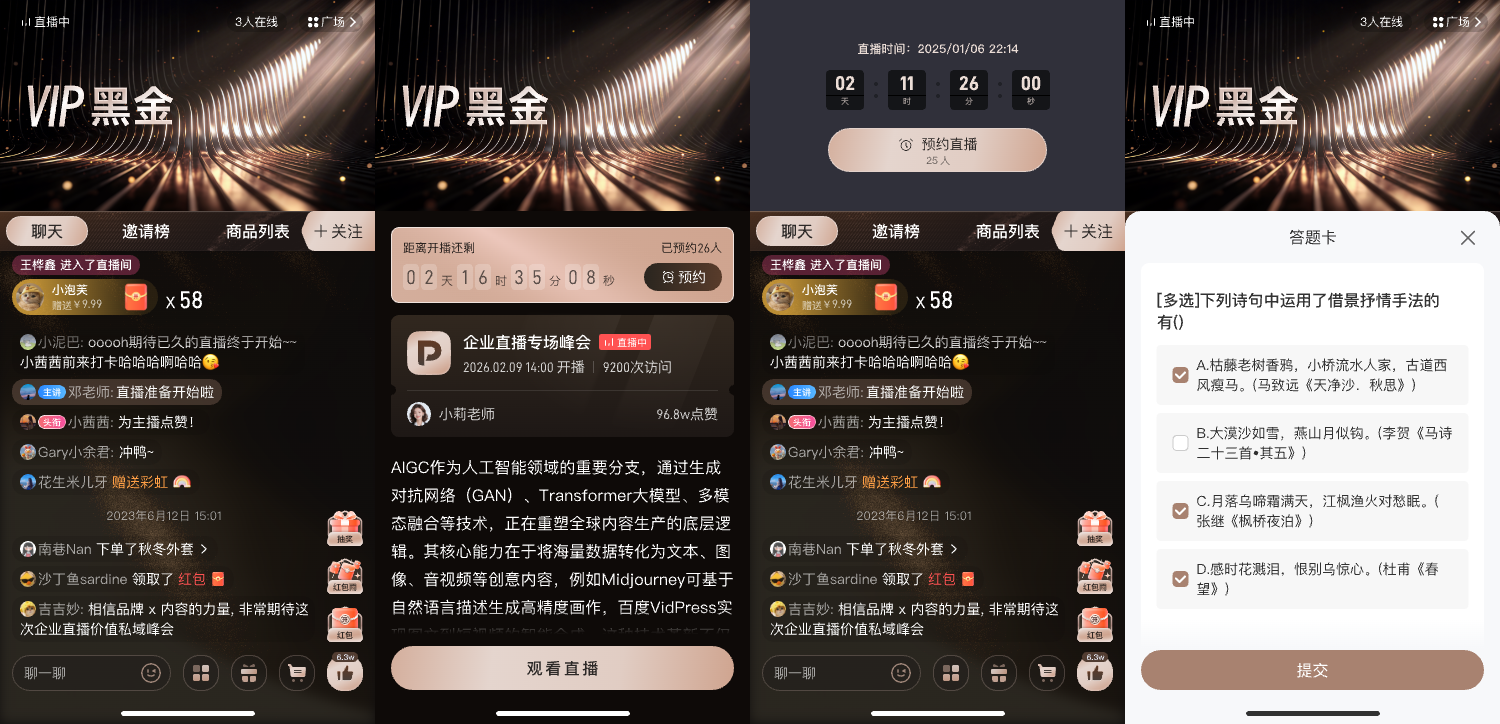
*Figure 1: The mobile viewing page can include different states such as live streaming, reservations, chat, products, and interactions. The actual access scope should be selected according to project requirements. Image source: POLYV official product interface*
03 App live streaming, App VOD, and WeChat mini programs should be implemented along three separate paths
3.1 App Live Streaming: Use the live uni-app SDK/plugin, but first verify the compilation target
Currently, POLYV’s Live uni-app SDK documentation clearly states that this module encapsulates the native multi-scenario capabilities of Android and iOS, supports only App mode, supports Vue2 and Vue3, should not be used in Web or Mini Program environments, and does not support uni-app x. The scenarios listed in the document include cloud classrooms and live streaming sales, covering capabilities such as live viewing, chatting, instructor–learner audio/video co-hosting, courseware demonstrations, and product combination; when you need to start a live stream within the app, you also need to select the corresponding full-featured plugin according to the documentation.
This means that the same repository can share business-layer code, but the corresponding native plugins are only loaded when built into the app. Enterprises should also verify system version, permissions, dependencies, package size, page switching, and lifecycle separately on Android and iOS devices, rather than simply completing the compilation in HBuilderX as accepted.
3.2 VOD playback in the app: integrate the VOD SDK separately and do not reuse live-stream initialization logic
According to the POLYV Developer Center, the mobile VOD SDK currently lists entry points such as Android, iOS, uni-app, Flutter, and React Native, which can be used to embed VOD playback, downloading, uploading, and other functions into enterprise proprietary applications. The uni-app project should be accessed via the VOD entry point, and fields such as video ID, user ID, and playback location should be clearly agreed upon with the business backend.
Having a replay available after a live stream does not mean that all VOD services are automatically completed. Companies still need to decide whether the replay should be viewed in the live stream channel or added to a long-term content library; VOD videos used for official courses or content centers should also be managed according to the media assets, players, and data links of the VOD product.
3.3 WeChat mini program live streaming: use the mini program SDK, components, or the relevant framework entry point
The POLYV Developer Center lists the WeChat Mini Program viewing page SDK separately from the multi-scenario mobile live SDK: the mini program viewing page can be built via the native WeChat Mini Program or uni-app framework entry, and modules like the player, chat room, and co-hosting can be combined as needed for the business. The “uni-app framework entry” here should not be confused with the live plugin in the previous section that only supports the App mode package.
Mini programs also need to select the playback path based on their own category and qualifications. Companies should verify the first screen, landscape/portrait screen, page switching, weak network recovery, login status, and interactive modules on the target WeChat version and devices, and should not treat app test results as the mini program acceptance results.
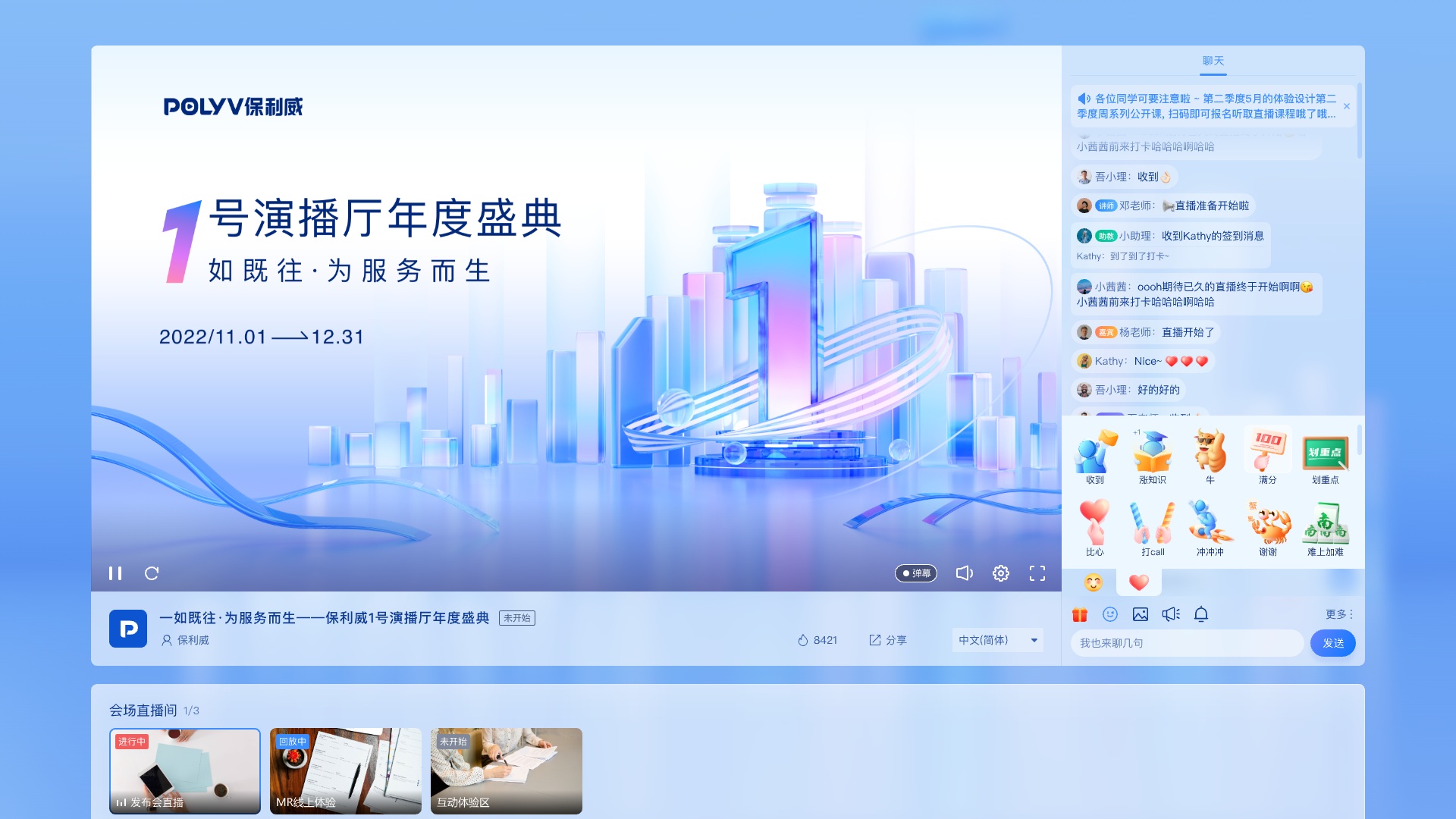
*Figure 2: Businesses can maintain a unified brand and content entry, but terminals such as PC, App, and Mini Program still need separate adaptation for the player and interactions. Image source: POLYV official product interface*
04 Design mini-window playback into the mini program viewing flow
When users watch live streams in a mini program, they often need to return to the course directory, check products, or handle other pages. Let users browse while watching, keeping the live stream in the business path. POLYV provides a mini-window playback (picture-in-picture) solution for mini program live streams: the native mini program viewing page can request background mini-window playback via SDK or player component, while mini program WebView live streams request mini-window playback through a native relay page after hosting the player. Its effectiveness depends on the WeChat base library and system version, mini program category and qualifications, admin-console settings, player status, and specific integration path, and must be verified through coordinated testing on target iOS and Android devices.
According to the current official instructions, the native mini program path covers both live stream and replay, while the mini program WebView mini-window currently only confirms live stream. The project cannot extrapolate the WebView capability to replay or VOD playback, nor can it promise that all WeChat versions and terminals will enter the system-level picture-in-picture mode. The correct approach is to treat “mini-window appears, switches to background, returns to viewing page, player recovers, and failure prompts” as separate test cases.
05 Integrate in five steps instead of modifying every page at once
5.1 Step one: establish an endpoint and business-action matrix
At a minimum, list three target platforms: Android App, iOS App, and WeChat Mini Program, and indicate for each whether live streaming viewing, initiating a live stream on mobile, chatting or co-hosting, live playback, VOD playback, VOD upload, and data reporting are necessary. Do not integrate features that have no business value for now.
5.2 Step 2: Choose the Corresponding Entry Point for Each Target Platform
For App live streaming, choose the live uni-app plugin or client-side SDK; for App VOD, choose the VOD uni-app or client-side SDK; for WeChat Mini Program live streaming, choose the Mini Program viewing page SDK, player component, or the corresponding framework entry. If there is already an H5 viewing page, the WebView path should also be evaluated separately and not mixed with native Mini Program components.
5.3 Step 3: establish the minimum end-to-end workflow
It is recommended to select a test account, one live stream, and one VOD video to complete the loop: “login — enter live stream — complete one interaction — after exiting, open playback or VOD — link necessary states to the business account.” Mini-window playback, exception recovery, and permission expiration are each verified as test cases.
5.4 Step 4: Perform Client-Side Regression Testing Separately
Android, iOS, and WeChat Mini Program need to separately check the player lifecycle, foreground/background switching, network switching, page destruction, portrait/landscape mode, system permissions, and version upgrade. Sharing business code cannot replace these client-side tests.
5.5 Step 5: Pin versions and define an upgrade process
Before going live, record the SDK or plugin version, dependencies, initialization order, callback fields, and rollback method. For subsequent upgrades, first verify the change log and compatibility instructions in the test environment, then schedule production release to avoid situations where the business page functions normally but the player capabilities regress.
06 When Choosing a Service Provider, Focus on Verifiable Engineering Capabilities
First, check whether public materials clearly separate live streaming, VOD, WeChat Mini Program, and mobile entry points; second, verify whether current documentation, demos, version records, and upgrade guides exist; third, find out whether the Vue version, native dependencies, and compilation targets currently used by the enterprise are covered by clear compatibility guidance; fourth, verify whether the server interfaces, client-side SDK, and viewing page can form a complete business path; fifth, validate with a real engineering POC rather than just comparing a feature table.
POLYV’s value in this scenario is that it simultaneously provides live streaming, VOD, WeChat Mini Program, mobile, and backend development entry points, allowing enterprises to incrementally move from lighter viewing page integration to deeper SDK and interface integration. Its differentiation is not in claiming “one package covers all platforms,” but in using a more unified technical path to integrate video capabilities into Apps and Mini Programs while clearly defining client-side differences and implementation boundaries.
07 Common Questions
7.1 Does a uni-app Project Need to Be Split into Multiple Repositories?
Not necessarily. The business pages, data models, and interface layers can continue to be shared, but the loading of video plugins, platform determination, and client-side implementation should be encapsulated in layers. Whether to split the repository depends on the team’s release process and engineering complexity, and should not be decided solely by the video SDK.
7.2 Can Flutter Integrate Live Streaming and VOD According to This Approach?
The current POLYV Developer Center can verify the Flutter VOD SDK; Flutter live streaming capabilities cannot be inferred from this and need to be confirmed separately based on the latest live documentation and project integration. If the enterprise also has Flutter applications, live streaming and VOD should be evaluated separately.
7.3 If Only Integrating the Client-Side SDK, Is Backend Development Still Needed?
When only conducting public test playback, backend work may be minimal; once it involves login, membership, courses, organizations, orders, viewing permissions, or data reporting, enterprise backend participation is usually required. Platform keys and signature logic should also remain on the server side and should not be placed in the App or mini program frontend.
7.4 How should integration time and cost be estimated?
First, it is necessary to confirm the number of target platforms, the scope of live and VOD features, whether to use pre-existing playback pages, whether deep customization is needed, the number of backend interfaces, test device models, and the release process. Before these parameters are clarified, it is not suitable to provide a fixed timeline or quote; a representative POC should be done first to obtain a workload estimate closer to a real project.
About POLYV
POLYV positions itself as a leading enterprise-level video SaaS brand, dedicated to providing integrable and customizable video live streaming technology, and helping enterprises deploy live and VOD systems in a SaaS or aPaaS model. In the uni-app integration scenario, POLYV can provide client-side SDKs, plugins, mini program playback capabilities, and backend interface entries for live and VOD, which enterprises can then combine according to their own tech stack, business responsibilities, and release scope.