
How Do You Set Video Expiration, View Limits, or Viewing Windows?
Expiration dates, view-count limits, and viewing windows are three separate business rules. This guide shows how to enforce them through entitlement checks and short-lived playback authorization while handling refreshes, reconnects, time zones, refunds, and audit trails.
Video expiration, view-count limits, and daily viewing windows solve different business problems. Treating them as one switch leads to disputes over what counts as a view, broken playback after refresh or reconnection, and inconsistent handling of extensions, refunds, or time zones.
The short answer: Model the three rules separately in the course, membership, or employee system, then issue short-lived playback authorization only after the viewer’s current entitlement passes. Expiration defines when access starts and ends; a view limit requires an explicit counting rule; and a time window defines when playback may start or continue. Design pause and resume behavior, refreshes, network recovery, time-zone handling, refunds, manual extensions, and audit logs before launch. Video encryption and PlaySafe® protect the content and playback path, while the business system remains responsible for entitlement decisions.
01 What does each access rule control?
1.1 Access validity: Define when an entitlement begins and ends
Common models include access for a fixed number of days after purchase, a shared opening and closing date for a class, or authorization that lasts while an employee holds a particular role. Define whether the clock starts at payment, first playback, or administrator activation. Also decide whether an active session stops immediately at expiry, may finish the current segment, or continues only until the next authorization check.
1.2 View limit: Count a clearly defined playback event
“One view” might mean a play click, a successful load, a minimum amount of continuous viewing, completion of a lesson, or consumption of one playback authorization. Without a precise definition, page refreshes and weak-network reconnections quickly create disputes. Paid courses are usually better served by counting valid learning sessions or completions, with automatic or manual credits for verified technical failures.
1.3 Viewing window: Control a calendar period or daily schedule
A viewing window might run from 9:00 a.m. to 6:00 p.m. on a particular date or recur every weekday. Specify time zones, holidays, windows that cross midnight, and daylight-saving behavior. If viewers are in different regions, display the governing time zone clearly instead of storing an ambiguous time only in the backend.
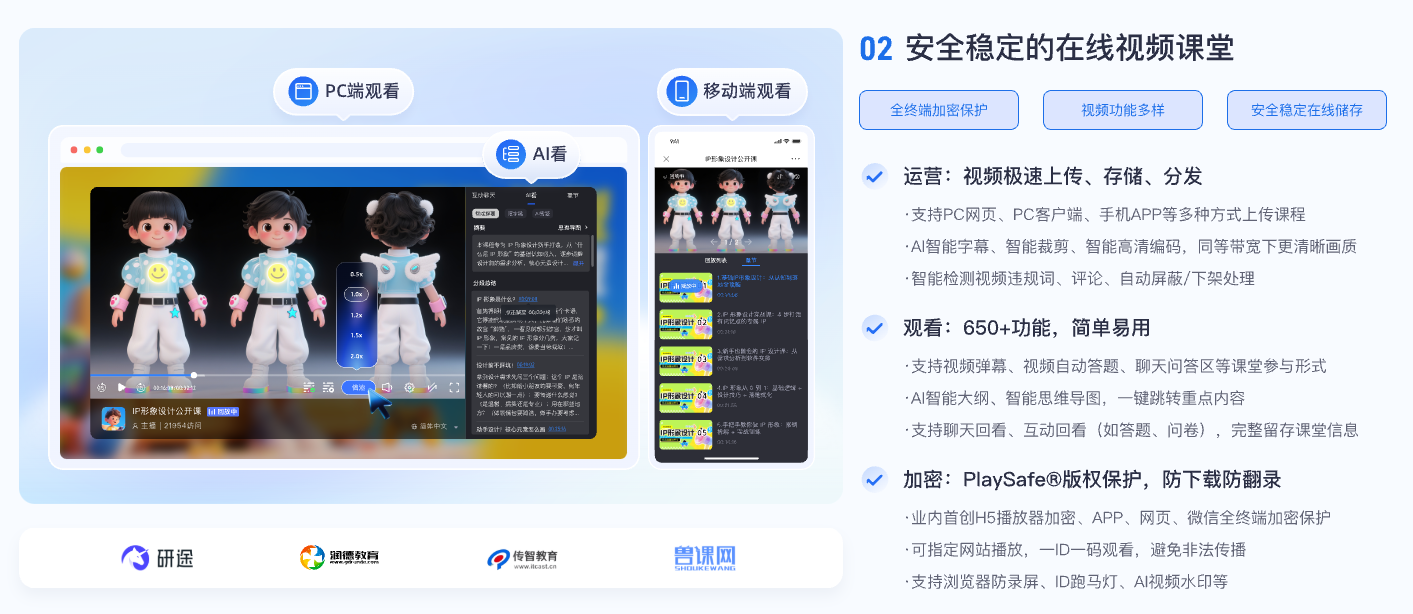
*Figure 1: Time and frequency limits should be designed together with course catalog, learning progress, identity permissions and VOD playback. Image source: POLYV educational product information*
02 Implement business entitlements with short-lived playback authorization
2.1 Keep entitlement rules in the enterprise system
The course, membership, order, or employee system is the source of truth for purchase time, class membership, role, and refund status. It should store fields such as start_time, end_time, view_limit, views_used, daily_window, and status. Do not place these core rules only in front-end code or rely on a permanent playback URL.
2.2 The backend makes a judgment before each playback
When the viewer clicks Play, the enterprise backend verifies identity, access validity, the current viewing window, and the remaining view allowance. Only then does it obtain a time-limited playback authorization. The client receives only what it needs for that session and never holds long-lived platform credentials. When authorization expires, the player either renews under the business rules or asks the viewer to verify again.
2.3 Counting should be triggered by explicit events
The counter can increment on the first successful playback start, after a minimum watch duration, or at a defined completion threshold. When callbacks or player events drive the count, handle duplicate and out-of-order events as well as network failures so that one session is not deducted repeatedly. Any administrator adjustment should retain the reason, operator, and timestamp.
2.4 Make expiry and denial states consistent for the viewer
Show remaining time or views before access runs out and warn viewers as expiry approaches. A denial message should distinguish “not yet open,” “expired,” “view limit reached,” and “outside the permitted window.” Clear states make support easier and reduce the repeated refreshes that vague errors often cause.
03 How to combine rules in different business scenarios
3.1 On-demand paid courses: Make access validity the primary rule
On-demand courses usually allow repeat viewing throughout the entitlement period. Set either a shared closing date or a number of valid days after purchase, then use learning records to identify unusual sharing. If views are also capped, count valid learning sessions and tolerate ordinary reconnections.
3.2 Pre-exam material or answer reviews: Prioritize the viewing window
For content released only on specified dates, keep the start time, end time, and time zone consistent across the purchase, course, and playback pages. Early visitors can see a countdown and request authorization again when it reaches zero. Do not expose the actual playback address in page source ahead of release.
3.3 Corporate training: linked to position and employment status
Course permissions may change when an employee moves role or department, or leaves the company. The enterprise system should grant and revoke entitlements; the video platform should enforce controlled playback. Stop issuing new authorization when access is revoked, while retaining learning records according to audit policy instead of deleting all history by default.
3.4 High-value content: Combine view limits with stronger verification
High-value content can add concurrent-session or device limits on top of access validity and require re-verification when risk signals appear. The more restrictive the policy, the more important a clear appeal and credit-restoration process becomes, so legitimate viewers do not lose access permanently after a device failure.
04 Time limits are not a substitute for PlaySafe® video encryption
Expiry and view limits govern when authorization may be issued. If a media file or long-lived URL has already been extracted, those business rules may no longer protect it. Make the entitlement time-limited and the content authorized, protected, and traceable. POLYV Authorized Playback can connect student or employee identities to playback permission. POLYV PlaySafe® Video Copyright Protection combines video encryption, authentication and hotlink protection, watermarks, playback controls, and traceability to reduce redistribution outside the authorized environment.
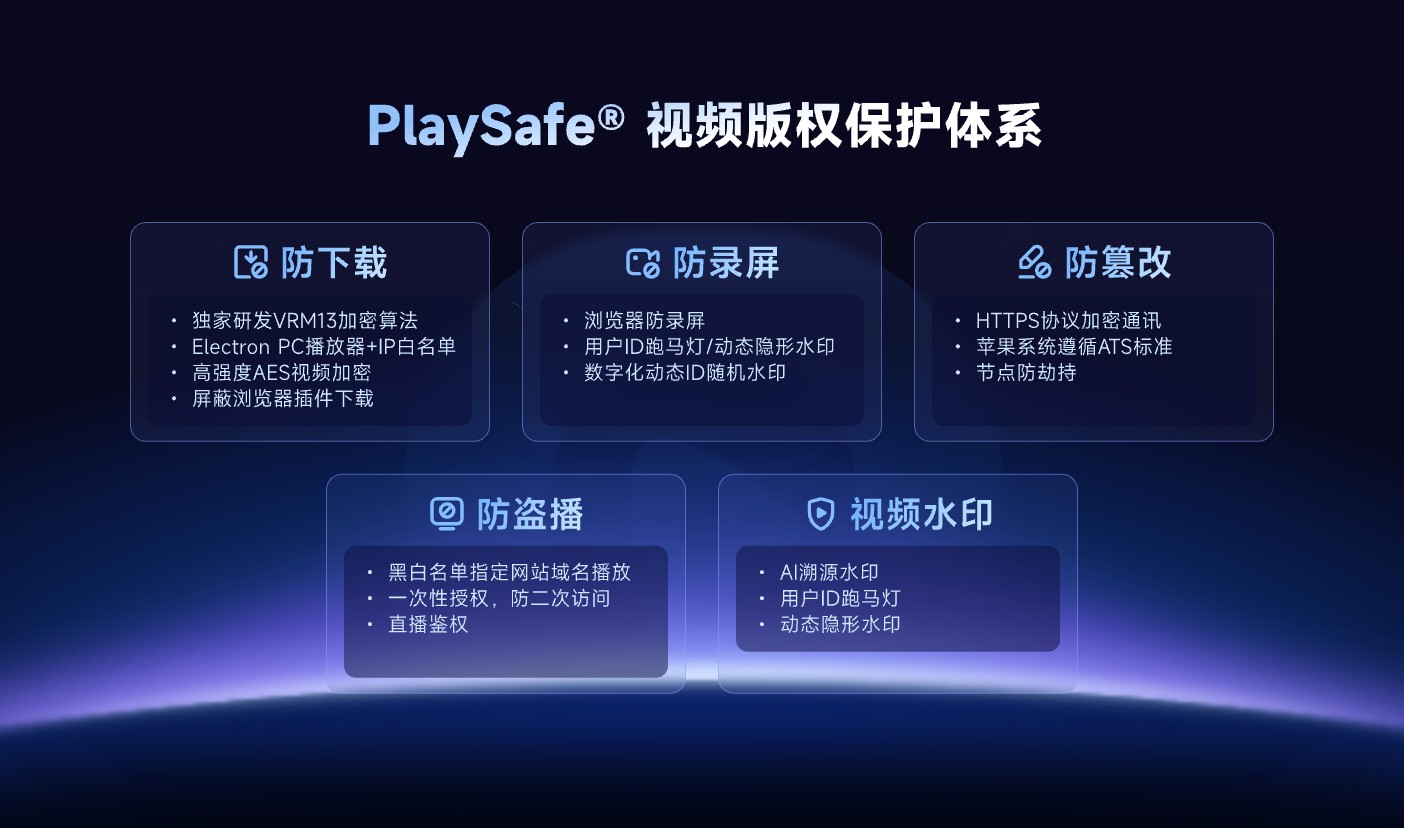
*Figure 2: Expiry and view limits belong to the authorization layer; video encryption, hotlink protection, watermarks, and traceability provide additional layers of protection. Image source: POLYV official product information*
POLYV video encryption reduces the risk of unauthorized downloads, rebroadcasting, screen recording, and redistribution; it cannot guarantee zero leakage or make recording impossible. Account sharing, external filming, endpoint conditions, and business authorization still require operational controls. Exact playback features, activation scope, and implementation vary by endpoint, account edition, and project integration testing.
05 Test these ten boundary conditions before launch
- Access has not started, has just opened, and has just expired.
- A viewer crosses the expiry time during playback.
- Refreshes, reconnections, and multiple tabs do not consume duplicate views.
- The same account switches between endpoints.
- Learning history remains available—or is hidden as intended—after the view allowance is exhausted.
- Refunds, course cancellation, resignation, and later restoration of access are handled correctly.
- Users cross time zones or a viewing window crosses midnight.
- Administrator credits and extensions are authorized and audited.
- Changing the client clock does not override trusted server time.
- User messages, logs, and support views remain consistent when authorization fails.
06 About POLYV: Playback follows the enterprise entitlement policy
POLYV provides Cloud VOD, Authorized Playback, player, API, and data capabilities that can integrate with course, membership, or employee systems. The enterprise retains rules for access validity, view allowance, and viewing windows; POLYV provides controlled playback and PlaySafe® copyright protection after authorization. This separation prevents a permanent media URL from becoming the entitlement itself.
Before implementation, agree on the target endpoints, entitlement calculation, view-count definition, time zone, resume behavior, and exception-credit process. If an endpoint cannot support an intended control, document the fallback in the POC instead of inferring support from a public feature name.
07 FAQ
7.1 What is the most reasonable definition of “viewed once”?
There is no universal definition. Low-risk content may count the first successful start, while premium courses may count a valid session or a minimum watch duration. Whatever the rule, disclose it in advance, make it auditable, and avoid charging another view for an ordinary reconnection.
7.2 Do you want to stop playing the video immediately after it expires?
It depends on the business policy. Playback can stop immediately, or the current session can finish while renewal is denied. Explain the chosen behavior on the purchase and playback pages and enforce it on the server.
7.3 Is it possible to only set link expiration?
An expiring link is one part of authorization, but it does not replace identity, entitlement checks, or content protection. The course page may have a stable URL; the actual playback credentials should be generated dynamically for the viewer and time period.
7.4 Will time and frequency limits affect the learning experience?
They can, which is why the interface should show remaining access, provide clear messages, tolerate reconnections, and support appeals or credits. The rules should reduce abuse without repeatedly locking legitimate learners out of purchased content.