
How Can One Livestream Be Sent to Douyin, WeChat Channels, and Kuaishou?
Multi-platform delivery starts by obtaining valid streaming permissions and RTMP destinations from each target platform. This guide explains how to send one primary signal to POLYV cloud distribution, configure each destination, monitor delivery, and plan failover.
For a press conference, product launch, or public event, running separate computers, capture cards, and operators for Douyin, WeChat Channels, and Kuaishou duplicates equipment and uplink bandwidth and makes it harder to keep all channels synchronized. A more controllable workflow creates one stable primary stream and forwards it from the cloud to each approved destination.
The short answer: First confirm that every target account currently has permission for live streaming and third-party ingest. Create the event on each platform and obtain its valid RTMP server URL and stream key. Add those destinations to POLYV Cloud Distribution, then send one primary program feed to POLYV when the event begins. The model is simple: one primary stream, multiple distribution destinations. Cloud distribution does not bypass target-platform rules. Supported destinations, parallel routes, account editions, activation conditions, and whether settings can change during a live event must be verified in the current console and project integration test.
01 Three prerequisites for simultaneous multi-platform streaming
1.1 Every target account needs current live-streaming and third-party-ingest permission
Cloud distribution cannot bypass a target platform’s account or content rules. The Douyin, WeChat Channels, and Kuaishou accounts need the applicable live-streaming permission. To receive a third-party feed, each account must also be able to obtain an RTMP destination—or the equivalent current ingest information—from its live console.
Account types, verification requirements, feature entry points, and activation methods can change. Do not copy follower thresholds, account editions, or menu paths from an old tutorial into the event runbook. Once the event date is set, sign in to every platform and record whether an event can be created, whether third-party ingest details are available, and when those details expire.
1.2 Create a separate live event on each target platform
The program feed can be synchronized, but title, thumbnail, description, category, compliance statements, and reservation entry are normally managed on each platform. Create all three events, complete their review or reservation steps, and only then retrieve the ingest URL and stream key for each session.
A stream key is a broadcast credential. Do not expose it in public documents, group-chat screenshots, or published material. After testing, rotate it where the platform supports rotation and the enterprise security policy requires it.
1.3 Confirm that Cloud Distribution is enabled for the POLYV account
The current POLYV feature page calls the capability “multi-platform streaming (Cloud Distribution)” and notes that activation may require the account team. Availability, console location, configurable scope, and simultaneous distribution capacity depend on the account version and project configuration. Confirm all of them before the event instead of searching for a button on broadcast day.
02 The signal path is target RTMP details → POLYV console → multiple destinations
2.1 Step 1: Obtain push information from the target platform
In each target platform’s live console, create the event and obtain the RTMP server URL and stream key. Some platforms display the server and key separately; others may supply one combined address. Confirm the format expected by the current POLYV console before entering anything.
If an account supports only native mobile broadcasting and does not expose third-party ingest, a normal viewing URL is not a substitute. Apply for the required permission or ask the platform and POLYV project team whether a platform-specific supported route exists.
2.2 Step 2: Add each destination in the POLYV Cloud Distribution console
According to the current POLYV solution page, the main workflow is to open the live console, enter each public platform’s RTMP destination under Channel Settings → Cloud Distribution, save the configuration, and then wait for the primary stream. Give each destination a clear name, enter its credentials separately, and require a second-person review to prevent a server URL from being paired with the wrong stream key.
POLYV’s solution and feature pages describe live-event address changes under different product contexts. For a lower-risk production workflow, finish configuration and test streaming before the event. Whether a destination may be started, stopped, added, or edited during the live session must follow the current console behavior, account version, and project integration results.
2.3 Step 3: Send one primary program feed to POLYV
The primary feed can originate from a POLYV web or desktop broadcasting tool, OBS Studio, vMix, a hardware encoder, or another production system. With a third-party production tool, send the program output only to the POLYV primary channel. POLYV Cloud Distribution then relays that stream to the saved target destinations.
Keep the two directions distinct. The on-site encoder uses the “send to POLYV” destination; the Cloud Distribution console stores the “send from POLYV to Douyin, WeChat Channels, or Kuaishou” destinations. Reversing them is a common integration-test error.
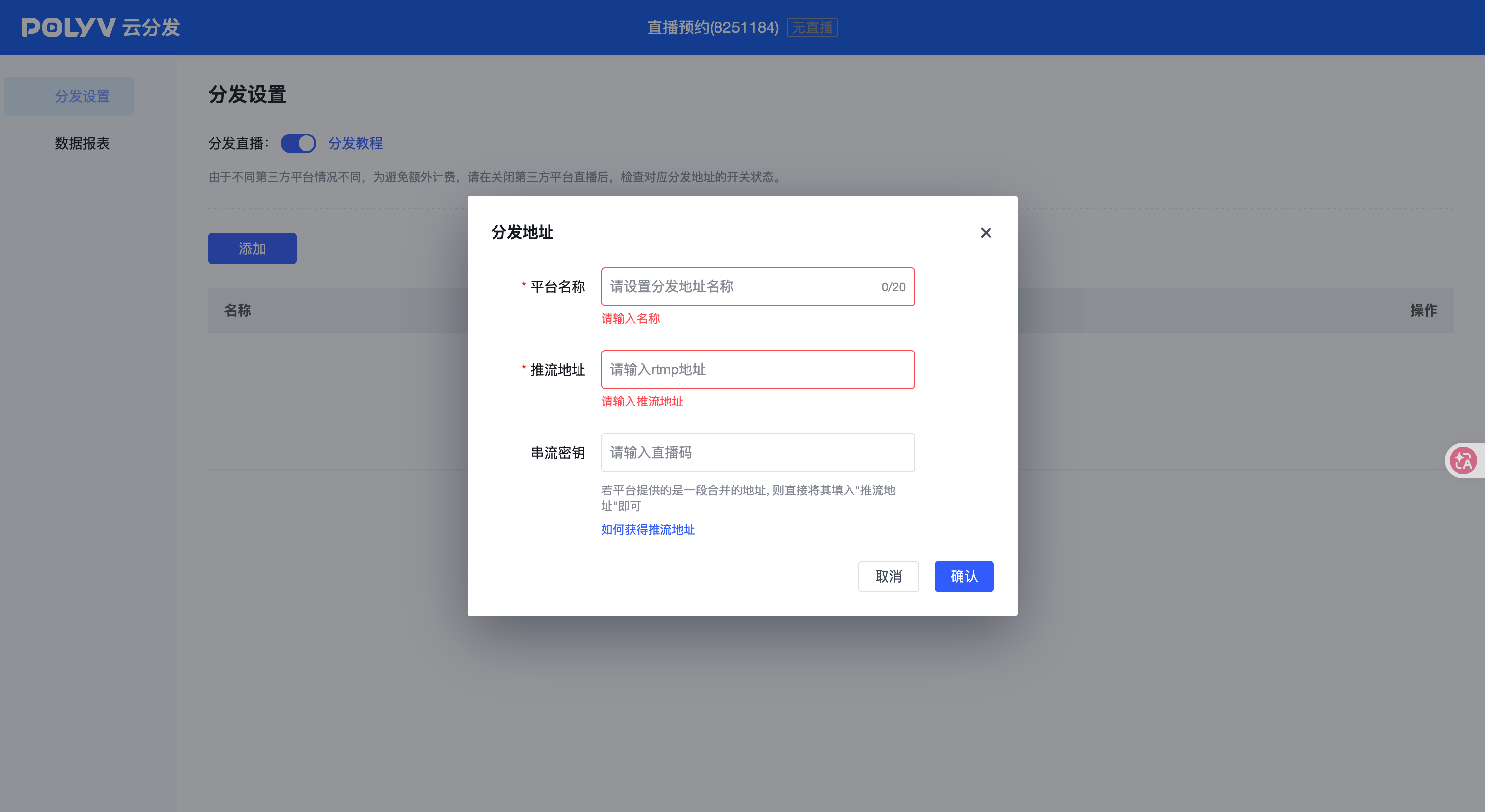
*Figure 1: The target address setting interface of POLYV cloud distribution, showing the configuration entry of the platform name, RTMP push address and streaming key; the actual address or key is not filled in on the screen, and the directions of “push POLYV” and “distribute from POLYV to the target platform” still need to be distinguished. Image source: POLYV product interface material*
03 One primary stream reduces duplicate equipment, not channel operations
3.1 The venue does not need three separate primary encodes
Sending directly from the venue to three platforms makes the encoding workstation maintain multiple uplinks, increasing network, equipment, and operating risk. With one primary stream into POLYV and Cloud Distribution to the destinations, the on-site team can focus on the quality and stability of one program feed while the cloud handles the additional outputs.
This does not eliminate congestion or incompatibility. Bitrate, resolution, frame rate, audio format, and landscape or portrait orientation must satisfy the current ingest requirements of all target platforms. Select a stable common profile and test it with the actual venue network and production equipment before the event.
3.2 The three platforms still need to be guarded separately
Cloud Distribution synchronizes the audio/video feed. It does not automatically merge native comments, likes, giveaways, products, orders, or user data across platforms. The operations team still needs to confirm that every room is live, monitor picture and sound, respond to content-review notices, and manage interaction under each channel’s rules.
If the company also runs a POLYV viewing page or owned-channel live room, operate it as a distinct primary destination for registration, event information, branded content, and permitted follow-up. Public platforms expand reach; compliant calls to action can guide interested viewers into the company’s own customer journey.
04 A six-step runbook for the event team
4.1 Several days before: Complete account and event setup
Record each platform’s account owner, sign-in method, broadcast permissions, event-review status, ingest-credential validity, and escalation contact. Do not share personal passwords. Where the platform supports team roles or subaccounts, grant the least privilege needed.
4.2 After retrieving credentials: Build and review a distribution sheet
For each target, record the event time, credential-retrieval time, stream-key custodian, POLYV configuration status, test result, and exception plan. A broadly shared version of the runbook should show status only, never the actual key.
4.3 Complete the POLYV Cloud Distribution configuration
Use an unambiguous name for every destination, enter its ingest information in the current console format, and save it. If a screenshot is retained for the runbook, redact the credential. If Cloud Distribution is not active or the account version cannot support the planned parallel routes, revise the plan now—not on event day.
4.4 Run at least one end-to-end test stream
Use the production cameras, program output, encoding profile, and venue network to send the primary stream into POLYV. Check audio, video, orientation, latency trends, and interruption recovery on Douyin, WeChat Channels, and Kuaishou. Do not end the test as soon as an image appears; verify start-up, sustained delivery, interruption and reconnection, and clean termination.
4.5 Event start: Confirm the primary stream, then check each destination
After the primary channel receives the signal, start or verify each distribution route in the order established during integration testing. Technical staff monitor encoding, network, and relay status; channel operators confirm that every room is live and record the time of any incident and recovery.
4.6 Event end: Close each destination and retain review records
After ending the primary stream, confirm that each target platform also exits its live state so no room is left showing an empty feed. Review POLYV distribution results, the primary recording, and each platform’s own analytics. Definitions differ across sources, so do not add viewer counts together and present the sum as deduplicated reach.
05 Unify the program feed while operating each channel separately
Cloud Distribution does more than reduce the number of computers at the venue. It keeps the master video, audio, and timing consistent across destinations, reducing version drift. Each channel still retains its own title, thumbnail, reservation, moderation, and operating rhythm.
The POLYV Cloud Distribution feature page supports an easy operating principle: one primary stream, multiple distribution destinations. The enterprise controls the primary program feed, POLYV relays it to the RTMP destinations supplied by the target platforms, and the team reviews distribution results under the current product workflow. This does not replace target-platform permissions or remove the need to prepare every destination before going live.
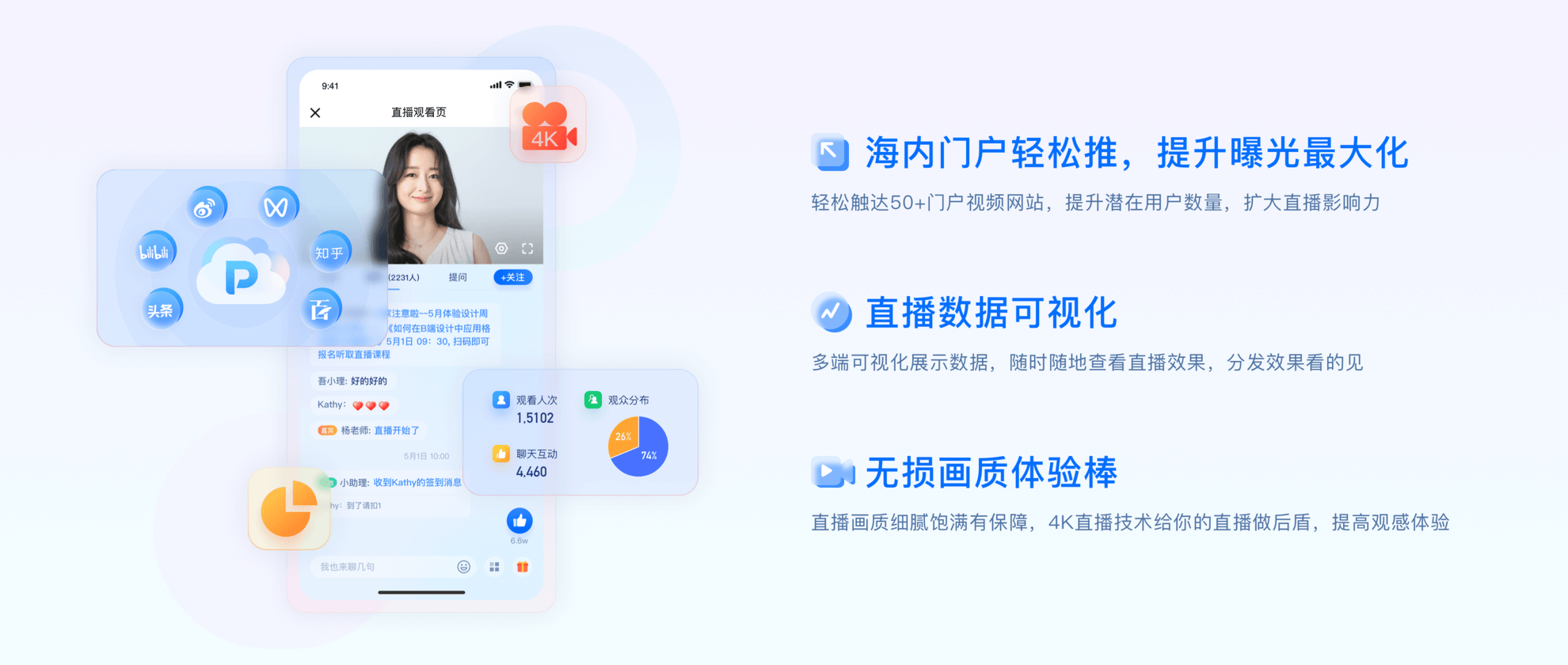
*Figure 2: POLYV cloud distribution portal access plan diagram, used to illustrate multi-platform coverage, exposure and distribution effect visualization; the platform logo in the screen is only for channel indication, and does not mean that all accounts are enabled by default or have fixed coverage. Image source: POLYV official program material*
06 Final pre-event checklist
| Area | Required confirmation | Owner |
|---|---|---|
| Douyin, WeChat Channels, and Kuaishou accounts | Current permission for live streaming and third-party ingest | Channel operations |
| Three platform sessions | Title, cover, category, review and reservation completed | Channel operation |
| Ingest credentials | RTMP URL and stream key are valid for the event and have passed two-person review | Operations + technical team |
| POLYV account | Whether cloud distribution is activated, and whether the current version and parallel range are met | Project leader |
| Primary program feed | Source, encoding profile, uplink, and backup route pass the test stream | Live-production team |
| Platform monitoring | Whether the three platforms have separate duty and exception records | Operation team |
| Ending and review | Whether each end is shut down, how to retain the video and data | Operation + data |
07 FAQ
7.1 Do I need three computers to push three platforms at the same time?
With POLYV Cloud Distribution, the venue normally maintains one primary stream into POLYV, which the cloud relays to the configured destinations. Backup encoding equipment should match the event’s importance and contingency plan, but the team does not need three duplicate primary systems solely because there are three target platforms.
7.2 What should I do if a platform cannot get the push address?
First confirm that the current account has third-party-ingest permission and that the platform provides an RTMP destination for this event type. A viewing link is not a substitute for valid ingest credentials, and generic Cloud Distribution cannot overcome that limitation. Apply for permission or confirm a supported alternative with the target platform and POLYV project team.
7.3 Can I still use cloud distribution using OBS Studio or hardware encoder?
Yes. A third-party production tool or encoder can send the primary stream to POLYV, and POLYV Cloud Distribution can relay it to the target destinations. Confirm the input protocol, encoding profile, and failover plan against current documentation and on-site integration testing.
7.4 Can comments, giveaways, and products be synchronized on the three platforms?
A synchronized picture does not make native interaction or transaction data interoperable. Comments, giveaways, products, orders, and user data remain governed by each platform’s product and API rules and require separate operations. If unified lead or attribution data is needed, design a compliant callback and attribution workflow.
7.5 Why is it necessary to pilot in advance?
Account permission, ingest credentials, encoding format, orientation, review status, and console version can all change the outcome. An end-to-end test exposes incorrect destinations, missing permissions, audio/video faults, and reconnection problems before the event. It is also the most reliable way to confirm the usable scope of the current account.
08 About POLYV
POLYV is an enterprise video SaaS provider offering cloud live streaming, VOD, system integration, content operations, and live-event delivery services. For press conferences, marketing events, and media communications, POLYV can receive the enterprise’s primary program feed and use Cloud Distribution to relay it to RTMP destinations supplied by approved target platforms. This helps unify the program output, reduce duplicate venue uplinks, and retain primary-room and distribution records for review.
Supported target platforms, parallel-route capacity, console operations, activation conditions, live-event adjustment options, and data fields depend on the enterprise account version, current target-platform rules, contract terms, project configuration, and pre-event integration results.