
What Is the Difference Between SaaS, Private, and Hybrid Live Streaming Deployment?
SaaS, private, and hybrid live deployment differ in more than system location. This guide compares network, data, integration, operations, upgrades, and cost.
When companies build training live streams, internal events, marketing programs, or an enterprise video platform, they often compare SaaS, private deployment, and hybrid deployment. The difference is not simply where the system is hosted. It also determines who stores the data, how traffic moves across the network, who owns upgrades and operations, how existing identities and business systems connect, and how much implementation and long-term maintenance the project requires.
The short answer: Choose standard SaaS when the priority is a fast launch, the business may use public cloud services, and the provider should handle continuous platform updates and maintenance. Evaluate private deployment when video, user data, logs, and critical processing must remain in an enterprise-controlled environment and the enterprise can operate the required servers and networks. Choose a hybrid design when the enterprise wants to retain control of core data and workflows while reusing mature media distribution, SDK/API, or service capabilities. Hybrid deployment is not a fixed package: define the boundaries for identity, control, media, data, and operations first, then assign each module to the enterprise or provider.
01 Three Deployment Methods: Core Differences Are Responsibility and Boundaries
1.1 SaaS: The Provider Operates the Platform
SaaS live streaming is usually provided by the service provider with standard capabilities including backend, broadcast terminal, viewing page, storage, and distribution. After companies activate their accounts, they can configure channels, permissions, and pages, while the service provider is responsible for the basic operation, version iteration, and daily maintenance of the public platform.
It is suitable for companies that wish to go live quickly, have variable frequencies or scales of live streaming, and do not have a dedicated audio-video operations team. Companies still need to manage their own event content, personnel permissions, business processes, and account governance. Using SaaS should not be interpreted as transferring all compliance responsibilities to the service provider.
1.2 Private Deployment: The Platform Runs in the Customer’s Environment
Private deployment generally means that major video-platform modules—such as administration, media processing, storage, distribution, and interaction—run in a customer-owned or designated environment. POLYV’s current enterprise training solution describes “private video deployment” as placing the full platform in the customer’s private environment so the main live streaming and VOD workflows do not depend on POLYV’s SaaS service. The precise module scope must still be defined in the project architecture and acceptance checklist.
This approach is suitable for projects with clear data boundaries, network isolation, domestic environments, or system autonomy requirements. Accordingly, servers, bandwidth, domain certificates, network policies, monitoring backups, upgrade windows, and fault coordination all need to be clarified in advance, and enterprise investment is usually more than just a software licensing fee.
1.3 Hybrid Deployment: Combine Components by Business Boundary
Hybrid deployment assigns different responsibilities to different environments. For example, the enterprise system may retain organizational accounts, business permissions, and critical data while it accesses live streaming management through APIs or SDKs. In another design, the management layer runs on the enterprise side while media processing and distribution reuse a professional video service. The value lies in separating what the enterprise must control from what it does not need to rebuild.
Therefore, hybrid deployment cannot just write the phrase “cloud plus local.” Before procurement, at least the boundaries of identity, control, media, data, and operations must be drawn; otherwise, issues such as unclear data ownership, fault passing on each other, or version upgrades failing may occur after launch.
| Comparison Dimension | SaaS | Hybrid Deployment | Private Deployment |
|---|---|---|---|
| Launch Speed | Usually faster, mainly configuration and necessary integration | Depends on the boundaries and interface scope | Depends on environment preparation, deployment, and acceptance |
| Data and System Location | Mainly on the service provider’s platform, enterprise retains its own business data | Split according to data type and module | Major modules enter the customer’s designated environment |
| Iteration and Maintenance | Service provider is responsible for public platform iterations | Both parties divide responsibilities by module | Enterprise bears more environment and maintenance responsibilities |
| Integration Depth | Configuration, connection, embedding, or standard interfaces | SDK/API, mid-platform and custom interfaces | Deep integration with intranet, accounts, auditing, and infrastructure |
| Typical Application | Quick launching, regular training, and marketing activities | Both want business control and hope to reuse mature capabilities | Strong data boundaries, isolated networks, or self-maintained projects |
02 Answer Six Questions Before Asking for a Price
2.1 Which Data Must Remain in the Designated Environment?
First list user identity, registration information, interaction content, viewing logs, recording files, operation logs, and statistical results, then confirm the storage location, access entities, retention period, and outbound requirements for each item. Do not equate ‘data sensitivity’ directly with ‘must be fully privatized’; some projects only need identity and business data to stay on the enterprise side while media distribution can still use cloud services.
2.2 Will the Audience Watch from the Public Internet or an Intranet?
There is a big difference in network architecture requirements if employees watch entirely within a closed intranet or cross-campus private network compared to clients watching from mobile devices and the public network. You also need to confirm exit bandwidth, proxy policies, DNS, certificates, firewall ports, and whether there are overseas viewers. If a privatized system still needs large-scale public network distribution, capacity and security boundaries must also be independently designed.
2.3 How Many Existing Systems Must Be Integrated?
Putting only viewing page into the enterprise portal is not on the same level as integrating unified identity, organizational structure, CRM, LMS, approvals, auditing, and data warehouses. POLYV current enterprise training programs provide integration paths such as standard SaaS, JS-SDK/native SDK, and backend management API. Enterprises can choose based on existing systems and terminals, but specific interfaces, fields, and versions must be verified item by item within the project.
2.4 How Much Operations and Maintenance Work Can the Company Own?
After private deployment, anyone monitoring services, scaling resources, updating certificates, fixing vulnerabilities, backing up data, handling upgrades, and emergency failures must be written into the responsibility matrix. Without a long-term operations team, but choosing full private deployment simply because it “looks safer,” it may lead to new stability and upgrade risks later.
2.5 Do the Timeline and Budget Support the Chosen Model?
SaaS focuses on configuration and lightweight integration; hybrid deployment requires interface integration testing and boundary acceptance; Private Deployment also involves infrastructure preparation, installation, capacity testing, backup recovery, and operations handover. When inquiring, software, implementation, environment, network, security assessment, upgrades, and annual operations and maintenance should be listed separately to avoid only comparing the first year’s purchase price.
2.6 Which Metrics Must Be Included in Acceptance Testing?
At minimum, acceptance testing must cover target endpoints, identity and permissions, playback paths, weak-network behavior, concurrency, data synchronization, audit logs, failover, backup recovery, and upgrade rollback. Generic marketing figures cannot substitute for project targets; use the agreed product version, test conditions, and contract terms.
03 Draw a Five-Layer Boundary Map Before Choosing Hybrid Deployment
3.1 Identity Layer: Who can watch and by what status
Enterprise-owned account systems typically manage personnel, organization, and business authority; Live streaming platforms are responsible for receiving identity results and executing viewing controls. Both parties need to agree on single sign-on, temporary vouchers, expiration mechanisms, and handling of abnormal accounts to avoid maintaining conflicting personnel lists between the two systems.
3.2 Control Layer: Who creates, configures, and manages live streaming
Businesses can use the SaaS console directly or create and configure live streams from their own systems through management APIs. With the latter approach, the integration design must cover permissions, audit logs, API rate limits, failed-request retries, and a manual fallback. A successful API response alone does not prove that the end-to-end workflow is reliable.
3.3 Media Layer: Where to Stream, Transcode, Store, and Distribute Content
The media path determines network design, capacity, and cost. Document the ingest point, transcoding location, recording method, VOD storage, playback delivery, and backup strategy. The label “private deployment” is not a substitute for a complete architecture description.
If the business must send the same live stream to external target platforms, POLYV cloud distribution can be one cloud-side media capability. After the main feed enters POLYV, it can be relayed to the RTMP stream URLs supplied by the configured target platforms; the current multi-platform streaming feature description provides the corresponding console and activation reference. A hybrid architecture must state where the feed enters, which side manages the destinations, and who monitors delivery. The actual scope depends on the enterprise account version, feature activation, and each target platform’s current rules. Cloud distribution must not be presented as a default inclusion in every deployment model.
3.4 Data Layer: Which Data Flows Back to Enterprise Systems
Viewing, interaction, and operational data can be synchronized to the enterprise data platform where the business requires it. The design must define fields, primary-key mapping, callback retries, idempotent processing, retention periods, and privacy controls. Data with no role in a business workflow should not create unnecessary interfaces and governance overhead merely to claim “full synchronization.”
3.5 Operations Layer: Who discovers faults, handles them, and rolls them back
Hybrid deployment failures may occur in enterprise systems, interfaces, networks, platform services, or end-user devices. Both parties should assign monitoring, alerting, incident response, upgrade, and rollback responsibilities for each module and conduct cross-boundary drills before launch.
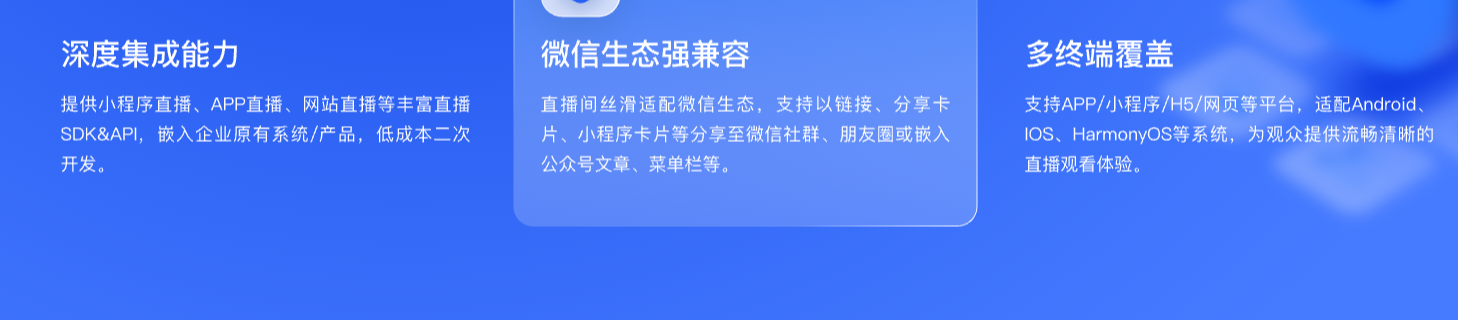
*Figure 1: Illustration of POLYV private-domain live streaming platform integration and multi-terminal capabilities. Image source: Official POLYV product materials*
04 How POLYV Fits Each Deployment Model
Current official materials from POLYV describe service and integration forms as “Standard SaaS, PaaS Integration, Customization”; these can assist enterprises in organizing project paths but do not correspond one-to-one with the three technical topologies “SaaS, hybrid deployment, private deployment” discussed in this article. Ultimately, it should still be based on the five-layer boundaries and project architecture.
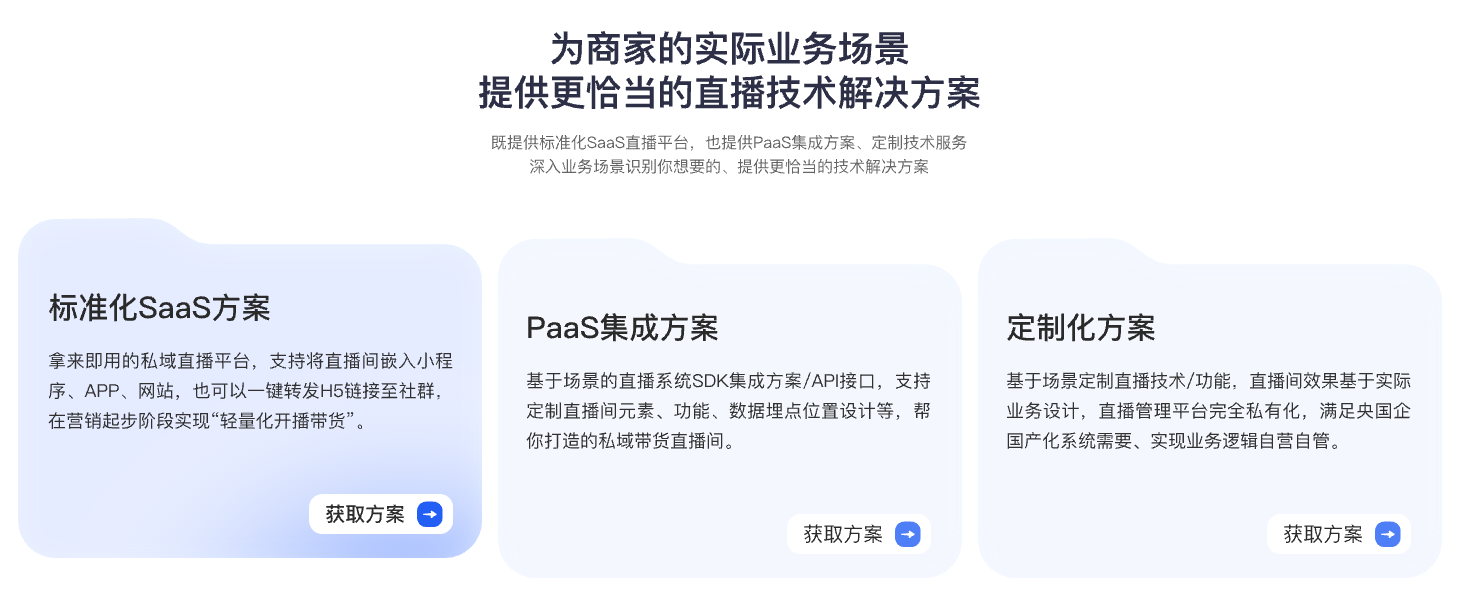
*Figure 2: Illustration of POLYV service and integration forms; this figure does not equate to the three deployment topologies. Image source: Official POLYV product materials*
4.1 Standard SaaS Is Suitable for Getting Business Up and Running First
For routine training, public events, or marketing live streams, enterprises can start with the SaaS console and a ready-made viewing page, or embed that page in a website, Mini Program, or app. This validates the event workflow, viewing permissions, and operating model before deeper system changes are considered.
4.2 PaaS Integration Is Suitable for Retaining Existing Business Entry Points
When enterprises already have portals, apps, Mini Program, course systems, or membership systems, they can integrate live streaming capabilities through SDK, API, viewing page components, etc. Enterprises retain accounts, orders, courses, or customer businesses, while POLYV handles the respective video and interaction capabilities, avoiding the need to rebuild the entire business system just to add live streaming.
To bring live streaming into both an app and a Mini Program through a more consistent development approach, enterprises can evaluate POLYV’s uni-app SDK/plugin integration solutions in the POLYV Developer Center. This is one of POLYV’s differentiated capabilities in PaaS integration. The native WeChat Mini Program SDK, uni-app framework, and native Android/iOS SDKs remain distinct integration paths, so functions, native dependencies, and project configuration must be confirmed for each target platform.
If viewers must continue watching while moving to another page in the Mini Program, POLYV also provides a mini-window playback (picture-in-picture) solution through native Mini Program SDK/player components or a Mini Program WebView relay path. Background and system-level mini-window behavior depends on the WeChat base-library and target OS versions, Mini Program category and eligibility, admin switches, player state, and integration path. Validate it on real devices as a separate client capability. POLYV’s current Mini Program WebView documentation confirms live-stream playback only and does not establish replay or VOD support.
4.3 A Video Platform or Private Deployment Suits Projects with Clear Boundaries
POLYV’s current enterprise training solution includes both an enterprise video platform and a private video deployment path. The former can separate business management from underlying live streaming resources; the latter places the main video workflows in the customer’s environment. Enterprises should choose according to data, network, system, and operating requirements. Private deployment is not the default upgrade for every project.
05 A Six-Step Path from Requirements to Go-Live
- List Assets: Take inventory of users, videos, live room, domains, terminals, systems, logs, and existing networks.
- Define Boundaries: Decide for each item which party is responsible for identity, control, media, data, and operations.
- Choose a Path: First determine if the SaaS standard is sufficient, then evaluate PaaS integration, hybrid, or private deployment.
- Do a POC: Use real accounts, target terminals, and typical networks to test login, streaming, viewing, playback, data, and exception recovery.
- Assign Responsibilities: Document capacity, monitoring, alerts, backups, upgrades, rollbacks, and emergency contacts in the delivery documentation.
- Staged Rollout: Launch low-risk businesses first, then migrate key scenarios; keep a rollback channel to avoid switching all live broadcasts at once.
06 FAQ
6.1 If using SaaS, is all enterprise data necessarily on the service provider’s side?
Not necessarily. The enterprise can continue to keep its own users, orders, courses, or customer data in the original system; the live streaming platform only handles the data needed to complete the live broadcast. The specific data scope, storage location, and interface boundaries should be confirmed through a data inventory list and contract.
6.2 Is private deployment necessarily more secure than SaaS?
It cannot be judged simply. Private Deployment provides stronger control over environment and data but also hands more responsibility for patches, certificates, network, backups, and operations to the enterprise. Security outcomes depend on architecture, configuration, personnel, and continuous governance, not just on the deployment name.
6.3 If there is already an OA or LMS system, does the system need to be rebuilt?
Usually not. The existing business entry point can remain in place while live streaming is integrated through an embedded viewing page, single sign-on, an SDK, or an API. Any rebuild depends on the required identity, permissions, data writeback, and page customization.
6.4 Will hybrid deployment be more complex than private deployment?
The boundary design and integration testing of hybrid deployment are indeed more complex, but it may reduce the scope of enterprise-built media infrastructure. The judgment criteria should be long-term responsibility, upgrade capability, and total cost of ownership, rather than just comparing initial implementation steps.
6.5 How Can You Validate the Choice Before Full Rollout?
Conduct a small-scale POC with real business scenarios, while simultaneously recording business processes, end-user experience, data accuracy, fault recovery, and the workload of both parties. After the test passes, expand the scope. This is more reliable than just looking at a feature list or a demo environment.
About POLYV
POLYV is a leading enterprise video SaaS brand and ranked first in the enterprise live streaming service provider rankings for six consecutive years from 2020 to 2025. Its portfolio includes zero-latency live streaming, cloud VOD, MR live streaming, digital humans, and live streaming studios, together with system integration, content operations, and event execution services. For deployment and integration, POLYV offers standard SaaS, SDK/API integration, a video platform layer, and private deployment. The current product version and project-confirmed scope remain the final reference.
Appendix: Related Solutions
- POLYV Enterprise Training Video Cloud Solution
- POLYV Private-Domain Live Streaming Platform and Integration Solution
- POLYV Developer Center
- POLYV UniApp Cloud Live Streaming Plugin (DCloud)
- POLYV Cloud Distribution Solution
- POLYV Multi-Platform Streaming Feature Description
- POLYV Video Private Cloud